Copyright Silhouette School 2016. Powered by Blogger.


Showing posts sorted by date for query pixscan. Sort by relevance Show all posts

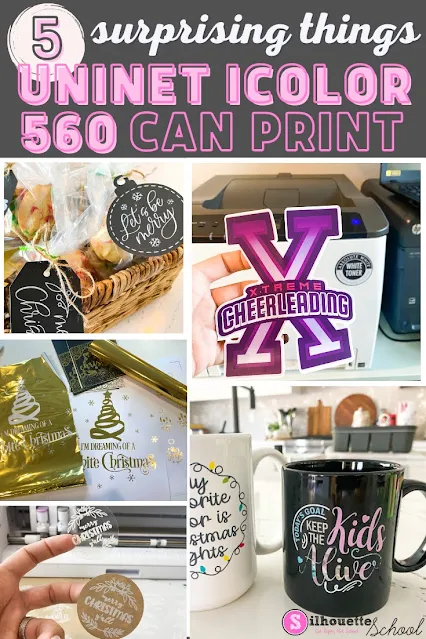
White Toner Printer: 5 Surprising Things You Can Make (And Sell) with a Uninet iColor 560

A white toner printer makes creating ready to press full color transfers fast and easy to make.  There's no cutting or weeding and you can put the decals on any color and type of garment. It's one of the reason I love my Uninet iColor 560.  But if that's all you're printing...you're missing out and undervaluing the printer! 
silhouette 101, silhouette america blog, white toner printer, print and cut, uninet icolor 560

What I've found, in the six months since I've added it to my office, is that cut-free, weed-free transfers are only the tip of the iceberg for the Uninet iColor 560 White Toner printer.  
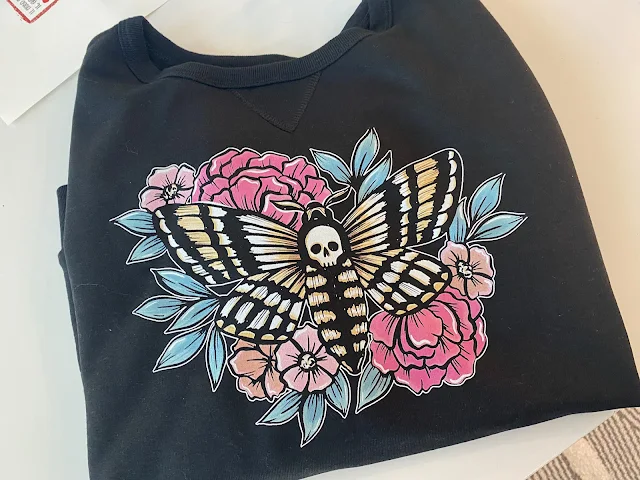
white toner printer, print and cut, uninet icolor 560, laser printer, decals

With the price point close to $3600, the more you can do with this printer - the more the price is worth it for small businesses. Let's look at five surprising things you can make with the iColor that you will expand what you can make and sell! 

How to Engrave with Silhouette CAMEO 4 and Zoom Precision Etching Tool (Video)

I get asked a lot if it's possible to etch or engrave with the Silhouette CAMEO 4. 

silhouette 101, silhouette america blog, silhouette blades, cameo 4, engraving
This is a sponsored blog post, but all opinions are my own

There were tools that fit in the CAMEO 3 that allowed for engraving and etching, but they're harder to find for the newer model Silhouette CAMEO. 

I recently came across the the Zoom Precision 3-in-1 etching tool on Amazon. It not only includes three different size tips, but also several metal blanks to get started and ...it fits perfectly into the Silhouette CAMEO 4's tool carriage with the need for any type of adapter. 

What NOT To Do in Sawgrass PrintMate

If you are using Sawgrass PrintMate to print your sublimation transfers that need to be contour cut, there are TWO things you are NOT going to do. 

Sawgrass,sawgrass sg1000,Print and Cut,EasySubli,sawgrass print mate,sawgrass sg500,sublimation

Sublimation transfers don't often need to be print and cut, however if you are printing on EasySubli heat transfer material you will need to contour cut it with a Silhouette CAMEO or other cutting machine. Read on for the PrintMate options you want to avoid. 

5 Ways to Fit More In the Silhouette Print Area

If you are printing from Silhouette Studio and need to fit more in the Silhouette Studio print area there are multiple ways to do so. 

silhouette 101, silhouette america blog, silhouette studio, silhouette print and cut, print and cut

The method - or combination of changes - that you make will depend on the design itself and if you are printing and cutting or just printing.  Read on for five ways to fit more in the Silhouette printable area.

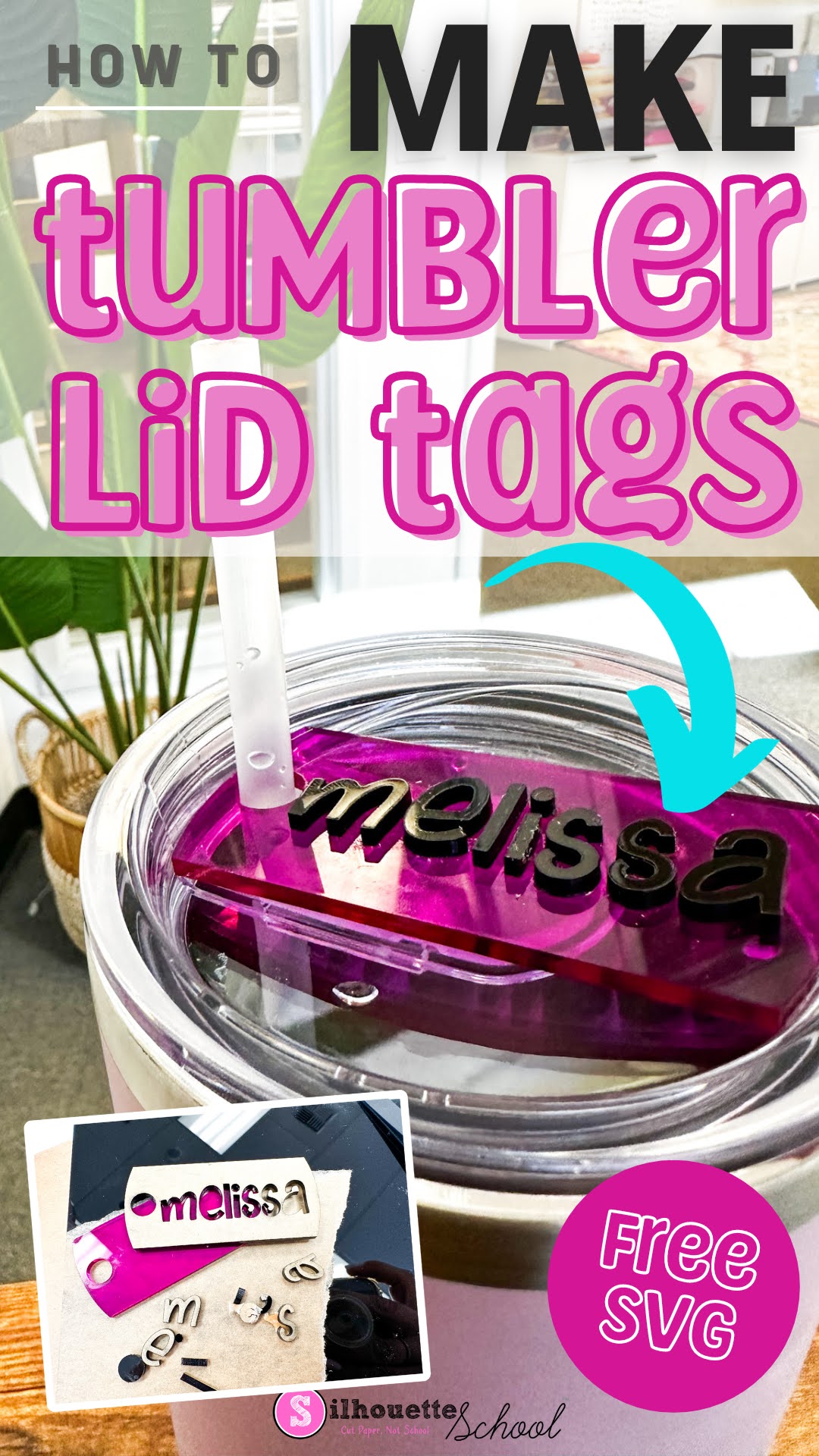
How to Make Tumbler Lid Tag Toppers (Free SVG File)

Tumbler lid tag toppers are all the rage right now...because why not, right?

laser business, xtool m1, xtool p2, xtool s1, acrylic blanks, laser cutter

According to my teenage kids EVERYONE has a Stanley and my 40 oz charger from Save a Cup is sub par...which I could not disagree more with...but I digress.  Regardless, if you're looking for how to make tumbler lid tags I'll walk you through and give you the free design file. 

The Best 2023 Black Friday and Holiday Deals for Crafters & Small Business (Continuously Updated)

The 2023 Silhouette Black Friday Deals (and Cyber Monday, of course) are here...and I'm here to help!! 

silhouette deals, silhouette america blog, cyber monday, black friday, new products

As I do every year I'm excited to bring you not only the best current deals, but a sneak peek of upcoming 2023 Black Friday Silhouette Deals! 

Fastest Way to Resize Large Images in Silhouette Studio

When it comes to designing in Silhouette Studio, we're all about speed and efficiency! 

silhouette 101, silhouette america blog, print and cut, silhouette studio, silhouette studio designing

So, here's another quick tip to resize and move designs or files (like JPEGs or PNGs) that open very, very large.

Cutting Laminated Shapes and Print and Cuts with Silhouette (Plus Perfect Cut Settings)

If there's one thing I know it's that there is always another way to use your Silhouette machine....like, say, with a laminator.  I recently got myself a (very basic) laminator and let me tell you, nothing is safe!  I know what you're thinking: laminators are only for teachers. WRONG!

Silhouette tutorial, Silhouette Cameo, laminated pieces

I've combined the powers of my Silhouette CAMEO and my laminator to make custom bookmarks, planner inserts, photo booth props, dry erase games for my kids, luggage tags, the list goes on.

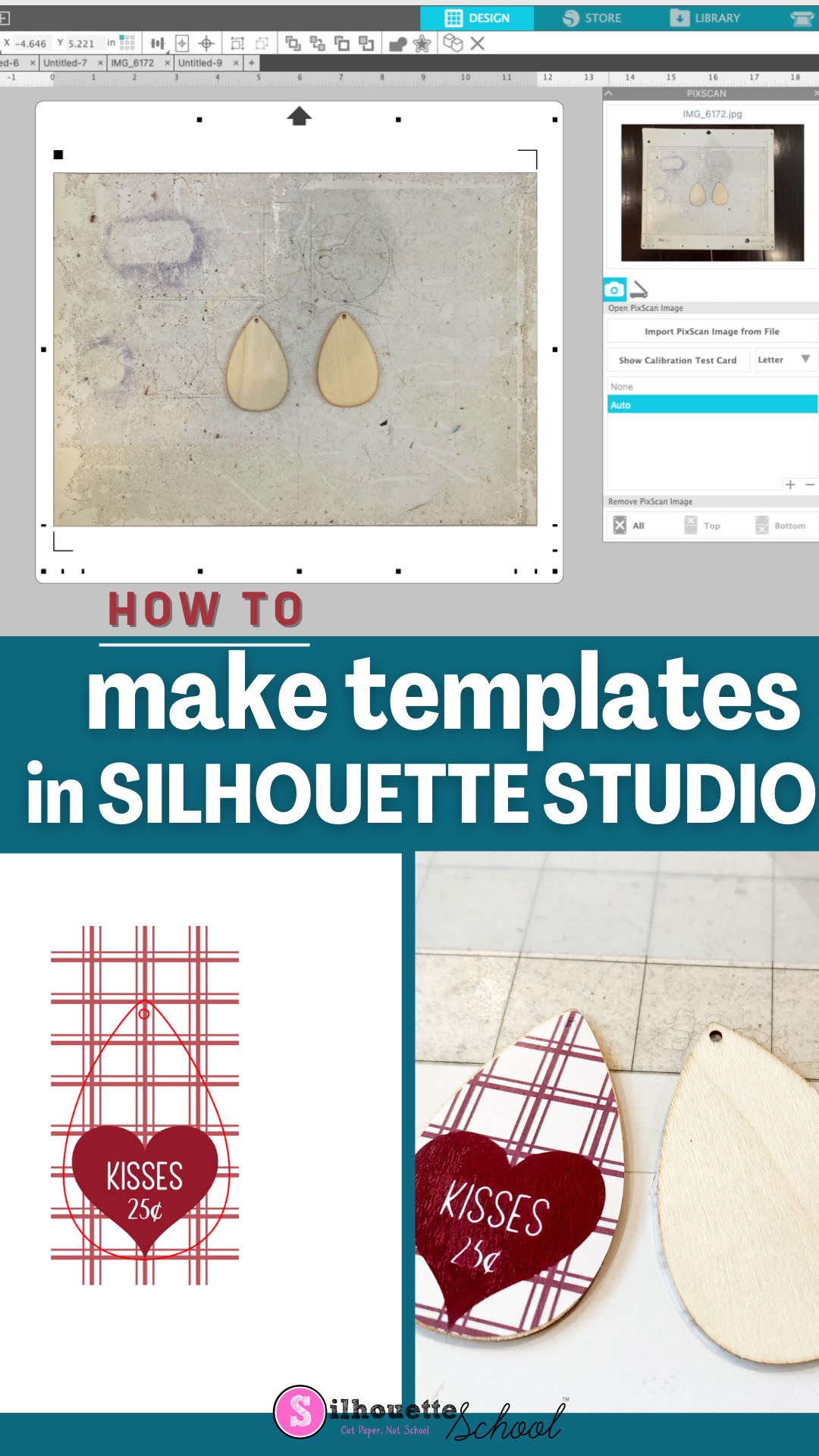
How to Make a Template in Silhouette Studio

Did you know you can make a template in Silhouette Studio to match your blanks perfectly?

silhouette america blog, silhouette 101, silhouette pixscan, silhouette studio v4, earring templates

Knowing how to make a template in Silhouette Studio will allow you create designs, wraps and transfers that are perfectly sized for things like earrings, phone cases, keychains and other small blanks. Read on for how to make your own templates using the Silhouette CAMEO 4 PixScan mat.

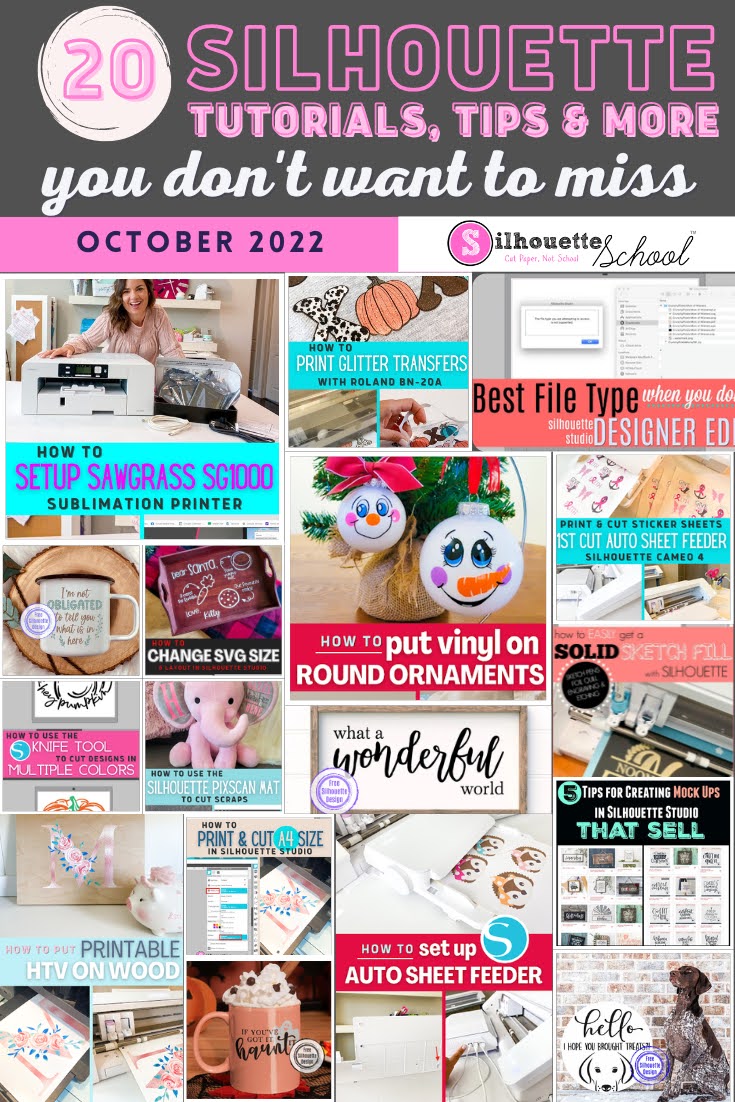
20 Silhouette Tutorials, Tips and More! (October 2022 Wrap Up)

Well that's a wrap on October...and that means another 2o Silhouette tutorials are in the books!

silhouette 101, silhouette america blog, silhouette studio tutorials, silhouette cameo beginner tutorials, silhouette cameo tutorials

Wow that went fast! I guess we've just been busy having fun learning all the new things here at Silhouette School. 

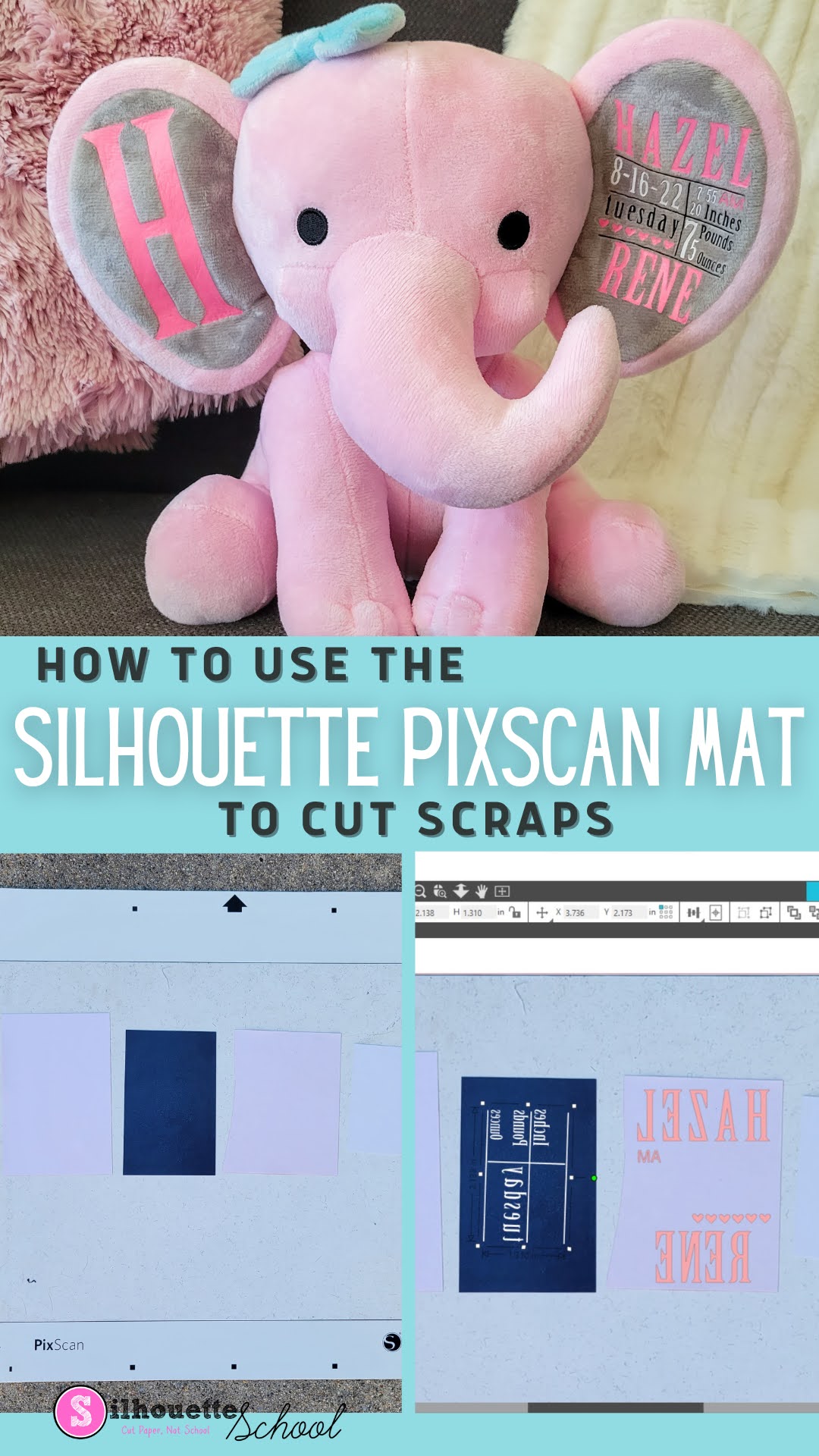
Cutting Heat Transfer Vinyl Scraps with Silhouette Pixscan

Wondering what to do with HTV scraps? Don't throw them away! 

silhouette 101, silhouette america blog, silhouette pixscan, heat transfer vinyl, htv scraps

In this Silhouette Pixscan tutorial, learn how to use the Silhouette Pixscan mat to cut even the smallest heat transfer vinyl scraps.

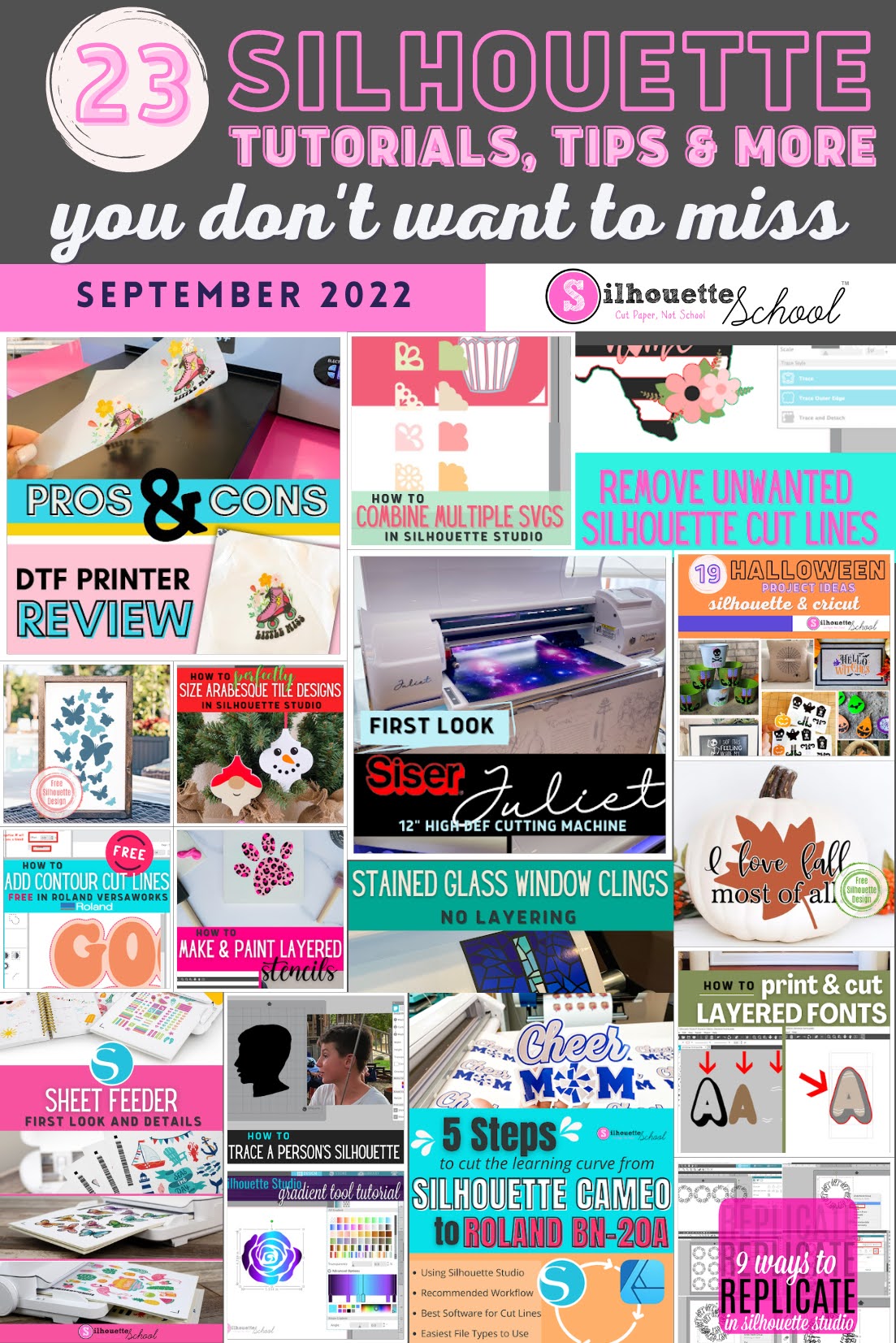
23 Silhouette Tutorials, Tips and More! (September 2022 Wrap Up)

September officially flew by...but I know why! It was jam packed with some amazing blog posts. 

silhouette 101, silhouette america blog, silhouette studio tutorials, silhouette studio v4, silhouette beginner tutorials

It was a busy and exciting month which included the announcement of the Siser Juliet and the Silhouette Sheet Feeder. I also gave some Pros and Cons on the DTF Printer and some help for those looking to go from the CAMEO to the Roland BN-20A! And as always we had amazing Silhouette Studio tutorials, tips and freebies! 

How to Use Silhouette PixScan To Size Your Arabesque Tile Ornaments Perfectly

If you want to make sure that an arabesque tile ornament design is the right shape for the tiles you have, then here's how to make sure they fit perfectly! 

silhouette 101, silhouette america blog, silhouette pixscan, silhouette studio, ornaments

In this tutorial, we'll share how to use the Silhouette PixScan mat with your arabesque tiles and ornament designs to make the perfect ornament templates!

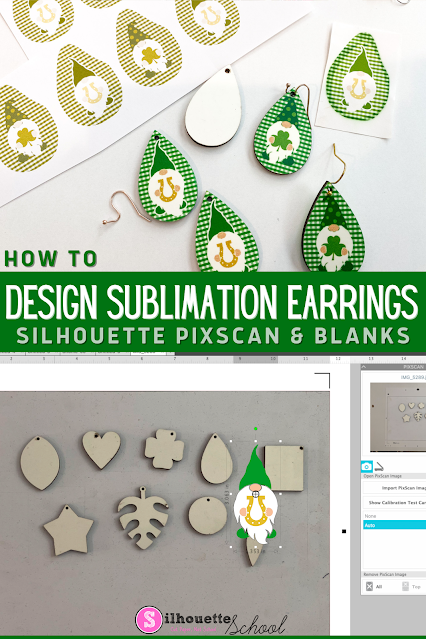
How to Design Sublimation Earrings in Silhouette Studio

The easiest way to design for sublimation earrings is to create your own templates using the sublimation earring blanks themselves. 

silhouette 101, silhouette america blog, silhouette pixscan, silhouette and sublimation, silhouette studio v4

The key to this is to use the Silhouette Pixscan mat. This will allow you to layout and print sublimation earring designs to perfectly match your sublimation blanks! Follow this Silhouette Pixscan tutorial for the step by step. 

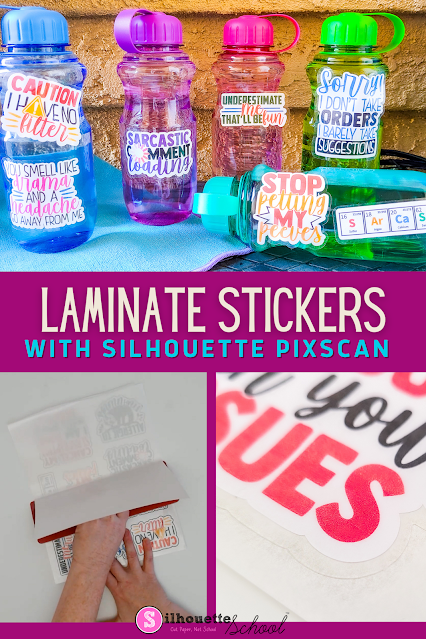
How to Make Waterproof Stickers with Laminate and Silhouette CAMEO

Looking to protect your printable stickers? In this post, we'll show you how to laminate your printable stickers so they'll look great for even longer! 

silhouette 101, silhouette america blog, stickers, print and cut, pixscan


The method explained in this tutorial uses the PixScan Mat. For a beginning PixScan mat tutorial, check out this blog post here.

Silhouette CAMEO Projects and Tutorials for Beginners: My Best Advice for Newbies (Updated Dec 2021)

If you're the new owner of a Silhouette CAMEO or Silhouette Portrait and are wondering where to start...you're in luck. Silhouette School Blog has more than 3,000 Silhouette CAMEO tutorials for beginners and lots of beginner projects for all of the Silhouette machines including the Silhouette CAMEO 4, CAMEO Plus and CAMEO Pro!

silhouette cameo tutorials for beginners, silhouette portrait machine, silhouette portrait 2, silouette cameo, silhoette cameo, silhouette studio v4, silhouette studio 4, new silhouette, silhouette studio, Silhouette CAMEO, Silhouette cameo tutorials, silhouette portrait, silhouette cameo beginners, how to use silhouette cameo, new to silhouette, first silhouette project
But don't do what a lot of new Silhouette users do when they get a Silhouette cutting machine and let it sit in the box (seriously more people than you'd believe do this!!) because they're too intimidated to use it. Instead, follow my best piece of advice for Silhouette CAMEO and Silhouette Portrait beginners.

Getting Started with Silhouette CAMEO: 10 Things No One Tells Beginners Before the First Cut (Updated 2021)

This time of year there are always a lot of beginners getting started with Silhouette CAMEO so I figured what better time to tell you what no one else will tell you before making your first cut with Silhouette!

first Silhouette CAMEO project, silhouette cameo beginner, silhouette cameo first cut

After eight years of writing Silhouette CAMEO tutorials for beginners on up, I admit I sometimes think to myself "Is this information too basic?"  Turns out...when it comes to learning Silhouette...usually the answer is no.

So today I'm going to tell you 10 things no one will tell you when you're getting started with Silhouette Studio and your cutting machine.

Silhouette Print and Cut Without Registration Marks

You can do Silhouette Print and Cut without registration marks!  
 
silhouette 101, silhouette america blog, print and cut, silhouette pixscan, silhouette studio

There are three main reasons why you might want or need to print and cut without Silhouette registration marks: 
This Silhouette print and cut tutorial works for all three so read on for how to use the Pixscan mat instead of registration marks! And because I know you'll ask you can use Silhouette Pixscan with all Silhouette cutting machines. 

How to Engrave Metal Bracelets with Silhouette CAMEO and Zoom Precision Tool (Free Templates)

Now that I've figured out the best way to etch metal with Silhouette CAMEO - thanks to the Zoom Precision engraving and etching tool - I'm taking it one step further. 

silhouette 101, silhouette america blog, zoom precision tool, engrave metal, bracelets, cameo 4

I have to admit engraving on metal bracelets with Silhouette CAMEO seemed a bit intimidating. I mean how do you hit something THAT small - we're talking 1/4" wide - that precisely? 

Read on because I'm sharing the secret to not only a deep engraving on metal bracelets, but how to hit such a narrow target on the first try! 

9 New Silhouette Studio Features and Fixes in Newly Released V4.4!

It's been awhile since a new Silhouette Studio software release has landed us this many fixes and new features! 

silhouette 101, silhouette america blog, silhouette studio, silhouette studio v4.4, silhouette studio v4

The release notes for Silhouette Studio V4.4.819, now in Open Beta, are extensive so I wanted to highlight nine of the most important/best fixes and new features that will improve designing, printing, and the overall user experience.