Copyright Silhouette School 2016. Powered by Blogger.


Showing posts with label How to. Show all posts

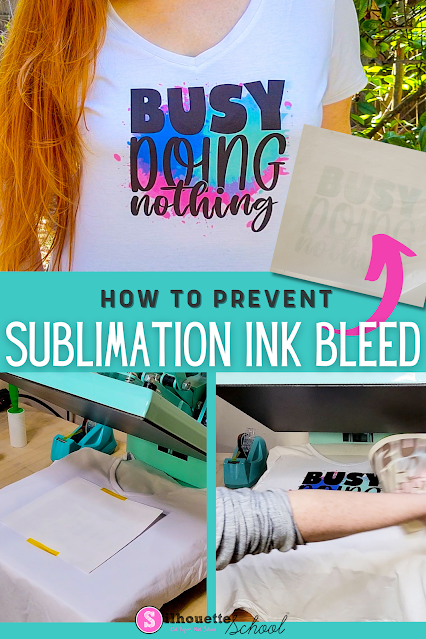
How to Prevent Sublimation from Bleeding Through Shirts

Don't let sublimation bleed through or unwanted ink transfer ruin your project or your heat press! 
silhouette 101, silhouette america blog, silhouette and sublimation, heat press, sublimation printing

In this post, we share a super simple tip for preventing sublimation ink from bleeding through your projects.

Borderless Printing from Silhouette Studio (Yes, It's Possible!)

You know what's awesome? When you're printing DIY patterned vinyl and you can print edge to edge from Silhouette Studio!

silhouette 101, silhouette america blog, borderless printing, printable vinyl, Adhesive Printable vinyl

Not only do you avoid the white border around the printable vinyl sheet, but you also maximize your printable - and therefore cuttable - area.

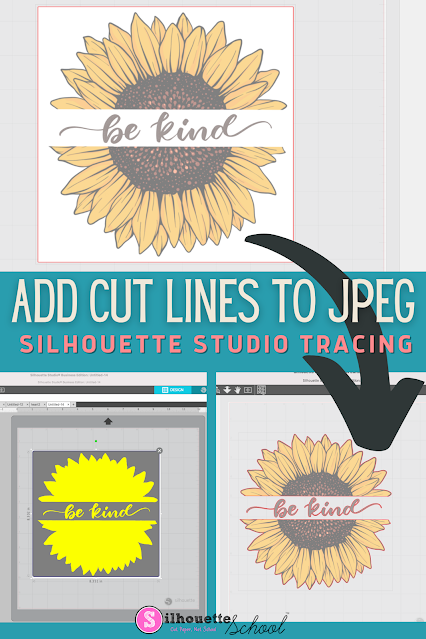
How to Add Cut Lines to JPEG in Silhouette Studio

You can add cut lines to a JPEG in Silhouette Studio by using the trace tool. 

silhouette america blog, silhouette 101, silhouette studio v4, JPEG files, beginner tutorial

The free version of Silhouette Studio allows you to import JPEG files making it a popular file type choice for some.  This tutorial will show you how to add a cut line to a JPEG image in the Silhouette software. 

How to Set Up Multi Color Designs in Silhouette Studio

If you want to create multi color designs, this Silhouette Studio tutorial will give you some tips on how to set it all up in the software for easy previewing and cutting! 

silhouette 101, silhouette america blog, silhouette studio, fill color tool, heat transfer vinyl

Creating multi color designs is fun and creative and another way to add value to the products you create (and sell, for all you small business owners out there)! 

How to Join Two Lines in Silhouette Studio

I get the question of how to join two lines in Silhouette Studio quite a bit.

join two lines silhouette studio, silhouette studio, how to join lines in silhouette studio, silhouette 101, silhouette america blog

There are a couple of different approaches to this depending on what exactly you're trying to accomplish. This tutorial will go through three ways to join lines in Silhouette Studio.

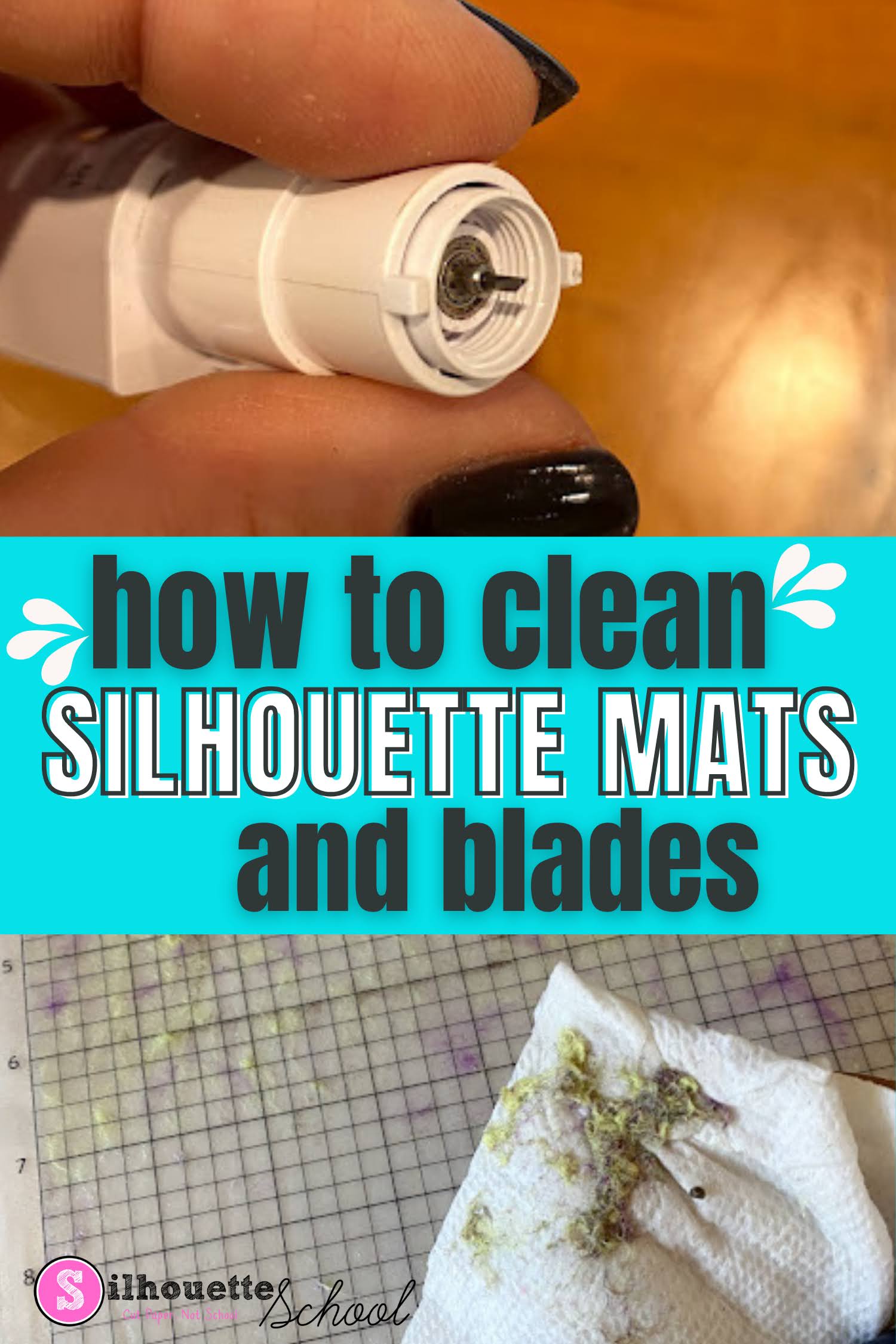
How To Clean Cutting Mats and Silhouette Blades

If your Silhouette cutting mats and blades are in need of a little cleaning you can extend the life of them and get better cuts by cleaning them. 

silhouette 101, silhouette america blog, silhouette blades, silhouette cutting mat, silhouette cleaning

In this tutorial I'll share how to make Silhouette mats sticky again and clean your blades - but with that said just know cleaning is usually a temporary solution and you may still need to replace your mats and blades to get the best cuts. 

How to Turn Any Image into a Sticker with White Border in Silhouette Studio

If you're a sticker maker, but exclusively looking for "sticker designs" you're really limiting yourself. 

Stickers,Designing,How to,Silhouette Studio 4,silhouette studio v5,print and cut sticker machine,sticker,

Any design or image can be turned into a sticker by adding a border in Silhouette Studio. So whether or not your design is "sticker ready" is really irrelevant - because you can make it sticker ready! 

Read on for the step by step on how to turn any image into a print and cut sticker. 
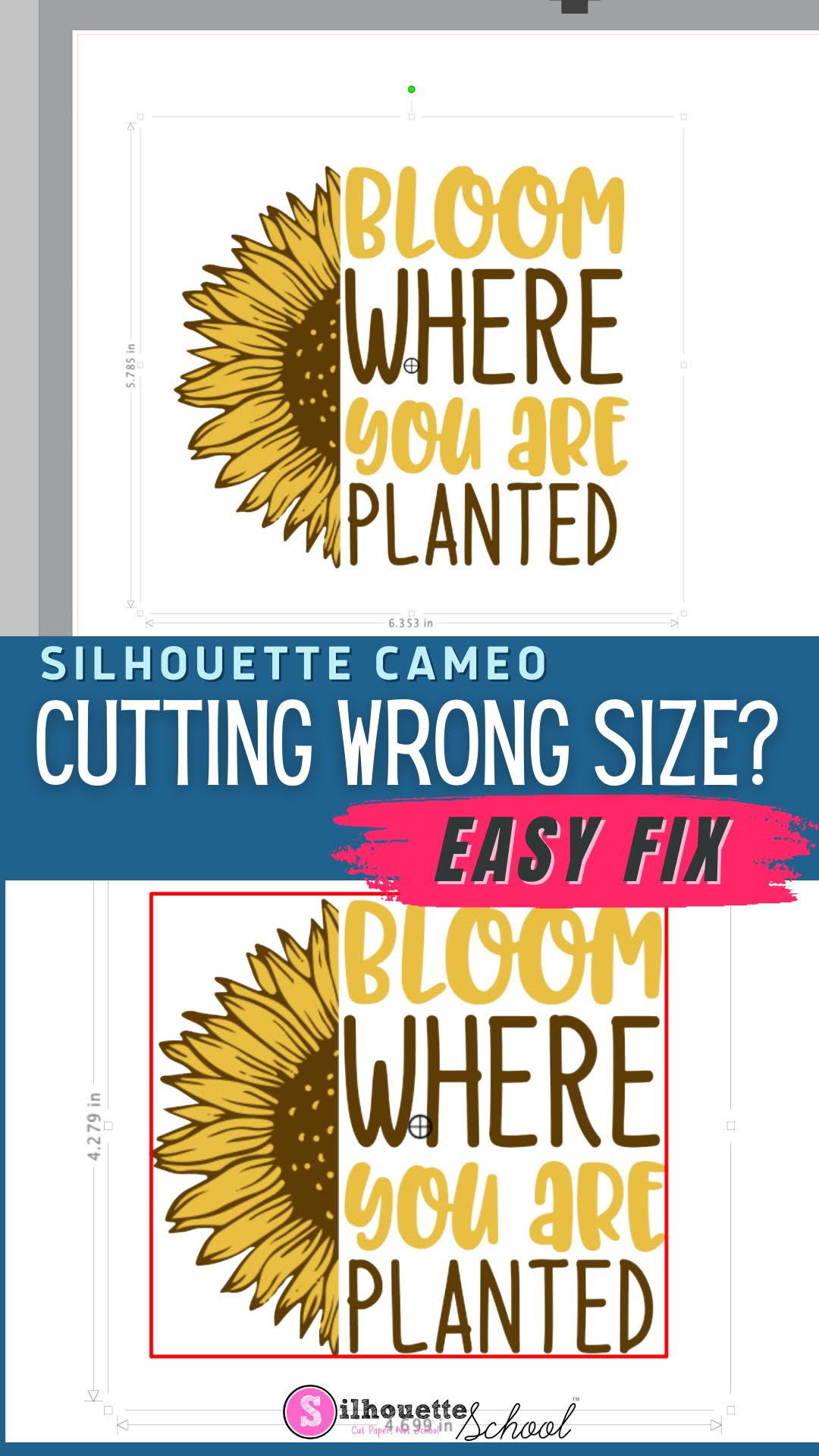
Silhouette Cutting Wrong Size? Here's the Fix

If your Silhouette CAMEO is cutting the wrong size, it can be extremely frustrating. 

silhouette america blog, silhouette 101, silhouette studio, silhouette studio 4, silhouette studio troubleshooting, silhouette cutting issue

Fortunately, there's an easy fix to make sure your Silhouette cuts the same size as the dimensions in Silhouette Studio. 

Silhouette Circle Monogram Tutorial (Your Font Choice!)

Circle monogram, Silhouette, Silhouette tutorial, Silhouette Studio
I've been asked more than once how to make a circle monogram in Silhouette Studio.  Sure, you can buy a circle monogram font...or you can make your own using the font of your choice.  There are about 10 steps involved here so just bare with me...I promise it's pretty easy just breaking it down!

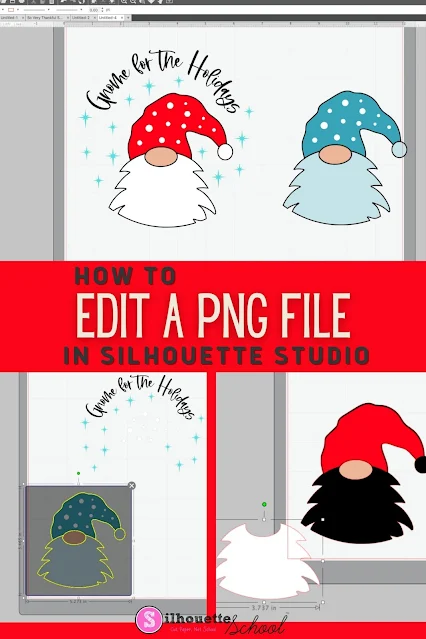
How to Edit a PNG File in Silhouette Studio

If you know the right tools to use, you can edit a PNG file in Silhouette Studio...but there a few things to know! 

Silhouette 101, Silhouette America blog, Silhouette Studio v4, Silhouette Studio, Trace by Color

The easiest file type to open and edit in Silhouette Studio is an SVG, but if you don't have that option you can edit PNG files in Silhouette software as well. This tutorial will explain the best way to go about editing PNGs in Silhouette Studio. 

How to Export Files From Silhouette Studio to Your Hard Drive In a Format You Can Use (Game Changer!)

You can now bulk export files from Silhouette Studio AND access them individually to open in other programs, transfer them, or store them in another location. 

silhouette 101, silhouette america blog, silhouette studio library, silhouette studio v4, export silhouette studio library

This is one of the biggest - and impactful - changes to Silhouette Studio in a long time. Anyone who has ever wanted to transfer Silhouette Studio files to another program or hard drive  knows how big of a game changer this is. 

How to Sublimate a Doormat Like a Pro (When You're a Newbie)

If you've been wanting to make custom doormats but thought sublimating something that THICK was too complicated...it's not! 

sublimation,Silhouette and Sublimation,sublimation printer,epson f570,How to,Heat Press,Silhouette heat press,

Sublimating a doormat is actually so much easier than you think. The key is using a little cardboard trick and pressing in sections. Let me show you exactly how to do it!

How to Turn a Design into a Stencil Template in Silhouette Studio

Creating stencils in Silhouette Studio is far easier than you think. And once you understand this one simple trick, you'll be able to turn literally any design in your library or that you create into a stencil

Sihouette Stencils,Silhouette Stencils,Silhouette Studio,Designing,How to,


Most people struggle with stencils because they can't visualize what they need to weed out and what needs to stay when working in Silhouette Studio. But in reality there's just one step you need to take to cut stencils with your Silhouette CAMEO or Portrait. 

5 Ways to Use Distressed Designs with Silhouette to Avoid Weeding

You don't need to shy away from distressed designs just because you don't want to weed them.

silhouette 101, silhouette america blog, printable vinyl, htv, stickers, sublimation, weeding hack

I have few tricks my sleeve for avoiding weeding distressed and grunge designs and today I'm going to share them with you!

Print and Cut Silhouette CAMEO 4: Beginner Sticker Tutorial (Free Sticker Designs)

If you've never made print and cut stickers with your Silhouette CAMEO 4 this beginner tutorial will walk you through everything you need to know. 

silhouette 101, silhouette america blog, stickers, cameo 4, print and cut

I'm also going to include the free sticker designs for download so you can focus on the process of printing and cutting. 

Waterproof Sticker Paper, Printable Foil, Printable Iron On...Oh My!

Since writing my sticker book, The Ultimate Silhouette Sticker Guide, I get asked often about various types of sticker paper and where it can be purchased.  I'm thrilled to say I've finally found my sticker paper people: OnlineLabels.com!

Silhouette tutorial, no bleed waterproof sticker paper, sticker paper
This is a sponsored post but all opinions are my own.
Ohhh emmm gee, you guys!  Online Labels has every possible type of sticker paper you could ever think of! Not only do the majority of their printable sticker and label sheets come in both glossy and matte options, they're also available for both laser and inkjet printers!

How to Make a Glitter Fill in Silhouette Studio

If you work with glitter heat transfer vinyl or glitter vinyl a lot you may have found it necessary to create a mock up in Silhouette Studio only to realize that a solid color doesn't even come close to the glitter look.

Silhouette Studio v4, silhouette studio tutorials, silhouette cameo, silhouette glitter htv, glitter heat transfer vinyl, Silhouette tutorial, glitter fill

This Silhouette tutorial will show you exactly how to make glitter fills in Silhouette Studio so you can create realistic glitter mock ups!

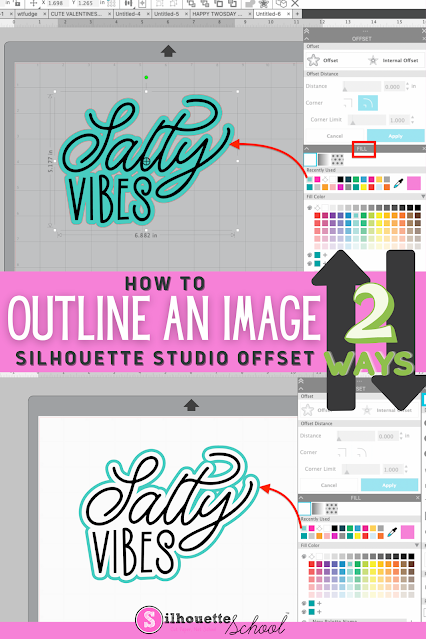
How to Outline an Image in Silhouette Studio

If you want to add an outline to an image in Silhouette Studio, it's easy to do with the Offset tool. 

silhouette 101, silhouette america blog, silhouette studio v4, offset, silhouette designing

Adding an outline in Silhouette Studio can help you create a base shape, thicken your design, or allow you to add layers to your design. Follow these simple steps for how to outline an image in Silhouette Studio.

How to Open and Use Alphabet Sets in Silhouette Studio

Alphabet sets look like fonts, but they act like PNG or SVG files in Silhouette Studio. 

Silhouette Studio,Silhouette Studio Business Edition,How to,SVG,Designing,Fonts,alphabet set,


They're easy and fun to use and give you a lot of flexibility, but can be time consuming to open in Silhouette Studio.  But..oh they're so worth it!  

Read on for my tips on opening and using Alphabet SVG sets in Silhouette Studio.

How to Size a Design for a Tea Towel in Silhouette Studio

If you're wondering how to size designs to fit on your project the concept is the same whether it's a shirt or a tea towel or a wood sign. 

silhouette 101, silhouette america blog, silhouette studio v4, heat transfer vinyl, htv,

You need the design to appropriately fit the space. 

In this example we'll work with a set of tea towels to give you some ideas for how to create a quick mockup in Silhouette Studio to help you size your design.