I get the question of how to join two lines in Silhouette Studio quite a bit.
There are a couple of different approaches to this depending on what exactly you're trying to accomplish. This tutorial will go through three ways to join lines in Silhouette Studio.
Showing posts with label CAMEO 4. Show all posts
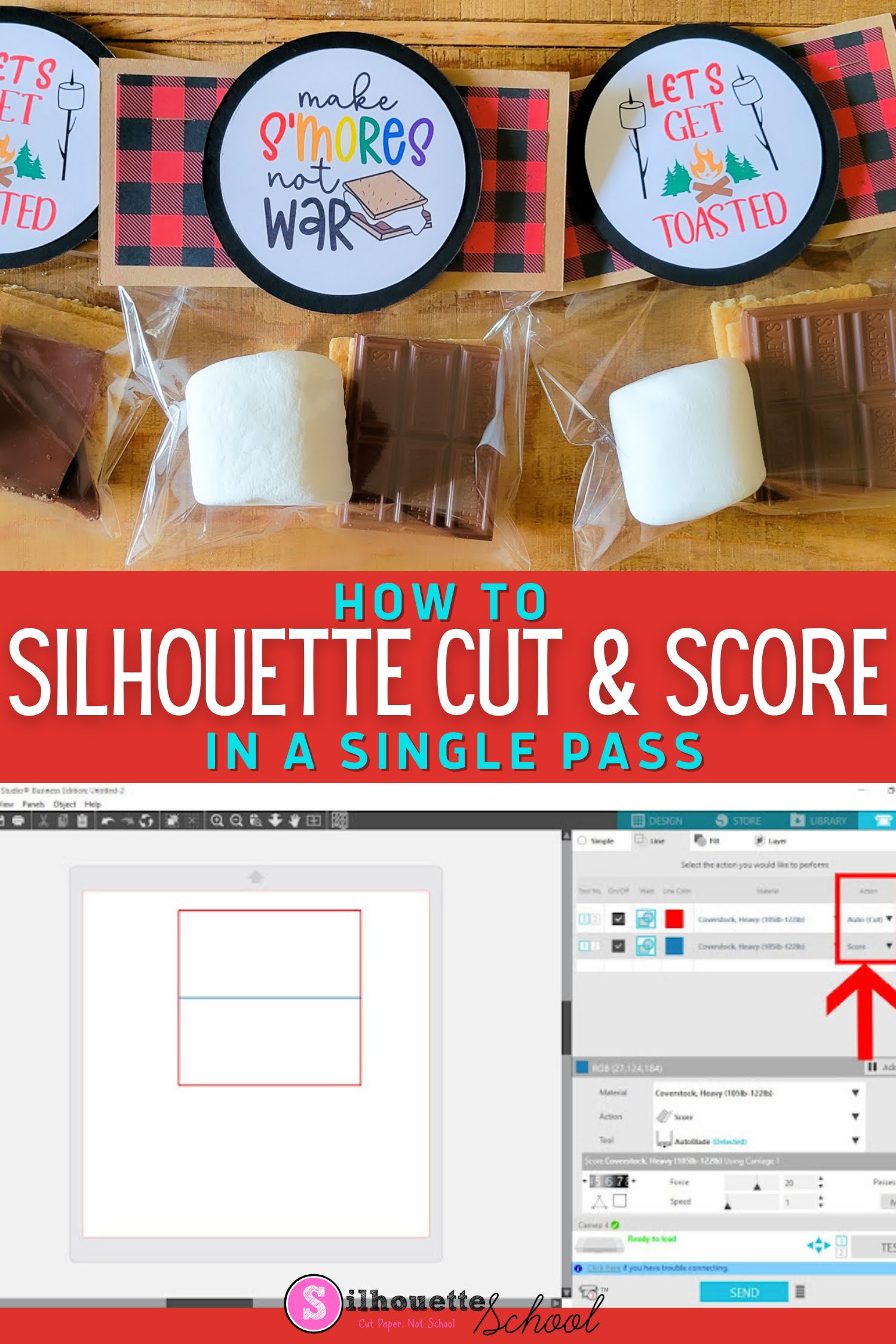
How to Cut and Score with Silhouette CAMEO 4 in a Single Pass
Thursday, June 26, 2025
The ability to cut and score with Silhouette CAMEO can be extremely helpful when it comes to paper projects!
This Silhouette tutorial will show to set up cut and score lines in Silhouette Studio..which comes in really handy for cards, 3d box cards and favor bag toppers like for these adorable s'more bags.
Print and Cut with Brother Fabric Printer and Silhouette CAMEO
Monday, February 3, 2025
Giving new meaning to 'print and cut'... I'm not sure there's ever been a more perfect duo than the Printmoda Brother Fabric Printer and Silhouette CAMEO!
Read on for a step by step beginner project printing on Printmoda from Silhouette Studio then cutting with the CAMEO Rotary blade.
Best Engraving Tool for Silhouette CAMEO 4: Metal Sheets Engraving Tutorial
Thursday, October 10, 2024
Did you know you can get a deep engraving with your Silhouette CAMEO 4 - even on metal?
| This is a sponsored blog post but all opinions are my own |
The trick is all in the engraving tool, the metal sheets, the cutting mat and of course the settings. Lucky for you I have found the perfect combination of all four to get the best engraving with CAMEO 4.
How to Smooth Trace Lines in Silhouette Studio
Thursday, September 19, 2024
If you're wondering "How do I smooth trace lines in Silhouette Studio?" you've come to the right place.
Trace lines that are not smooth create jagged cut lines, which is why it's important to smooth trace lines in Silhouette Studio before you cut. This tutorial will explain how to smooth out Silhouette trace lines.
Silhouette 2mm Kraft Blade 101: Beginners Getting Started Tutorial
Tuesday, September 17, 2024
If you got yourself a Silhouette 2mm Kraft Blade and are now like "Now what?"...you're not alone.
I've heard this a lot lately which is why I figured it was a good time to put together a Silhouette 2mm Kraft Blade beginners tutorial to answer some of those FAQs.
Labels:
2mm kraft blade,
CAMEO 3,
CAMEO 4,
CAMEO 4 tools,
Curio,
Kraft Blade,
New Products,
Portrait 2
Why Bad Silhouette Cuts on Vinyl and HTV May NOT Be User Error (VIDEO)
Thursday, September 5, 2024
If your Silhouette CAMEO is not making clean cuts when cutting vinyl and HTV, there's a good chance it's NOT user error (and I don't often say that).
The default cut settings in Silhouette Studio V4.1 and higher are not accurate for the vinyl and HTV materials which makes getting a good cut without any adjustments nearly impossible. The trick for how to make Silhouette cut deeper should start with the force, not the blade depth.
Labels:
CAMEO 4,
CAMEO 4 help,
cut,
Cut Files,
Cut Settings,
Heat Transfer Vinyl,
HTV,
Silhouette CAMEO,
Vinyl
Silhouette Print and Cut CAMEO 4 Page Setup: Beginners Start Here!
Tuesday, August 27, 2024
Having a successful Silhouette print and cut with a CAMEO 4 (or any Silhouette machine) starts with having the page set up correctly.
This beginner Silhouette print and cut tutorial is stripped down to focus on exactly how your page should be set up for a successful Silhouette CAMEO 4 print and cut. If you are having print and cut issues I would suggest you open a new design area in Silhouette Studio and start with this step by step Silhouette print and cut setup tutorial.
How to Engrave with Silhouette CAMEO 4 and Zoom Precision Etching Tool (Video)
Thursday, July 11, 2024
I get asked a lot if it's possible to etch or engrave with the Silhouette CAMEO 4.
This is a sponsored blog post, but all opinions are my own
There were tools that fit in the CAMEO 3 that allowed for engraving and etching, but they're harder to find for the newer model Silhouette CAMEO.
I recently came across the the Zoom Precision 3-in-1 etching tool on Amazon. It not only includes three different size tips, but also several metal blanks to get started and ...it fits perfectly into the Silhouette CAMEO 4's tool carriage with the need for any type of adapter.
Adding Custom Silhouette Cut Settings for 3mm Kraft Blade (And Why You Should NOT Skip This Step)
Tuesday, June 4, 2024
The key to cutting with the Silhouette 3mm Kraft Blade is cutting in multiple passes with varying levels of force and blade depth.
Because Silhouette Studio is not able to do this automatically, you need to set up a series of custom material cut settings for every material you cut with 3mm Kraft Blade.
Two of the Best Kept Secrets in Silhouette Studio
Monday, May 27, 2024
Silhouette Studio is jam packed with features and tools - to the point you may be overlooking some of the most helpful tools in the software!
Today I'm going to share with you not one, but TWO of the best kept secrets in Silhouette Studio which is super helpful whether you're creating stickers or sublimation images or even DTF transfers!
Silhouette CAMEO Not Cutting Completely or Correctly (Packet Size)
Monday, May 20, 2024
Is your Silhouette CAMEO not cutting completely or cutting odd lines? There's a default setting you can change that may just fix the issue.
The Packet Size setting is buried deep within the advanced preferences, but knowing how to find it and what to adjust can make all the difference in your cuts.
How to Design Custom Location Hoodies (And the Best Font)
Monday, April 8, 2024
You can easily design custom location graphics if you know a few little tricks including the best font..and how to curve text.
The custom location hoodies are super popular right now and they're super easy to make. Read on for how to design in Silhouette Studio.
Silhouette CAMEO 5 vs CAMEO 4: Side by Side Comparison
Monday, February 5, 2024
If you're considering getting a Silhouette CAMEO right now you're probably looking for a comparison between the CAMEO 5 vs CAMEO 4.
With both 12" desktop vinyl cutting machines currently available and with a very different price, I'm getting a lot of questions about what the actual differences are and if the features of the CAMEO 5 make it worth the higher price. Read on for a side by side comparison of CAMEO 4 vs CAMEO 5.
How to Use Silhouette Printable Shrink Sheets
Thursday, January 4, 2024
Grab your Shrinky Dink sheets...we've got a fun Silhouette kids craft today that you can customize in so many different ways.
Before you start using Silhouette printable shrinky dink sheets you want to make sure you have a solid understanding of the how to print and cut. If you need a refresher, this beginner Silhouette Print and Cut tutorial will catch you up.
Labels:
CAMEO 3,
CAMEO 4,
How to,
Jewelry,
kids,
Kids Stuff,
Print and Cut,
Printable,
Silhouette School for Kids
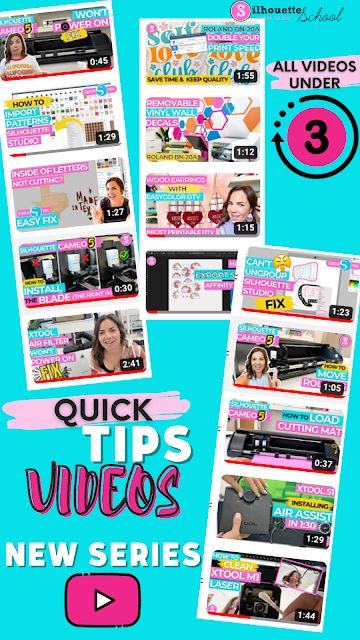
New! Quick Tips and Tricks Youtube Series!
Tuesday, December 12, 2023
If you're looking for quick tips and software tricks - I just started a new series on Silhouette School's Youtube channel.
These bite-size videos are all under 3 minutes and are focused on helping you find an answer in a hurry.
How to Simultaneously Cut Different Materials on Silhouette CAMEO 3 or 4
Thursday, July 6, 2023
Did you know the Silhouette CAMEO 4 (or any other model) can cut different materials on the same cutting mat.
This could be different finishes or thicknesses of the same material like flock HTV and smooth HTV or it could be two totally different types of material such as paper and vinyl.
Labels:
back to school,
CAMEO 3,
CAMEO 4,
Glitter HTV,
HTV,
kids,
Silhouette Studio,
Tips and Tricks
How to Kiss Cut and Die Cut Stickers on Same Sticker Sheet
Thursday, June 15, 2023
Labels:
autoblade,
CAMEO 4,
CAMEO 4 blades,
Home Printer,
How to,
Print and Cut,
Printable,
sticker,
Sticker Paper,
Stickers
When to Mirror Adhesive Vinyl for Silhouette Projects
Thursday, May 11, 2023
Mirroring, simply put, is when you flip your design backwards in Silhouette Studio before cutting it out. This is most often done with heat transfer vinyl and usually not done when using adhesive vinyl (like Oracal 651).
Now of course there are always exceptions, like some patterned
HTV that doesn't come on a carrier sheet that shouldn’t be mirrored, and believe it or not, there are actually some exceptions
with adhesive vinyl as well.
Subscribe to:
Comments (Atom)


.png)


.png)