Did you know it's possible to make double-sided print and cut designs with your Silhouette CAMEO?! Yes!!!
It's a more advanced technique - but one that I suggest you master because it comes in really handy. I've used it to make everything from greeting cards to little printables for my kids with this front/back print and cut technique.
Showing posts with label Paper Crafts. Show all posts
How to Cut Paper Cleanly With Silhouette: 10 Tips for Success!
Thursday, December 18, 2025
Vinyl gets a lot of attention around here, but paper crafts are still hugely popular and some of the most amazing creations cut with the Silhouette machines are with paper.
Paper can get a bad rap sometimes because it's not the easiest material to cut cleanly with Silhouette. It can shred, it can tear, it can get stuck to the mat. Today I'm sharing 10 tricks to help you get better paper cuts with your Silhouette.
How to Put Foil on Paper with a Heat Press and Laser Printer (VIDEO)
Thursday, December 26, 2024
If you have a heat press and a laser printer you can add foil to paper for stunning accents.
This is yet another way I use my iColor 560 White Toner printer although this could be done with any laser printer....as the key to this foil is it likes to stick to toner.
How to Design a Shaped Card in Silhouette Studio
Monday, December 16, 2024
It's easy to design a shaped card in Silhouette Studio with a few design tricks.
While I would not consider this a first Silhouette project, it's definitely beginner friendly. Read on for the step by step on how to design shaped cards.
Best Cardstock for Silhouette CAMEO and Portrait (IMHO)
Thursday, November 7, 2024
Looking for the best card stock to cut with Silhouette CAMEO or Portrait? A good cardstock can make a project and a bad cardstock can ruin one faster than you can finish your cut.
I've cut a lot of cardstock with all my Silhouette machines, including my Silhouette CAMEO 4, and I've not only found my favorite card stock, but also the best Silhouette cut settings to get perfect cuts not matter how small or detailed the design.
Silhouette 'Subtract' & 'Subtract All' Tool Tutorial
Tuesday, July 30, 2024
Let's talk about the Silhouette Subtract Tool today. I had a reader question about how to use it recently so I thought it was worth a quick lesson.
The subtract tool lets you cut out or subtract sections of designs so they perfectly align with other designs. In this example, a portion of the M and B are subtracted around the ampersand.
The secret to the subtract tool is layers. Depending on which layer of your design is in the foreground and which is in the background will determine what piece is 'subtracted.'
For this example, since I wanted M and B to have subtracted areas, I made sure the '&' was 'in front.'
Okay let's get started.
The subtract tool lets you cut out or subtract sections of designs so they perfectly align with other designs. In this example, a portion of the M and B are subtracted around the ampersand.
The secret to the subtract tool is layers. Depending on which layer of your design is in the foreground and which is in the background will determine what piece is 'subtracted.'
For this example, since I wanted M and B to have subtracted areas, I made sure the '&' was 'in front.'
Okay let's get started.
Silhouette CAMEO 5 ElectroStatic "ES" Mat First Impressions...Good, Bad, and Ugly
Monday, January 15, 2024
If you're debating getting the Silhouette CAMEO 5 Electrostatic mat and looking for an honest review and first impressions - it's all here.
I've got the good, bad, and ugly for you when it comes to the new Silhouette Electrostatic mat including a video of it in action so read on.
Cutting Laminated Shapes and Print and Cuts with Silhouette (Plus Perfect Cut Settings)
Thursday, June 22, 2023
If there's one thing I know it's that there is always another way to use your Silhouette machine....like, say, with a laminator. I recently got myself a (very basic) laminator and let me tell you, nothing is safe! I know what you're thinking: laminators are only for teachers. WRONG!
I've combined the powers of my Silhouette CAMEO and my laminator to make custom bookmarks, planner inserts, photo booth props, dry erase games for my kids, luggage tags, the list goes on.
11 Candy Holder Ideas You Can Make with Silhouette
Wednesday, April 19, 2023
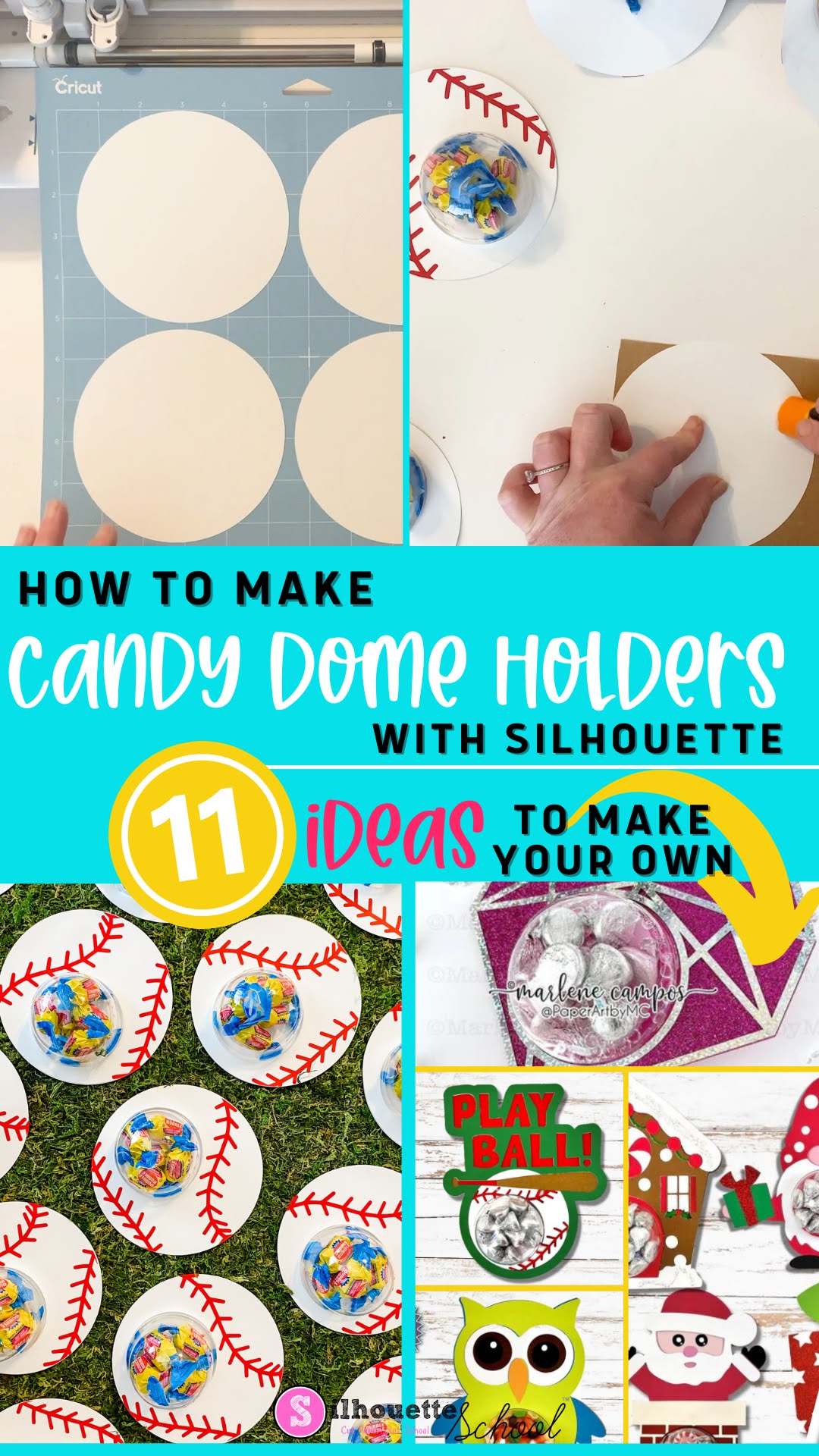
Give your Silhouette paper projects a 3D effect by making candy dome holders!
These are pretty easy to make and they can be filled with all kinds of treats. Need some inspiration? I've got 11 candy holder ideas and a few tips on how to make candy dome holders with just a few supplies and your Silhouette CAMEO.
How to Make Keychain Gift Box Using Paper
Tuesday, March 7, 2023
With the help of your Silhouette machine, you can easily make a DIY card stock display box perfect for showcasing your handmade keychains. This type of box is great for presenting your creations as gifts or at craft fairs, and it's simpler than you might think!
In this tutorial, we'll walk you through the process step by step so that you can make the ideal display box for all your DIY keychains.
How to Cut Puffy HTV and Use it on Paper
Tuesday, January 31, 2023
Are you're looking for a way to add a special something to your paper crafting projects, then look no further than puffy HTV! This material is perfect for adding texture, dimension, and color to your finished product.
We'll guide you through the steps of cutting puffy HTV and using it on paper projects - from cards to scrapbooks and more. Let's get started!
Best Silhouette Cut Settings for Paper
Thursday, December 1, 2022
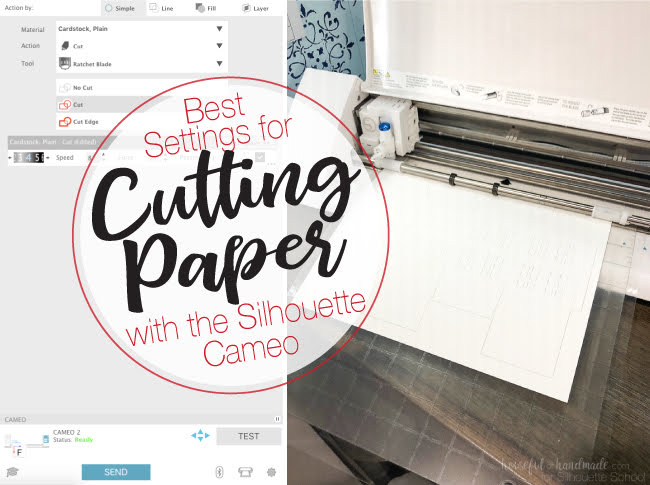
Well you guys seemed to like all my tips for cutting paper with Silhouette so today we're going to take a closer look the best cut Silhouette settings for paper!
Of course there are all different kinds and weights and textures of paper which means the cut settings will vary. Kati from Houseful of Handmade is here today to share the perfect paper cut settings!
How to Combine SVG Files into One File in Silhouette Studio
Tuesday, September 13, 2022
If you ever wanted to combine SVGs into one file in Silhouette Studio - it's easy to do.
In this Silhouette Studio tutorial we'll show you how to quickly combine SVG files into one design in Silhouette Studio!
Tips for Cutting, Weeding, and Placing Tiny Silhouette Designs
Thursday, July 28, 2022
If you've ever tried to cut a really small design on your Silhouette you know it's not always the easiest thing.
How to Make DIY Paper Medallions with Silhouette CAMEO
Tuesday, June 21, 2022
Paper medallions are a fun paper craft that allow for a lot of creativity.
Trick to Cutting Thin Fonts on Silhouette (Without Tearing)
Thursday, June 9, 2022
It's not uncommon for Silhouette beginners, especially, to have trouble cutting thin fonts on vinyl.
When a font is very thin the Silhouette CAMEO blade passes by the same area twice and can cause the vinyl to pull up or tear while cutting. But, with just a small tweak in Silhouette Studio you can pretty much cut any font no matter how small, intricate or thin - and even script fonts!
How to Make Single Line SVG Files Cuttable with Silhouette CAMEO
Tuesday, June 7, 2022
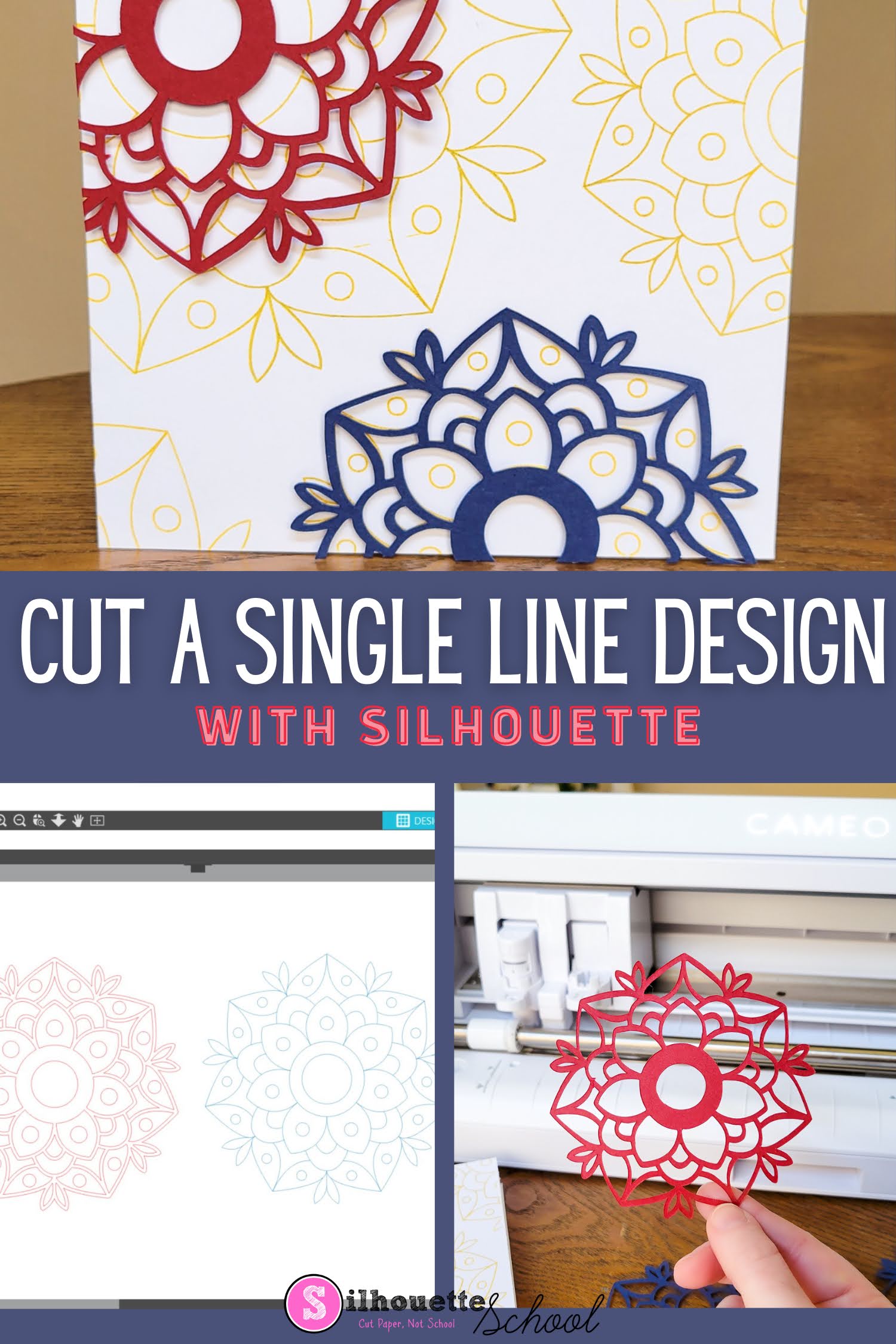
You can make single line SVG files cuttable with your Silhouette CAMEO or Portrait machine.
This is an easy process that works for single line fonts and designs that you want to cut instead of sketch or draw.
Best Adhesive for 3D Paper Layered Shadow Box
Tuesday, April 26, 2022
After cutting out all the cardstock layers of a 3d paper layered shadow box, you are going to definitely want all those layers to stand out.
How to Use a 3D Layered SVG In a Shadow Box | Silhouette Studio Tutorial
Wednesday, April 20, 2022
3D layered SVG designs are really popular right now for all different types of 3D paper crafts. Not all 3D layered paper designs are ready to be used in a shadow box. That means if you want to use it that way you'll need to make a few minor design changes in Silhouette Studio.
This tutorial will explain how to modify 3D paper designs to use in any size shadow box.
How to Cut Giant Paper Wall Flowers with Silhouette CAMEO
Tuesday, April 12, 2022
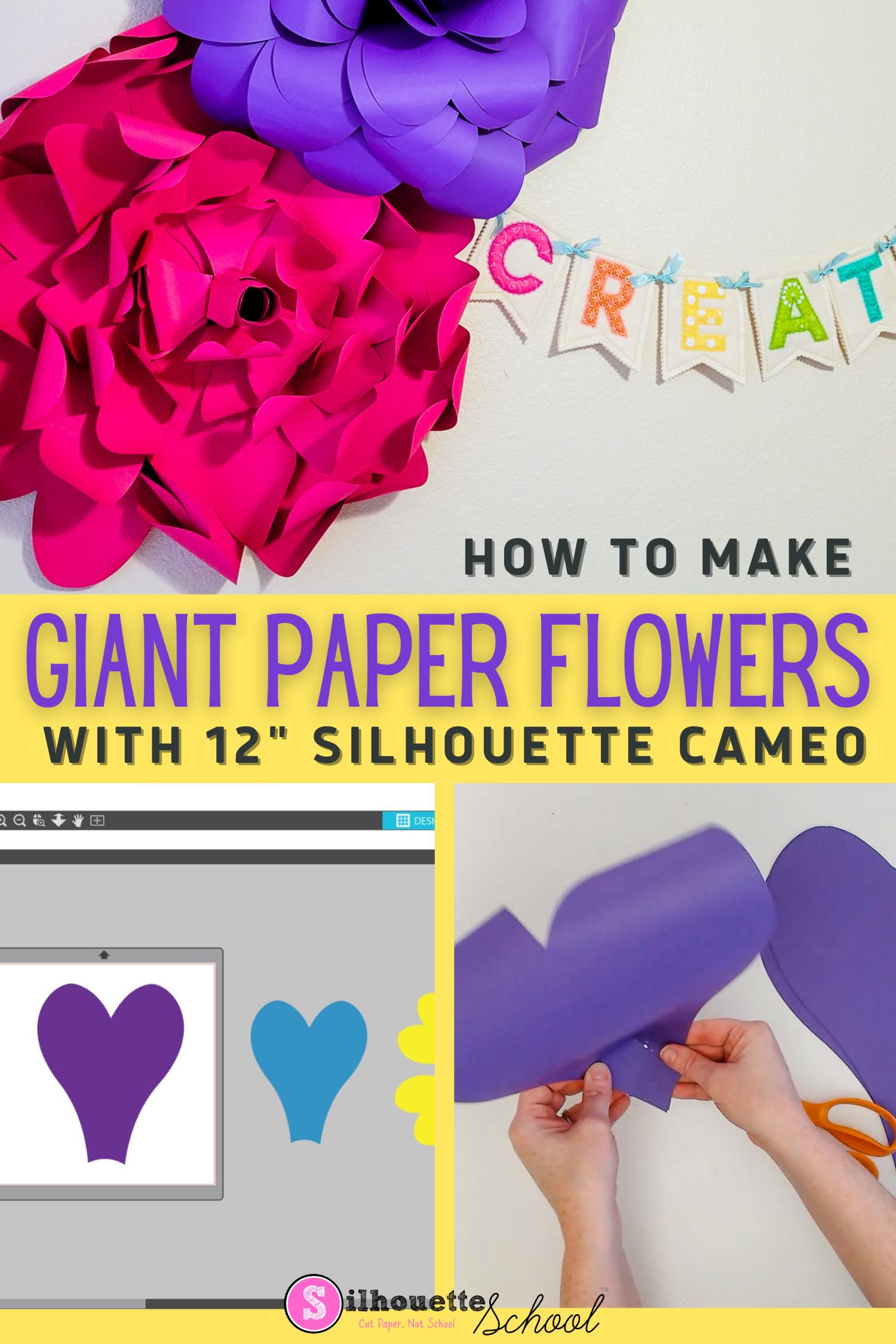
It's possible to make giant paper wall flowers with Silhouette CAMEO - even a 12" Silhouette CAMEO!
The trick is knowing how to enlarge the paper flower template and taking advantage of a 12" piece of cardstock!
Labels:
CAMEO 4,
CAMEO 4 blades,
Home Decor,
How to,
Paper,
Paper Crafts,
Silhouette CAMEO 4
Subscribe to:
Posts (Atom)


.png)