Copyright Silhouette School 2016. Powered by Blogger.


Showing posts with label Home Printer. Show all posts

Best DTF Printer for Small Business + Free Comparison Tool (2026)

The DTF printer market looks a lot different than it did a few years ago. When desktop direct to film printers first hit the market, a lot of people rushed to buy one for their custom t shirt business. And a lot of us found out pretty quickly that owning a DTF printer comes with a lot of maintenance. 

So before I tell you the best DTF printer for your small business, I want to do something most of these "best printer" posts won't - I want to help some of you decide whether you should buy a printer at all.

dtf printer, small business, transfers, dtf, direct to film, tshirt transfers

How to Print from Silhouette Studio to Any Printer

You can print from Silhouette Studio to any printer that's connected to your computer by USB or on the same network. 

silhouette 101, silhouette america blog, print and cut, inkjet printer, laser printer

There are various reason why you might want to print from Silhouette Studio and they may not all include printing and cutting. For example, you can print to your sublimation printer directly from Silhouette Studio and never use your CAMEO at all for the project. 

Read on for how to print from Silhouette Studio.

Borderless Printing from Silhouette Studio (Yes, It's Possible!)

You know what's awesome? When you're printing DIY patterned vinyl and you can print edge to edge from Silhouette Studio!

silhouette 101, silhouette america blog, borderless printing, printable vinyl, Adhesive Printable vinyl

Not only do you avoid the white border around the printable vinyl sheet, but you also maximize your printable - and therefore cuttable - area.

How to Make White Border for Stickers with Silhouette CAMEO

You can make a white border for stickers with Silhouette CAMEO by quickly adding an offset in Silhouette Studio. 

silhouette 101, silhouette america blog, print and cut, stickers, sticker paper

This tutorial will show you step by step how to add a white border to stickers in Silhouette Studio. 

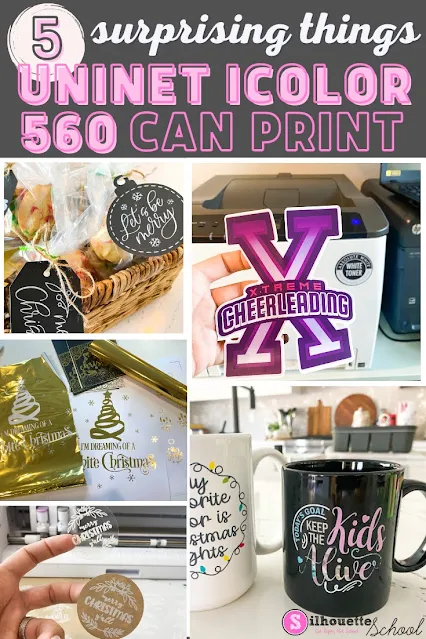
White Toner Printer: 5 Surprising Things You Can Make (And Sell) with a Uninet iColor 560

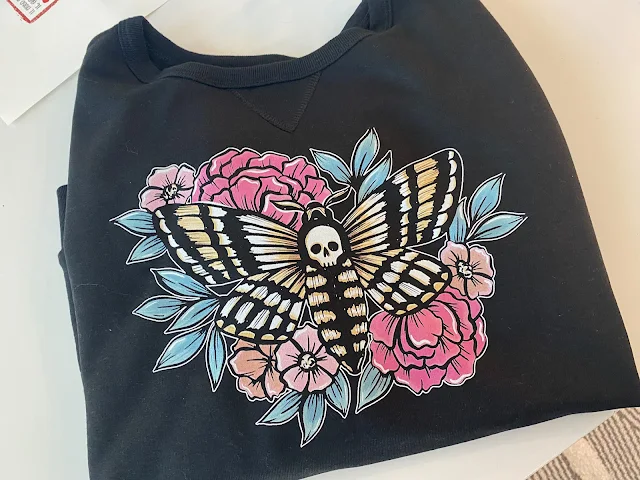
A white toner printer makes creating ready to press full color transfers fast and easy to make.  There's no cutting or weeding and you can put the decals on any color and type of garment. It's one of the reason I love my Uninet iColor 560.  But if that's all you're printing...you're missing out and undervaluing the printer! 

silhouette 101, silhouette america blog, white toner printer, print and cut, uninet icolor 560

What I've found, in the six months since I've added it to my office, is that cut-free, weed-free transfers are only the tip of the iceberg for the Uninet iColor 560 White Toner printer.  

white toner printer, print and cut, uninet icolor 560, laser printer, decals

With the price point close to $3600, the more you can do with this printer - the more the price is worth it for small businesses. Let's look at five surprising things you can make with the iColor that you will expand what you can make and sell! 

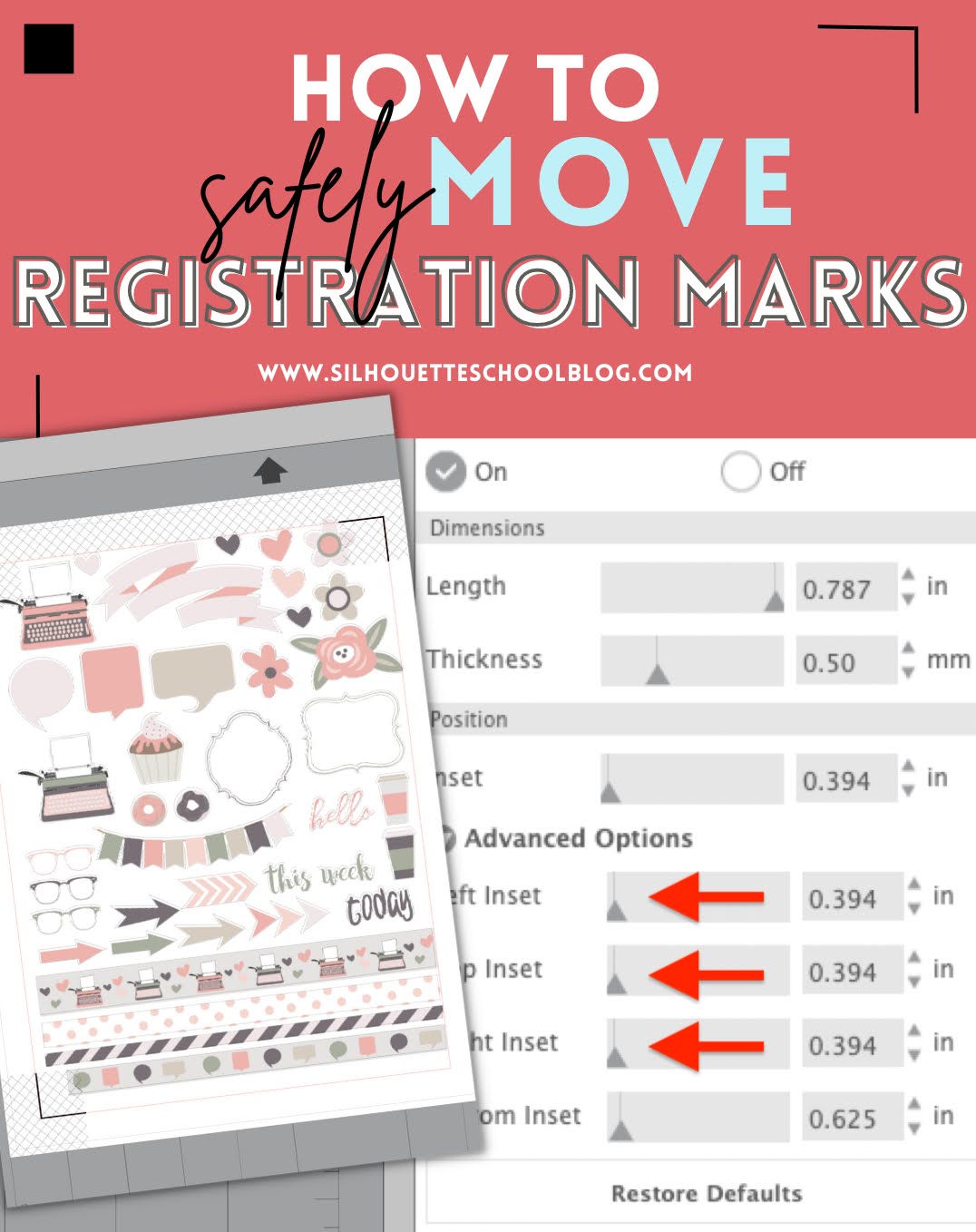
How to Change Position of Registration Marks in Silhouette Studio

You can change the position of registration marks in Silhouette Studio to create a larger printable and cuttable space. 

silhouette 101, silhouette america blog, registration marks, stickers, print and cut

It may also be necessary to change the position of print and cut registration marks to ensure all of your marks print correctly.  Read on for how to move registration marks in Silhouette Studio. 

Print and Cut with Brother Fabric Printer and Silhouette CAMEO

Giving new meaning to 'print and cut'... I'm not sure there's ever been a more perfect duo than the Printmoda Brother Fabric Printer and Silhouette CAMEO! 

cameo 5,brother sewing,Sewing,Rotary Blade,inkjet printable,CAMEO 4,fabric printer,Home Printer,Fabric,


Read on for a step by step beginner project printing on Printmoda from Silhouette Studio then cutting with the CAMEO Rotary blade. 

How to Make Silhouette Stickers with a White Edge

You can easily make Silhouette stickers with a white edge in just a few clicks. 

Stickers,offset,Print and Cut,Home Printer,sticker printer,Sticker Paper,


In this tutorial I'll show you how to add a white edge to stickers that you can print and cut with your Silhouette CAMEO or Portrait. 

How to Improve Print Colors from Silhouette Studio

If the color prints from Silhouette Studio are dull and not as bright and vibrant as you'd like when you're exporting them, there is a little trick to fixing that. 

silhouette 101, silhouette america blog, silhouette studio, sublimation printing, print and cut

Silhouette Studio users often complain the colors of their exported PNG and JPEG files, specifically, are "off".  In this tutorial I'll show you how to improve your print colors so you get bright, beautiful, and vibrant colors when exporting from Silhouette Studio. 

How to Make Clipart Stickers with Silhouette CAMEO

You can easily turn clipart into stickers in Silhouette Studio. 
Stickers,Print and Cut,inkjet printable,Home Printer,online labels,sticker printer,Sticker Paper,


Clipart is great because it often comes in a set of full color images making them perfect for stickers or stickers sets. Read on for the quickest way to make clipart stickers. 

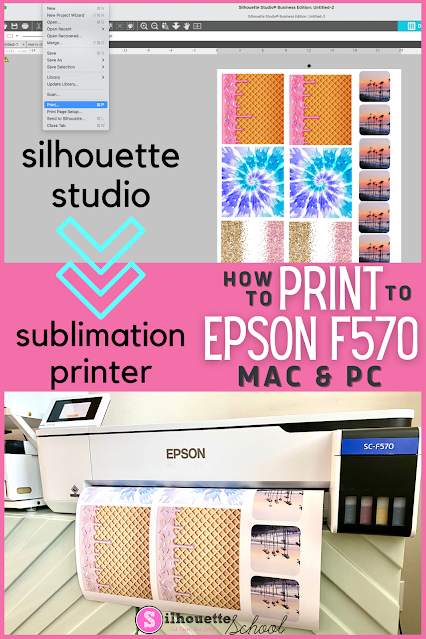
How to Print to Epson F570 Sublimation Printer from Silhouette Studio

Unlike my smaller Sawgrass sublimation printer, it's possible to print directly from Silhouette Studio to an Epson sublimation printer on both a MAC and a PC. 

Silhouette 101, silhouette america blog, epson f570, sublimation printer, epson sublimation

While it's easy enough to hit Print and pick the Epson sublimation printer, the key to getting the best print is knowing how to navigate the Epson F570 sublimation color profiles and print settings.  This Epson sublimation printer beginner tutorial will walk you through.

Sawgrass Sublimation Printer Printing Lines? Here's the Fix

If you're wondering why your Sawgrass SG400, SG500, SG800 or SG1000 Sublimation Printer is printing horizontal lines through your prints it could very well be because you are bypassing the Sawgrass Print Manger. 

silhouette 101, silhouette america blog, sublimation, sawgrass, silhouette studio

Horizontal lines in sublimation printing is a common complaint from Silhouette users who work on a MAC ... especially those who print directly from Silhouette Studio to their Sawgrass sublimation printer. To avoid these lines and get better, more vibrant prints, take the extra step of using the print manager. 

How to Use Starcraft Inkjet Printable Heat Transfer (HTV) for Beginners

Inkjet printable heat transfer is an easy, fast alternative to heat transfer vinyl for designs that would otherwise require a lot of cutting and layering of various colors. 

silhouette 101, silhouette america blog, print and cut, printable heat transfer paper, printable material

With inkjet printable HTV you can simply print a design to your home printer from Silhouette Studio and then press it onto the shirt. You don't even need to cut.  This beginner tutorial will walk you through how to use Starcraft Inkjet Printable for lights. 

5 Ways to Fit More In the Silhouette Print Area

If you are printing from Silhouette Studio and need to fit more in the Silhouette Studio print area there are multiple ways to do so. 

silhouette 101, silhouette america blog, silhouette studio, silhouette print and cut, print and cut

The method - or combination of changes - that you make will depend on the design itself and if you are printing and cutting or just printing.  Read on for five ways to fit more in the Silhouette printable area.

How to Print and Cut with Silhouette CAMEO ES Mat

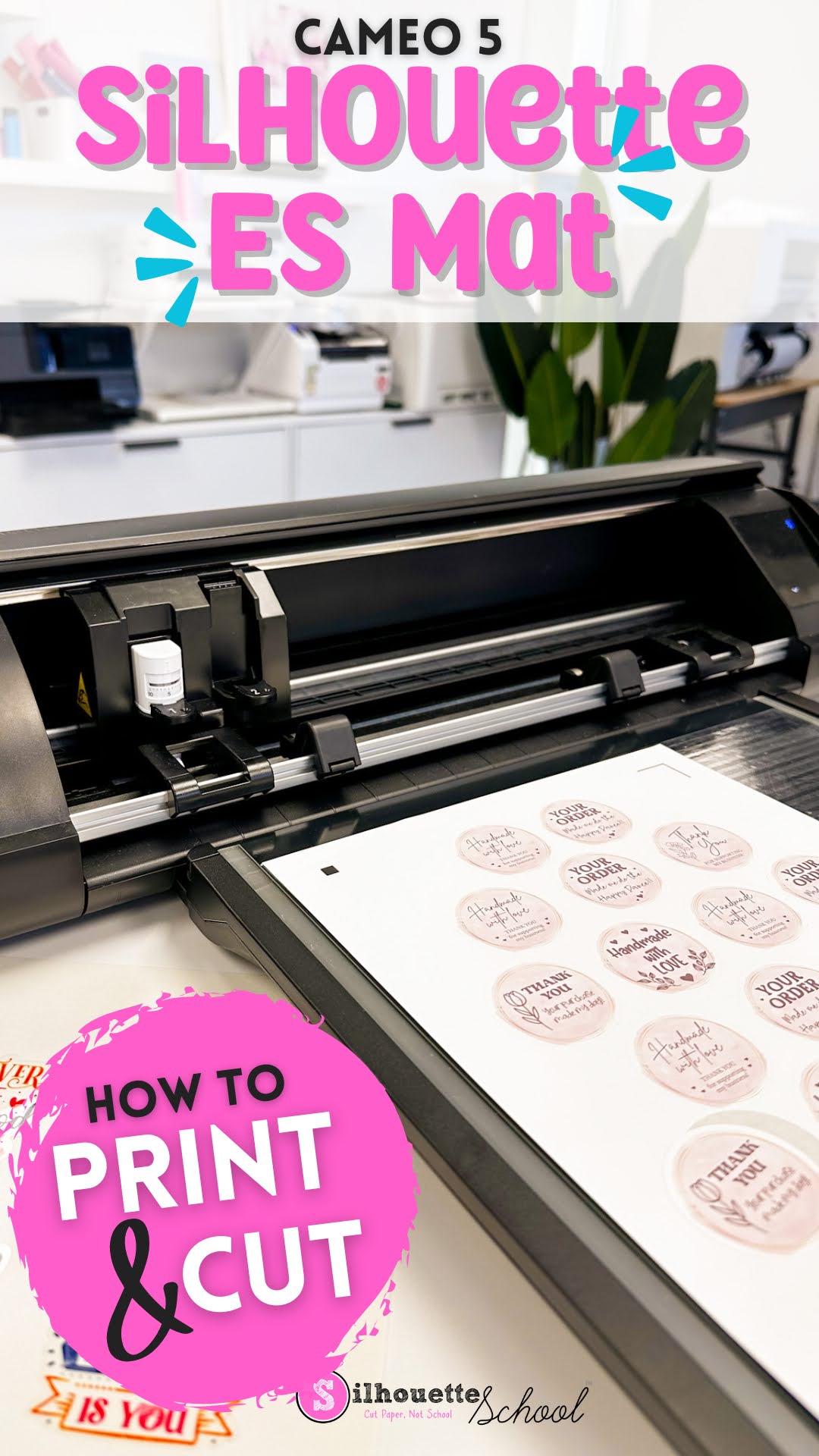
Printing and cutting on the Silhouette CAMEO 5 ES mat is not much different than printing and cutting with an adhesive mat. 

cameo 5, print and cut, silhouette cameo 5, home printer, print and cut stickers, electrostatic mat,

If this is your first time making stickers with the Electrostatic mat, or doing another print and cut, follow along for tips on how to best print and cut with the ES mat. 

Silhouette CAMEO 4 Print and Cut Max Size

I get questions all the time about the Silhouette CAMEO 4 max Print and Cut size. 

silhouette 101, silhouette america blog, print and cut, silhouette print and cut, stickers, printable materials
This is a sponsored post, but all opinions are my own

The answer really depends on your printer! In this tutorial I'll show you how to get the max print and cut area when using your Silhouette CAMEO 4 whether you have a standard 8.5" x 11" printer or a wide format printer. 

How to Print to Laser Printer from Silhouette Studio (MAC)

You can print to any printer from Silhouette Studio which means you can print to a laser printer from Silhouette Studio. 

print and cut, white toner printer, laser printer, silhouette studio, home printer

Laser printers open up even more options for creating custom items due to the toner cartridges which have easy maintenance, play well with things like foil, and no cut, no weed laser printer transfer paper. Read on for how to print to a laser printer from Silhouette Studio. 

DIY Money Holder Card with Silhouette Print and Cut

DIY money holder cards are a fun and popular way to give little gifts - and they're actually easy enough with Silhouette print and cut you can make them for Halloween handouts or class treats!

halloween crafts, print and cut, money holders, silhouette 101, silhouette america blog

In this step by step I'll share how to create your own money or candy holder cards at home using your Silhouette CAMEO or Portrait. 

How to Make Stickers with White Text (When Your Printer Doesn't Print White)

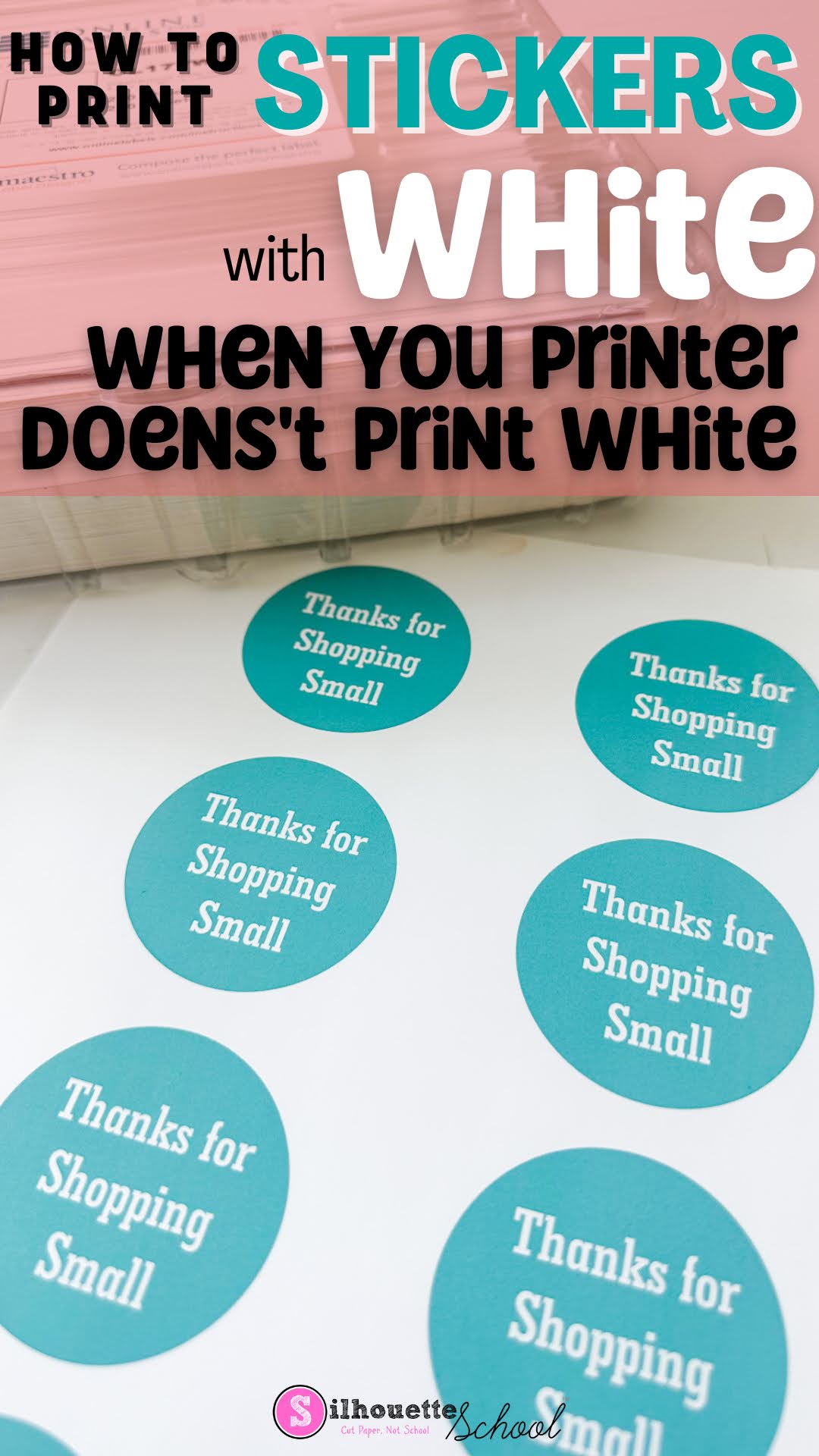
If you want to make stickers with white text, but your printer doesn't print white, no problem at all. 

silhouette america blog, silhouette 101, print and cut, white toner printer, sticker paper

You can simply use the white of the sticker paper to "print" white text. Let's design these in Silhouette Studio so you can print and cut your stickers. 

Roland BN-20A vs Uninet iColor 560 White Toner Printer: Pros and Cons & Feature Comparison

Now that I have both an Uninet iColor 560 White Toner Printer and a Roland BN-20A...I am getting A LOT of questions about which one is "better".  It's not an easy question to answer because they are two totally different machines!  

Although if you ask in the respective Facebook groups...it may seem to be an easy decision based on just how adamant users of the respective printers are that "theirs" is hands-down, no-question better, more versatile, better quality, the top pick over the other.


silhouette america blog, silhouette 101, Roland, Roland BN 20, Uninet icolor

The truth is I totally understand that for most crafters-turned-at-home small businesses it's a choice to get one over the other due to price and space....so let me help you decide between the BN-20A vs the Uninet iColor 560 White Toner printer... from someone who has both and has no allegiance one way or the other. 

My only goal here is to help you make an informed decision for your growing business..and then help you learn whichever machine - BN-20A or Uninet iColor 560 - you decide to invest in.