Copyright Silhouette School 2016. Powered by Blogger.


Showing posts with label Silhouette Tips. Show all posts

How to Cut Paper Cleanly With Silhouette: 10 Tips for Success!

Vinyl gets a lot of attention around here, but paper crafts are still hugely popular and some of the most amazing creations cut with the Silhouette machines are with paper.

Silhouette paper cuts, Paper cutting machine, paper cut, paper cutting art, paper cutting

Paper can get a bad rap sometimes because it's not the easiest material to cut cleanly with Silhouette. It can shred, it can tear, it can get stuck to the mat. Today I'm sharing 10 tricks to help you get better paper cuts with your Silhouette.

How To Save PNG Files With A Transparent Background In Silhouette Studio

Have you ever wanted to use your Silhouette Studio designs in another program, but struggled to export them correctly? 

Silhouette studio, silhouette cameo, silhouette tips


Fear no more! Silhouette Studio Business Edition makes it incredibly easy to save your designs as PNG files with transparent backgrounds.

Two of the Best Kept Secrets in Silhouette Studio

Silhouette Studio is jam packed with features and tools - to the point you may be overlooking some of the most helpful tools in the software!

cameo 5,Silhouette Studio,Customizing Designs,Tips and Tricks,Silhouette Studio V4,Silhouette Tips,CAMEO 4,sublimation,


Today I'm going to share with you not one, but TWO of the best kept secrets in Silhouette Studio which is super helpful whether you're creating stickers or sublimation images or even DTF transfers! 

Double Sided Print and Cut Silhouette CAMEO Designs

Did you know it's possible to make double-sided print and cut designs with your Silhouette CAMEO?! Yes!!!


It's a more advanced technique - but one that I suggest you master because it comes in really handy. I've used it to make everything from greeting cards to little printables for my kids with this front/back print and cut technique.

When to Mirror Adhesive Vinyl for Silhouette Projects

Mirroring, simply put, is when you flip your design backwards in Silhouette Studio before cutting it out. This is most often done with heat transfer vinyl and usually not done when using adhesive vinyl (like Oracal 651).

silhouette 101, silhouette america blog, adhesive vinyl, mirror, oracal 651

Now of course there are always exceptions, like some patterned HTV that doesn't come on a carrier sheet that shouldn’t be mirrored, and believe it or not, there are actually some exceptions with adhesive vinyl as well.

How to Remove Unwanted Cut Lines in Silhouette Studio

If you have unwanted cut lines in Silhouette Studio you can easily remove them. 

silhouette 101, silhouette america blog, silhouette studio, silhouette studio v4, roland

In fact you can actually avoid them to begin with if you're tracing.   Most often people want to get rid of internal cut lines because they only want the outside edge of the design to cut. This tutorial is a bonus in the 5 Part How to Create Contour Cut Lines in Silhouette Studio series and will explain how to get rid of red cut lines in Silhouette Studio. 

Best Fonts for Small Silhouette CAMEO Cuts: Mini Farmhouse Rolling Pins

When you're finding the perfect font for your next Silhouette project there are a couple of things you should consider - one of them is the size the font will be cut at!

silhouette 101, silhouette america blog, farmhouse, silhouette tips, adhesive vinyl


Not every font will work for every project and you'll have a lot better luck if you know what to look for...and what to avoid. 

How to Apply Vinyl to a Wax Candle

Just when you thought you might have applied vinyl to just about every surface in your home, here's a quick and easy home decor project using permanent adhesive vinyl on wax candles! 


This is really easy to do, but there's a few simple tricks to making sure you get a good stick with the vinyl on the wax. Keep reading to find out how to do it!

Silhouette Studio Paper Layering Design Tips and Tricks

Here's a tutorial for all you paper crafters out there! If you've ever wanted to cut an SVG out of paper, but found it tricky to put all the paper pieces together, well here's a couple little tricks that'll make it SO much easier and help make sure you get everything all lined up! 

silhouette 101, silhouette america blog, offset tool, paper crafts, silhouette cameo 4

The trick is to create a base layer and use that to not only support the entire design, but also help you align all the pieces!

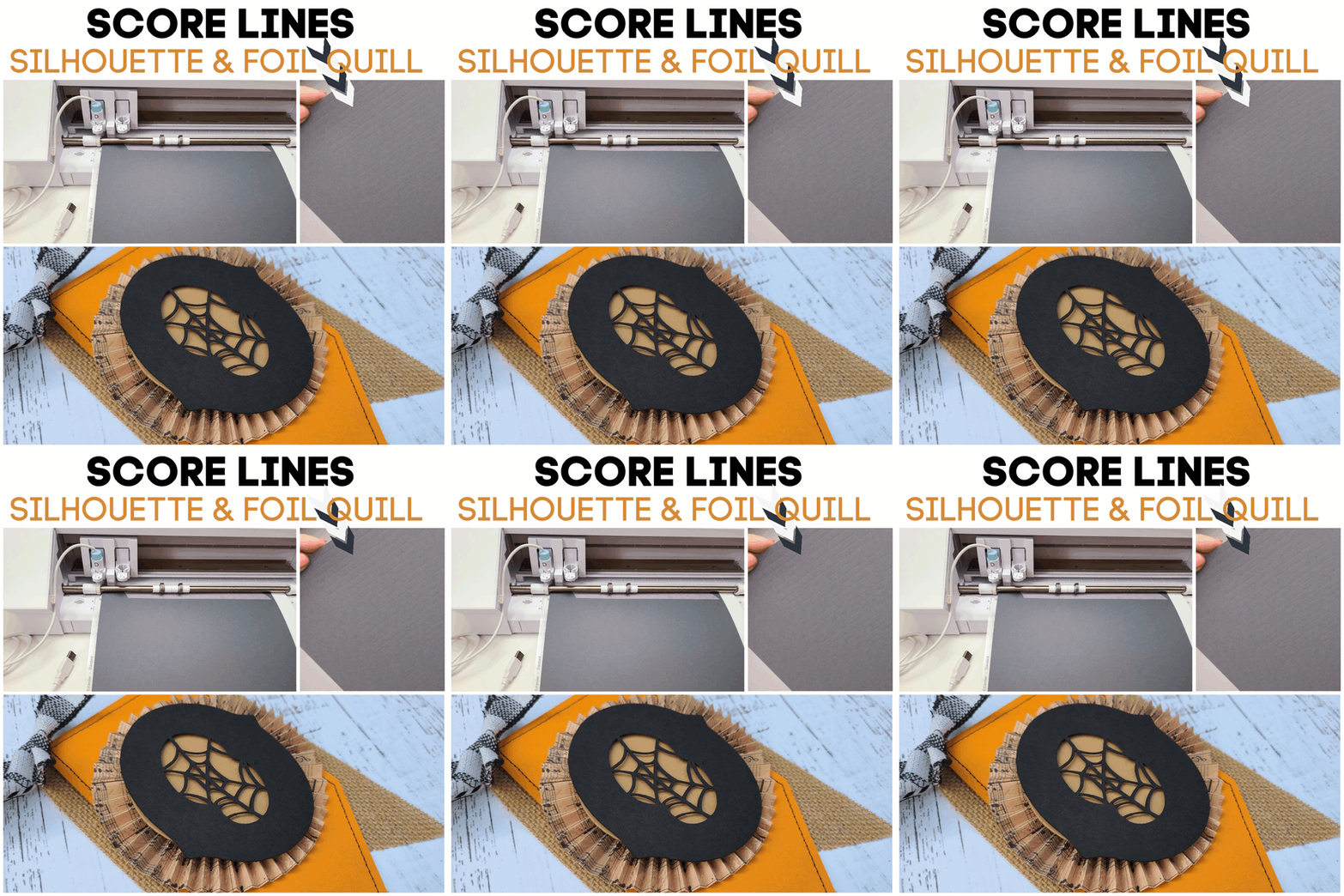
Perfect Silhouette Score Lines with Foil Quill

This hack may become your newest best friend when it comes to making score lines with your Silhouette machine. You may already know how to create a score line using a cutting blade, but now here's a way to use your Silhouette and the Foil Quill to create "soft" score lines that put a gentle bend in the paper instead of a small cut like the cutting blade does.

silhouette 101, silhouette america blog, cameo 4, foil quill, paper crafting

This is especially helpful when you are working with thin, lightweight paper and need to make lots of score lines - like when creating the paper rosettes for this Halloween Banner. (This trick saves you SO much time versus using a bone folder and score board to make all the score marks!) 

Keep reading to learn how you can use the Foil Quill to make score lines. 

How to Use Foil Quill Freehand Pens and Magnetic Mat Together

There's a new foil craft tool in town and it's the Foil Quill Freehand pens!

silhouette 101, silhouette america blog, foil quill, foil quill freehand pen, magnetic mat

The Freestyle Pens from We R Memory Keepers work similarly to the original Foil Quill tips except they are meant for hand drawing, rather than using in a cutting machine.

AND there's more good news...I have a 25% off code for you for ALL Foil Quill tools and accessories so make sure you read to the bottom.

Foil Quill Magnetic Mat Board Review & Tutorial

Goodbye tape, hello magnets! If you have a Foil Quill you may love it - but not the process and time it takes to get your mat and material all set up.

foil quil, foil quill silhouette, silhouette 101, silhouette america blog, foil quill magnetic board

I could not wait to try out the new We R Memory Keepers magnetic mat for Foil Quill that's now on order exclusively at Swing Design to see if it made using the Foil Quill with Silhouette any easier. 

How to Turn Off Automatic Silhouette Studio Updates (and Why You Should)

It's likely that at some point when you launched Silhouette Studio you got a pop up box prompting you to update your Silhouette Studio software.

silhouette studio, silhouette design studio, silhouette studio tutorials, silhouette america blog, silhouette 101

I'm warning you now: never click it! In fact, my suggestion is to turn those software update pop up prompts off completely so you don't accidentally click it.  This Silhouette tutorial will show you how..and explain why!

Vinyl Roll Bundles Are a Steal...But Why Are They Shipped Like That?!

If you've ever purchased a bundle pack of vinyl or Heat Transfer Vinyl rolls it may have come all rolled together.
silhouette 101, silhouette america blog, Adhesive vinyl, vinyl adhesive, self adhesive vinyl

The most efficient and affordable way to package 12 6' rolls of vinyl, for example, is by rolling it all together into one large roll.  In other words, rolling it this way is done to keep the shipping price reasonable (or even free!).

Iron for Heat Transfer Vinyl: Silhouette VIDEO Tutorial and Tips

Using an iron for heat transfer vinyl is something most Silhouette crafters have done at one point or another. 
Silhouette Heat Transfer Vinyl, Heat Transfer Vinyl Silhouette, heat transfer vinyl, HTV vinyl, vinyl heat transfer

Whether it's because you're a beginner and haven't decided if you need a heat press yet or because you don't do many Silhouette HTV projects so you've decided an iron is good enough.

Tips for Designing Signs in Silhouette Studio

Did you get your Silhouette cutting machine to make your own wood signs...but now you're not sure how to design them?

Custom wood signs, wood signs, personalized wood signs, diy wood signs, blank wood signsSilhouette School monthly contributor Kati from Houseful of Handmade is here today with some tips on creating designs for wood signs!

Beware: 'Silhouette' Cutting Mat Not Sticky? Here's Why!

Over the last six months or so I've been hearing quite a few people saying their new-ish Silhouette Cutting Mats are not sticky.

silhouette cutting mats, silhouette cutting mat, silhouette cameo cutting mat, silhouette cameo mats

Well....I recently bought two Silhouette Cutting mats on Amazon and within 3 weeks one of them would not even hold paper.  Something was definitely up.

Turn Hand Drawn Designs into Silhouette Design Files

Did you ever want to turn your own hand drawn designs into Silhouette cut files?

silhouette studio, silhouette design studio, silhouette studio tutorials, how to use silhouette studio, silhoutte studio, silhouettestudio
Not only is it pretty easy to do, but I have a step by step tutorial to show you how to turn your own sketches into Silhouette cut file.

Make Realistic Rhinstone Mock Ups in Silhouette Studio

So we all know the biggest and most talked about advantage of Designer Edition Plus is that it allows you to import embroidery files. But did you know the Designer Edition Plus also has huge advantages to those who work with rhinestones?!

how to use the silhouette studio advanced rhinestone feature silhouette studio advanced tutorials

The Advanced Rhinestone options in Silhouette Studio turn your rhinestone designs from a flat and relatively unimpressive circles into realistic looking rhinestones. This is huge for making rhinestone mock ups or if you just want to print a faux rhinestone design!

How to Put Vinyl on a Yoga Mat

I get asked a surprising amount about how to put vinyl on a yoga mat.

vinyl on yoga mat silhouette cameo tutorial

It would seem that heat transfer vinyl is the way to go - but if you want to avoid melting the yoga mat, adhesive vinyl is key.