Copyright Silhouette School 2016. Powered by Blogger.


Showing posts with label Cutting Problems. Show all posts

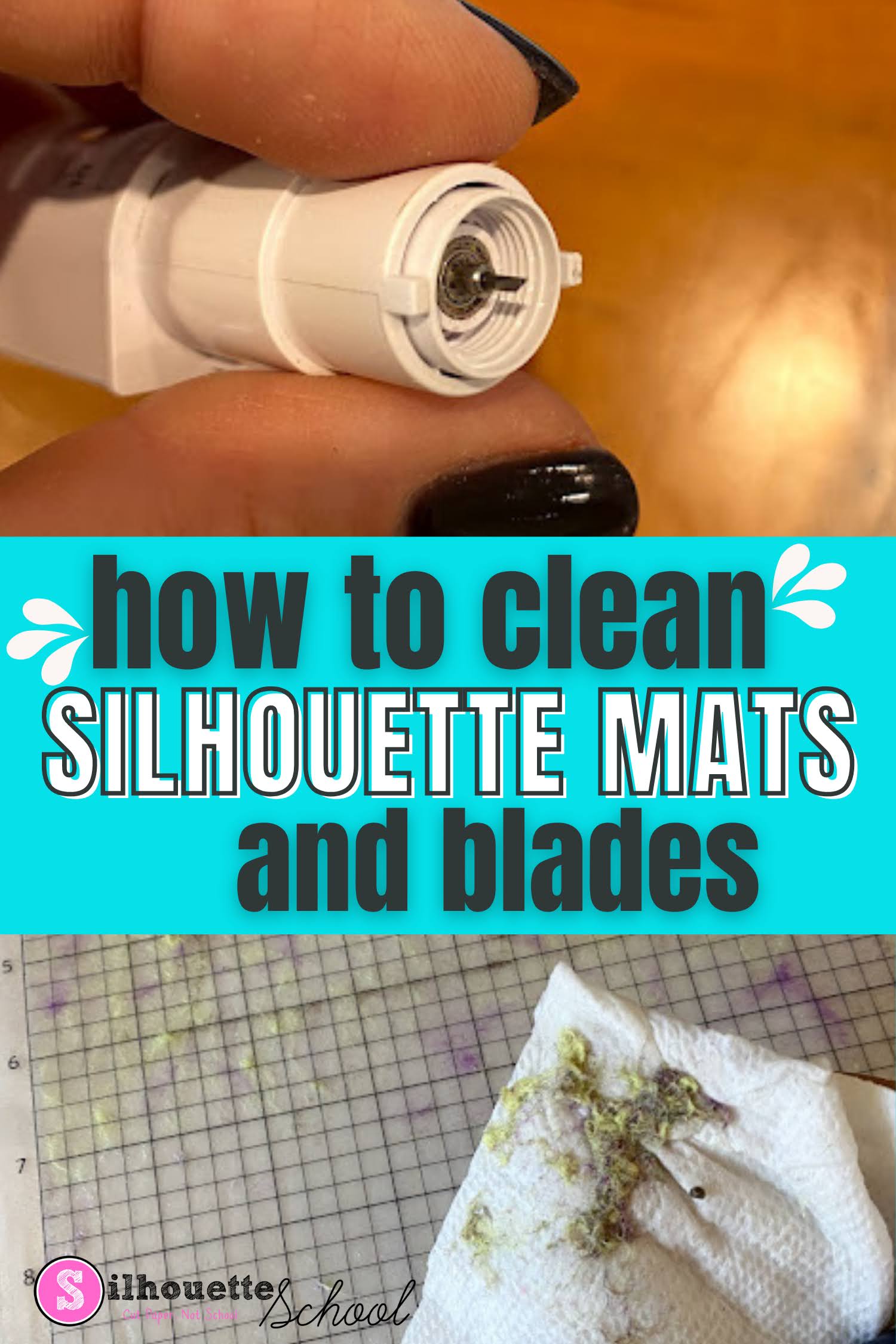
How To Clean Cutting Mats and Silhouette Blades

If your Silhouette cutting mats and blades are in need of a little cleaning you can extend the life of them and get better cuts by cleaning them. 

silhouette 101, silhouette america blog, silhouette blades, silhouette cutting mat, silhouette cleaning

In this tutorial I'll share how to make Silhouette mats sticky again and clean your blades - but with that said just know cleaning is usually a temporary solution and you may still need to replace your mats and blades to get the best cuts. 

Goodbye Autoblade? It Might Be Time to Give Up Your Silhouette Autoblade If...

The Silhouette Autoblade may be ruining your cuts. I said what I said.  

cutting paper,Cutting Problems,1mm manual blade,cameo 5,autoblade,CAMEO 4 help,cutting machines,Auto Blade,


If you've been using your Silhouette machine for a while, chances are you started with the Silhouette AutoBlade that came with your machine...and never knew anything different. But... the truth is, outside of user error (I said that too), the Autoblade is the #1 cause of bad cuts, no cuts, and frustration. 

Best Cardstock for Silhouette CAMEO and Portrait (IMHO)

Looking for the best card stock to cut with Silhouette CAMEO or Portrait?  A good cardstock can make a project and a bad cardstock can ruin one faster than you can finish your cut. 

silhouette 101, silhouette america blog, paper crafts, cameo 4, 24" cameo pro

I've cut a lot of cardstock with all my Silhouette machines, including my Silhouette CAMEO 4, and I've not only found my favorite card stock, but also the best Silhouette cut settings to get perfect cuts not matter how small or detailed the design. 

How to Smooth Trace Lines in Silhouette Studio

If you're wondering "How do I smooth trace lines in Silhouette Studio?" you've come to the right place.

silhouette 101, silhouette america blog, trace lines, silhouette studio v4, tracing

Trace lines that are not smooth create jagged cut lines, which is why it's important to smooth trace lines in Silhouette Studio before you cut. This tutorial will explain how to smooth out Silhouette trace lines.

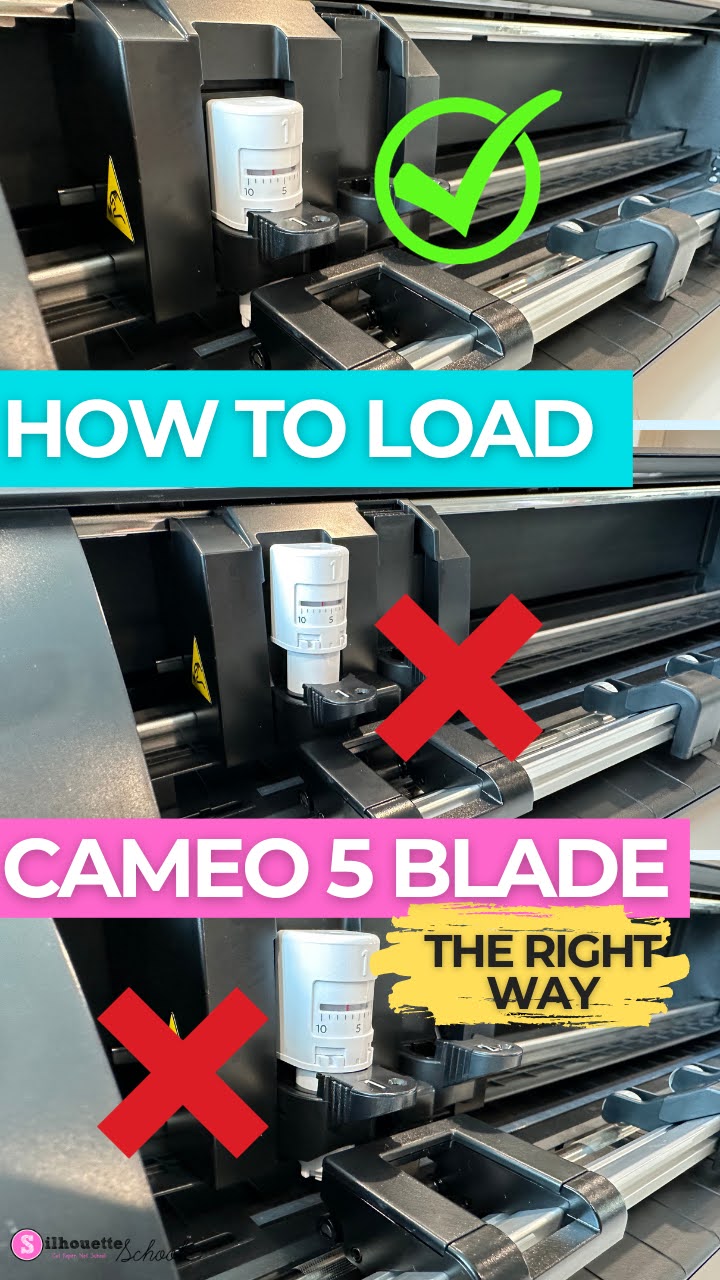
How to Load CAMEO 5 Blade (And Fix It When It's Not Cutting)

It may sound silly, but knowing how to load the Silhouette CAMEO 5 blade is one of the most important things you can learn when you're a beginner! 

cameo 5, autoblade, cameo 5 tools, silhouette cameo 5, silhouette 101

Loading the blade incorrectly can result in bad Silhouette cuts or the CAMEO 5 not cutting at all! If you're experiencing the CAMEO 5 blade moving but not cutting, this tutorial should also fix that issue.

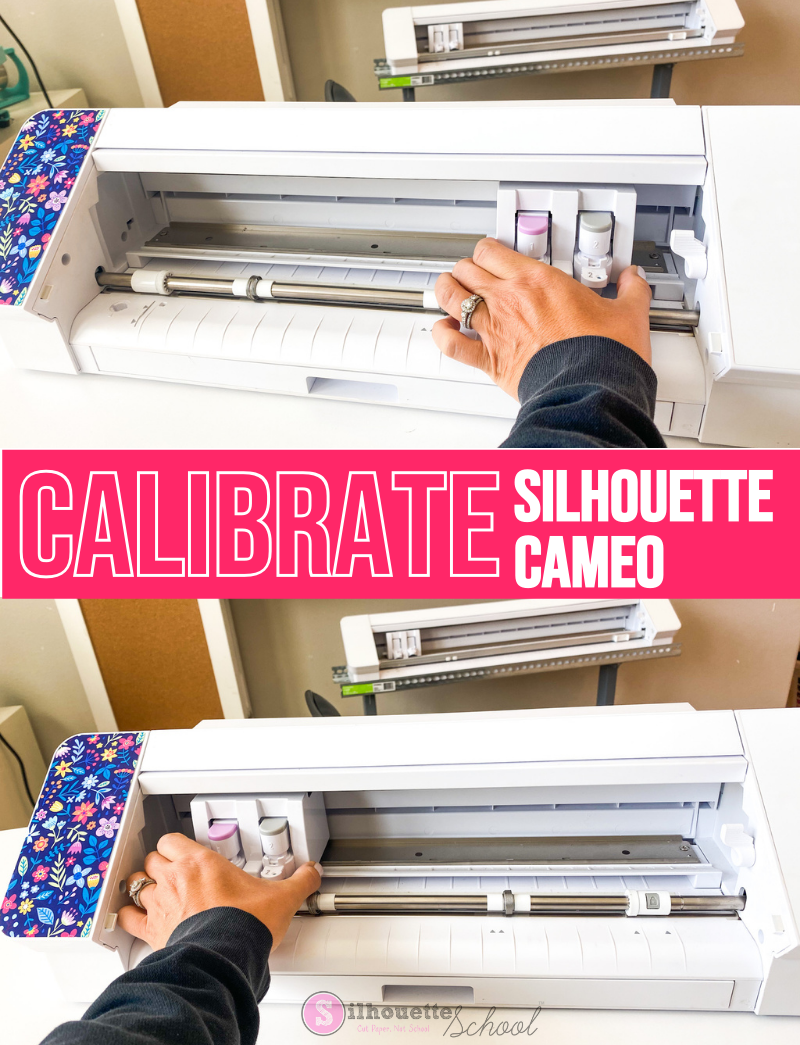
How to Calibrate Silhouette CAMEO

There are times when you may need to know how to calibrate your Silhouette CAMEO machine.

silhouette 101, silhouette america blog, cutting problems, silhouette cameo, silhouette cameo 4

Silhouette CAMEO calibration is helpful when the machine is cutting in the wrong area and ends up cutting off the mat or off the material on the mat.  This Silhouette CAMEO calibration tutorial will fix that issue applies to the CAMEO 4 and other older machines. 

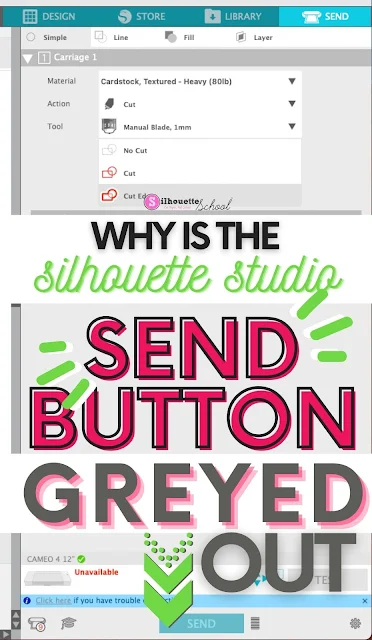
Silhouette Studio Send Button Greyed Out? Here's the Fix

If the Silhouette Studio Send Button is greyed out in the Send panel there is usually one main reason why. 

silhouette america blog, silhouette 101, silhouette studio, silhouette studio v4, troubleshooting


In this tutorial we'll look at why the Send button in Silhouette Studio is greyed and how to fix it so you can cut with your Silhouette machine. 

How to Cut Longer Than the Silhouette Cutting Mat (V4 Tutorial)

If you have a vinyl wall decal or another design that requires that you cut longer than the Silhouette cutting mat, you need to set it up that way in Silhouette Studio.

silhouette 101, silhouette america blog, silhouette studio tutorials, how to use silhouette, silhouette cameo tutorial

These two important adjustments in Silhouette Studio will allow you to cut design up to 10' long with your Silhouette CAMEO or Portrait.

Silhouette CAMEO 4 Autoblade Not Cutting? 4 Fixes

If you're having Silhouette CAMEO 4 Autoblade issues, it's likely there's one of four reasons why. 

silhouette 101, silhouette america blog, cameo 4, autoblade, cameo 4 help

In this Silhouette tutorial I go in depth on how to fix common issues including when the Silhouette CAMEO 4 Autoblade isn't cutting, isn't cutting deep enough, or when it's cutting too deep. 
 

How to Change the Blade Depth Setting In Silhouette Studio for a Better Cut

With the popularity of the Silhouette CAMEO AutoBlade, many users have never had to manually adjust their blade depth. 

silhouette 101, silhouette america blog, silhouette studio, cameo 4, 24" silhouette pro

However there are times when you need to adjust the blade depth - most often due to the recommended default cut settings are not working for your material. 

How to Prevent Dye Migration and Heat Press Marks on HTV

Did you ever put white HTV on a red shirt or other surface only for the HTV to turn pink or press a shirt only to be left with a giant pressing mark? Those are known as dye migration and heat press marks.  Heat Transfer Vinyl can do this..and it's intensified the higher the heat and the longer the press.
silhouette 101, silhouette america blog, heat press, heat transfer vinyl, heat press marks
This is a sponsored post, but all opinions are my own.
Today I'm sharing the easiest way to avoid lasting pressing marks and dye migration with HTV.

How to Apply Adhesive Vinyl to Canvas (So it Sticks)

If you ever tried to get adhesive vinyl to stick to canvas you know it can be a struggle.

CAMEO 4, oracal 651, canvas, silhouette 101, silhouette america blog

For this reason I almost always suggest using heat transfer vinyl on canvas. But sometimes, that's just not possible..so here's the trick (or actually three of them) for getting vinyl to stick to canvas.

Vinyl Slipping When Cutting Without a Mat on Silhouette CAMEO? Do This

If you are cutting vinyl without a cutting mat and it's slipping as it rolls down the vinyl it can ruin your vinyl.

silhouette 101, silhouette america blog, cutting mat, vinyl, cameo 4

 
The roll feeder helps if you are cutting vinyl or heat transfer vinyl off a roll, but if you are cutting a sheet you can run into issues.

This quick fix will help make sure your vinyl does not slip out from under the rollers when cutting sheets of vinyl with your Silhouette CAMEO.

Silhouette Cutting Design or Font Slow? Try This Trick!

If you're Silhouette cutting machine is cutting really slowly there could be an easy and fast fix.

silhouette cutter, silhouette vinyl cutter, silhouette cameo vinyl cutter, silhouette cameo cutter, silhouette die cutter

One of the biggest reasons the Silhouette CAMEO and Portraits cut slow is due to an excessive amount of edit points in your font or design.

Silhouette CAMEO 3 Hidden Mat Supports

If you're one of those who unpacked that Silhouette CAMEO 3 as fast as possible, plugged it in and started cutting right away, you may have missed one of the hidden features of the Silhouette cutting machine.

silhouette cameo, cameo 3, silhouette cameo 3, silhouette cameo 3 machine, silhouette 3 cameo

There is a series of hidden mat supports tucked into the tool drawer - and they come in very handy.

How to Move the Silhouette CAMEO 3 Rollers

If you are cutting on your Silhouette CAMEO, without a cutting mat, you will likely need to move you rollers to ensure the material does not slip while cutting.

silhouette cameo, cameo 3, silhouette cameo 3, silhouette cameo 3 machine, silhouette 3 cameo

Fortunately the rollers on the Silhouette CAMEO 3 are easier to move than on the CAMEO 1 or 2.

10 Best Silhouette Troubleshooting Tips

Not surprisingly the large majority of Silhouette questions I get from beginners - and experienced users -  are about troubleshooting either Silhouette Studio or the Silhouette cutting machines. 


For this reason, I've gathered our 10 most popular Silhouette CAMEO troubleshooting tips and tutorials into one place so you have a one stop shop if when you run into an issue.

Beginner Silhouette Studio V4 Trace Tutorial

So you're trying to figure out how to trace in Silhouette Studio V4...or figure out why the trace tool is giving you double lines or incomplete traces.

silhouette cameo tutorial for beginners, silhouette cameo for beginners, silhouette cameo tutorials for beginners

You've come to the right spot! This beginner Silhouette Studio tracing tutorial will take you step by step so you can master the tracing tool in V4.

Where Did the Silhouette Studio 'Double Cut' Feature Go?

If you're looking for the Silhouette Studio Double Cut Feature in Silhouette Studio V4 you may have noticed it's missing.

silhouette studio tutorials, silhouette studio double cut, silhouette studio passes

It's not really missing as much as it's changed.

5 Tips for Cutting Silhouette Double-Sided Adhesive (and a Silhouette CAMEO Beginners Tutorial)

You know when you email me and tell me you were just about to throw your machine out the window and then one of my tutorials helped talk you off the ledge? Yeah, well that was me trying to cut Silhouette brand double-sided adhesive sheets. GRRRRPPHHHHH if you heard that noise it was me!
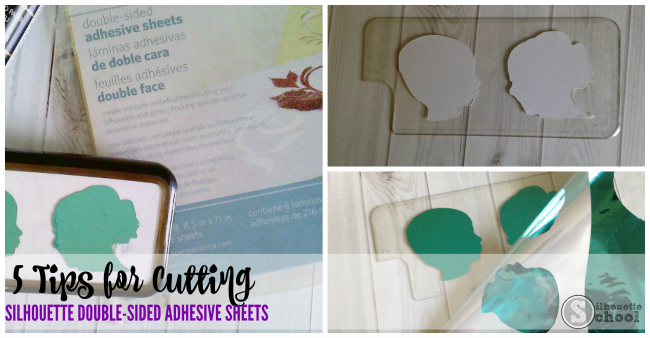
Seriously that stuff gave me a run for my money! But now that I've got it figured out I'm going to share them with you so you don't end up making those weird animal-like noises too and scaring your children out of a nap.

Now, I've built Silhouette School on just being real with ya. And if that means I gotta give a big ol' thumbs down to something well...then that's just the way it's gonna be.  That being said - there's definitely a lot to be said for "user error" -  in this case I'm the user.  So while I made a whole lot of not-nice noises through the process I'm happy to report with some tweaks of a few settings, I finally made it work with what I found to be the not-so-user-friendly Silhouette Double Sided Adhesive Sheets.