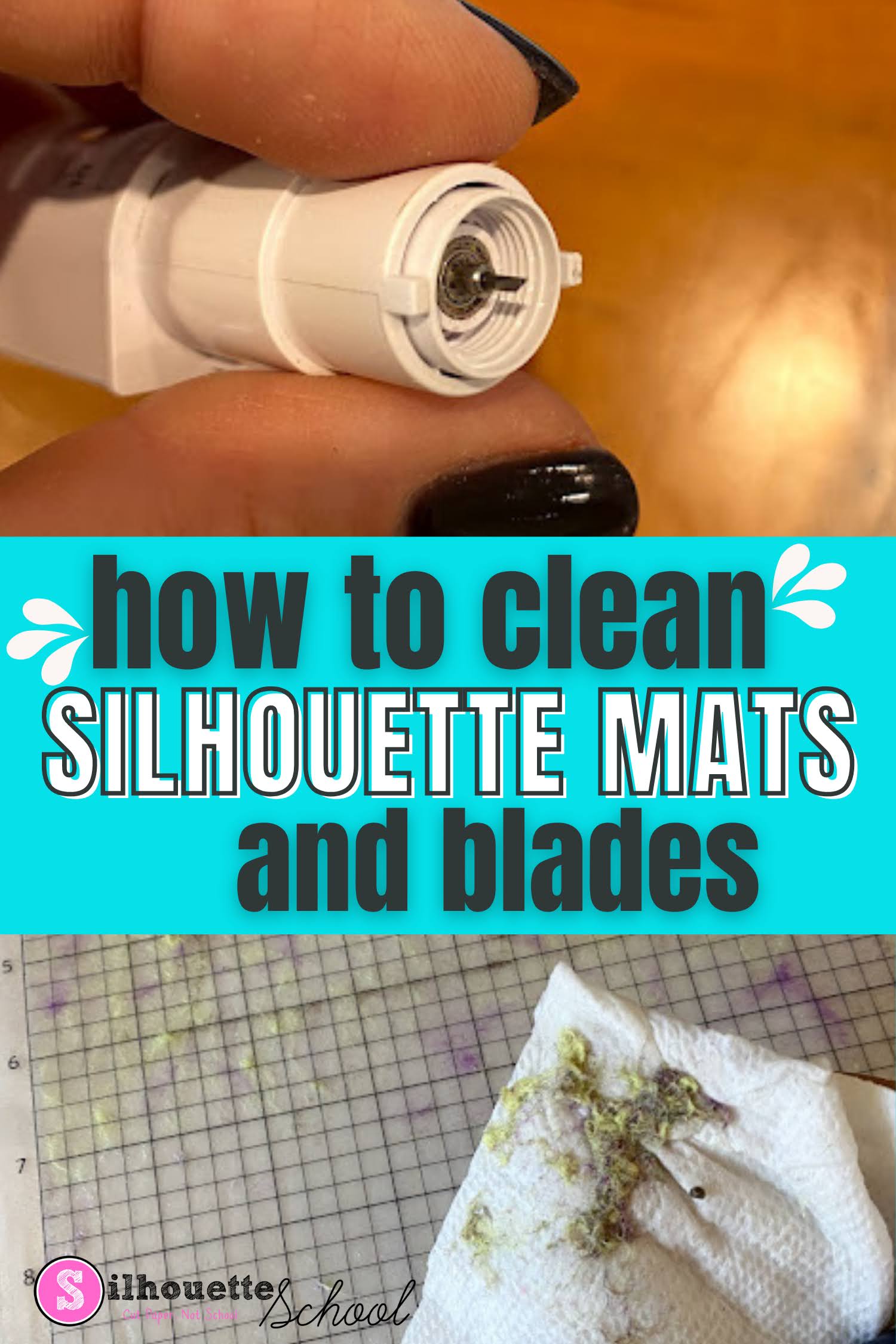
In this tutorial I'll share how to make Silhouette mats sticky again and clean your blades - but with that said just know cleaning is usually a temporary solution and you may still need to replace your mats and blades to get the best cuts.
Showing posts with label Silhouette Cutting Mat. Show all posts
How To Clean Cutting Mats and Silhouette Blades
Thursday, March 12, 2026
If your Silhouette cutting mats and blades are in need of a little cleaning you can extend the life of them and get better cuts by cleaning them.
How to Load the Silhouette CAMEO 5 Cutting Mat (So It Doesn't Slide and Shift)
Wednesday, November 22, 2023
Did you know you can semi automatically load the CAMEO 5 cutting mat, to ensure it loads straight and doesn't shift during cutting?
Read on for how to properly load the CAMEO 5 mat.
How to Cut Scrap Vinyl with your Silhouette CAMEO
Tuesday, March 1, 2022
Did you know you can cut different color vinyl scraps on the same Silhouette cutting mat at the same time? You can!
Small pieces of vinyl are perfect for small projects like making a spring farmhouse themed tiered tray. Check out how to cut on small scrap vinyl with your Silhouette CAMEO.
How to Cut Heat Transfer Vinyl on Silhouette Cameo 4 without a Mat
Tuesday, July 6, 2021
If you haven't cut vinyl on Silhouette CAMEO without a mat, you may want to give it a try!
It saves time from loading and unloading the vinyl on the mat. Follow these tips for how to successfully cut vinyl on Silhouette CAMEO 4 without a cutting mat.
How to Cut Longer Than the Silhouette Cutting Mat (V4 Tutorial)
Thursday, June 10, 2021
If you have a vinyl wall decal or another design that requires that you cut longer than the Silhouette cutting mat, you need to set it up that way in Silhouette Studio.
These two important adjustments in Silhouette Studio will allow you to cut design up to 10' long with your Silhouette CAMEO or Portrait.
How to Load Vinyl Into Silhouette CAMEO 4 So It Cuts Straight
Wednesday, May 12, 2021
The best way to load vinyl or a cutting mat into a Silhouette cutting machine is to use both hands to ensure it loads - and then cuts - straight.
This was much more challenging to do prior to the still little known mat sensor on the Silhouette CAMEO 4, CAMEO 4 Plus, and CAMEO 4 Pro. Using this relatively new feature you can more easily load the mat and/or materials into the Silhouette CAMEO 4 machines so they cut straight! Read on for how...
Vinyl Slipping When Cutting Without a Mat on Silhouette CAMEO? Do This
Wednesday, June 10, 2020
If you are cutting vinyl without a cutting mat and it's slipping as it rolls down the vinyl it can ruin your vinyl.
The roll feeder helps if you are cutting vinyl or heat transfer vinyl off a roll, but if you are cutting a sheet you can run into issues.
This quick fix will help make sure your vinyl does not slip out from under the rollers when cutting sheets of vinyl with your Silhouette CAMEO.
The roll feeder helps if you are cutting vinyl or heat transfer vinyl off a roll, but if you are cutting a sheet you can run into issues.
This quick fix will help make sure your vinyl does not slip out from under the rollers when cutting sheets of vinyl with your Silhouette CAMEO.
6 Silhouette Cutting Mat Alternatives
Thursday, March 12, 2020
There are several Silhouette Cutting Mat alternatives if you're looking for a longer lasting mat, mat with a different adhesive strength, or a thicker and more sturdy mat.
Each has their own benefits so you have lots of options based on your needs, material size, and budget.
How to Clean Dirty Silhouette Cutting Mats
Monday, February 10, 2020
If your Silhouette cutting mats have lost their stick or are excessively dirty there is a simple way to clean them.
Trying to restick Silhouette cutting mats is not something that I recommend - as it's impossible to get them back to their original adhesive level. However, if you have a cutting mat that looks like this one after cutting felt, leather, or some other 'fuzzy' material you can clean it to extend the life.
6 Materials You Should Cut on a Silhouette Strong Grip Cutting Mat
Thursday, November 21, 2019
Among the new 2019 Silhouette products is the Strong Grip cutting mat.
The strong grip mat has a stronger adhesive than the standard cutting mat which is beneficial when cutting certain types of materials - mostly heavy materials - which can easily move while cutting.
While there are more, I'm going to share 6 materials that I am never cutting again without a Silhouette Strong Grip Mat.
The strong grip mat has a stronger adhesive than the standard cutting mat which is beneficial when cutting certain types of materials - mostly heavy materials - which can easily move while cutting.
While there are more, I'm going to share 6 materials that I am never cutting again without a Silhouette Strong Grip Mat.
Cutting Felt with Silhouette CAMEO: Hack to Keep Your Cutting Mat Clean
Tuesday, November 19, 2019
With the new Silhouette CAMEO 4 Rotary Blade you can cut felt without a liner. BUT it leaves a mess of your cutting mat.
I did find a way to clean the cutting mats, but then I started thinking, what if the cutting mat never actually touched the felt or what if the adhesive part of the cutting mat could be replaced. Just you wait...
Hack for Using a Cricut Mat with Silhouette CAMEO
Tuesday, November 6, 2018
Lots of Silhouette crafters have tried, or at least have thought about trying, Cricut cutting mats with their Silhouette CAMEO.
I don't honestly recommend it - but since the Cricut mats are less expensive and are slightly more rigid than the Silhouette mats - a lot of crafters at least want to give them a try.
AlbaChem Cutting Mat Adhesive Spray Review: How to Re-Stick a Silhouette Cutting Mats
Wednesday, October 24, 2018
I've always been of the mindset that it's better to replace Silhouette cutting mats than to re-stick them.
But since I know not all of you agree, I put the AlbaChem Eco-Mist Adhesive Cutting Mat spray to the test on an old Silhouette cutting mat.
What and When Can I Cut Without Silhouette Cutting Mat?
Tuesday, September 25, 2018
When it comes to cutting with a Silhouette Cutting Mat there are definitely differing opinions.
While it's not always necessary to cut with a mat, it is always necessary to cut certain materials with a mat. Today we're going to get to the bottom of when and what you can cut without the Silhouette cutting mat and when it's absolutely necessary.
Silhouette CAMEO 3 Hidden Mat Supports
Monday, March 19, 2018
If you're one of those who unpacked that Silhouette CAMEO 3 as fast as possible, plugged it in and started cutting right away, you may have missed one of the hidden features of the Silhouette cutting machine.
There is a series of hidden mat supports tucked into the tool drawer - and they come in very handy.
How to Move the Silhouette CAMEO 3 Rollers
Tuesday, February 13, 2018
If you are cutting on your Silhouette CAMEO, without a cutting mat, you will likely need to move you rollers to ensure the material does not slip while cutting.
Fortunately the rollers on the Silhouette CAMEO 3 are easier to move than on the CAMEO 1 or 2.
Upcycle Old Silhouette Cutting Mats into Re-Usable Stencils
Monday, January 9, 2017
Don't throw out those old Silhouette cutting mats...they make awesome re-usable stencils! We all need to get new cutting mats for our Silhouette CAMEO or Portrait every once in a while - but instead of throwing out the old ones or struggling to clean and re-stick them, do what you've never wanted to do before and intentionally cut through Silhouette cutting mat.
While the sticky side of the mat may not be sticky enough to hold vinyl or paper or other material in place while you're cutting, it likely has a little stick left. And that stick is just enough to hold a stencil in place while painting on fabric or another surface! The back side of the mat is easily cleanable which means you can wipe off paint and re-use the stencil over and over again!
Subscribe to:
Posts (Atom)


.png)



