Copyright Silhouette School 2016. Powered by Blogger.


Showing posts sorted by date for query CAMEO 3. Sort by relevance Show all posts

Silhouette Studio Free Download for Mac and PC (Video)

Silhouette Studio is a free download for Mac and PC, but the download page makes it look like you have to pay, and the version it gives you first isn’t the right one for most people. 

silhouette studio,silhouette studio v5,silhouette v5,V5,Silhouette Studio V4,v4,


Here’s where to get the free software, which version to install for your machine, and what you get without upgrading.

Embroidery Machine Applique for Beginners (Cut the Fabric on Your Silhouette)

If you own an embroidery machine and a Silhouette machine you can combine the best of both worlds!

silhouette 101, silhouette america blog, cameo 4, embroidery, fabric

Can you applique with an embroidery machine?

Silhouette Studio Designer Edition Plus or higher will open embroidery files which means you can cut fabric applique with your Silhouette then finish the machine embroidery applique on your embroidery machine!

Why the Trace Tool in Silhouette Studio Isn't Working (And How to Fix It)

I hear it all the time: "the trace tool isn't working."  

how to trace,Print and Cut,Silhouette CAMEO print and cut,Silhouette Print and Cut,sticker,sticker printer,trace and detach,Trace by Color,Tracing,

You found a graphic you want to cut. Maybe it's a sticker sheet, maybe it's a design someone sent you, maybe it's something you pulled off Pinterest or made in Canva. You bring it into Silhouette Studio, click Select Trace Area, adjust the threshold, and either nothing is yellow or everything is yellow and it looks like a mess. 

read on for tips on how to trace to get clean cut lines on hard to trace images. 

Embroidery Machine for Beginners - Everything You Need to Know to Get Started

Machine embroidery is not nearly as intimidating as it looks.  As someone who was only moderately comfortable around as sewing machine, I know when you first see an embroidery machine it can feel overwhelming.  

brother embroidery,Embroidery,brother sewing,Sewing,brother se2000,embroidery machine,

I've been there. My mom gifted me a sewing machine for my 16th birthday (that I still have), but an embroidery machine just seems so much more advanced (and scary). In reality though, embroidery machines are in some ways even easier. Did you know you don't even need to use a pedal?

A few years ago, I started as a total beginner and I have made every mistake in the book - including spending hours trying to fix a "broken" machine that turned out to just be a screensaver. I'm sharing all of it so you don't have to go through what I went through. 

brother embroidery,Embroidery,brother sewing,Sewing,brother se2000,embroidery machine,


This is your complete beginner's guide to getting started with a machine embroidery machine - from choosing the right machine to your first finished project.

Brother SE2000 - The Complete Beginner's Guide to Setup and Getting Started

I have been so excited to share everything about the Brother SE2000 with you. This machine is a total game changer for beginners and I honestly think it's one of the best embroidery machines you can buy right now. 

brother embroidery,brother se2000,Brother SE600,brother sewing,Embossing,embroidery machine,threading embroidery machine,Embroidery,

Whether you just got your Brother SE2000 or you're still deciding if it's right for you, this is your one-stop guide. I've put together every tutorial you need to go from unboxing to your first embroidery project - all in one place.

Shop the Brother SE2000 here - and keep reading for everything you need to get started!

Silhouette Studio V4 vs. V5: Which Version Should You Actually Be Using?

There's a lot of confusion right now about Silhouette Studio V4 and V5 — specifically whether you should update, whether you have to update, and why so many experienced Silhouette users are still on V4 by choice. 

V5,silhouette studio v5,Silhouette Studio 4,Silhouette Studio V4,silhouette software,silhouette studio software,

The short answer is that most people do not need (and should not be using) V5. For the majority of Silhouette machines, V4 is still the better option.

22 Silhouette School Tutorials You May Have Missed In January 2026

New year, new inspiration! Another month is in the books here at Silhouette School and we’ve already covered so much to get 2026 started right. 

monthly wrapup,Month in Review

Here is a look at everything we covered in January.

Silhouette Registration Mark Types EXPLAINED (3 vs 4 Marks)

If you're new to the Silhouette Cameo 5a or coming from an older CAMEO model, you might have noticed that your registration marks look different. 

Print and Cut,Silhouette Print and Cut,cameo 5,Silhouette cameo 5,silhouette cameo 5a,registration marks,Stickers,

This isn't a bug or an error - it's actually one of the differences between the CAMEO 5a (and Silhouette Pro MK II) and the rest of the Silhouette machines which use a three mark system. 

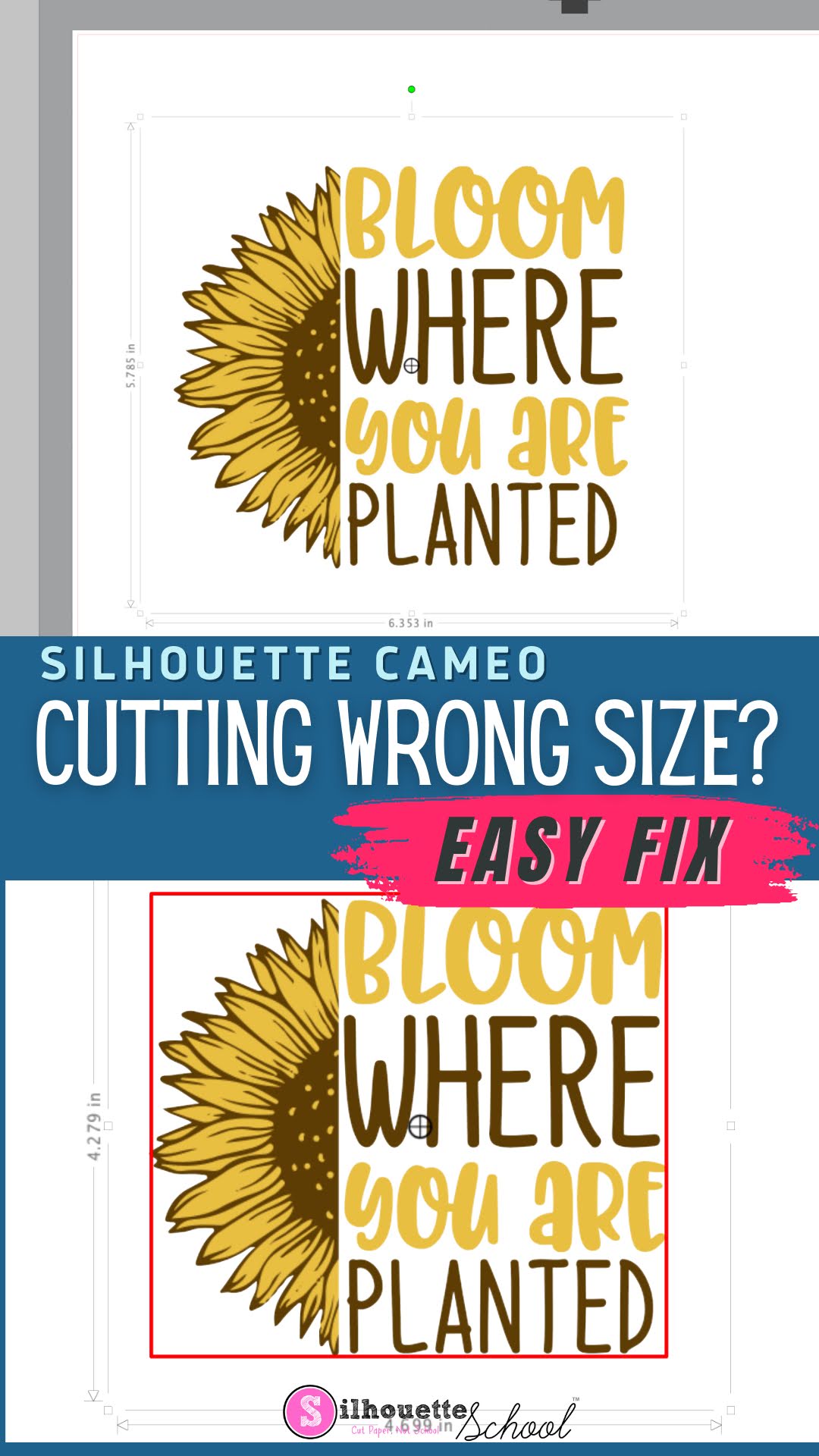
Silhouette Cutting Wrong Size? Here's the Fix

If your Silhouette CAMEO is cutting the wrong size, it can be extremely frustrating. 

silhouette america blog, silhouette 101, silhouette studio, silhouette studio 4, silhouette studio troubleshooting, silhouette cutting issue

Fortunately, there's an easy fix to make sure your Silhouette cuts the same size as the dimensions in Silhouette Studio. 

Silhouette CAMEO 5a Major BUG!! Warning and Patch

If you own a Cameo 5 Alpha and suddenly your software is recognizing it as a CAMEO 5.. listen up! 

silhouette studio 5,V5,bugs,Silhouette cameo 5,silhouette cameo 5a,

And if you have a CAMEO 5a that Silhouette Studio is STILL seeing as a CAMEO 5..you also need to listen up to avoid this major bug. 

How to Cut Paper Cleanly With Silhouette: 10 Tips for Success!

Vinyl gets a lot of attention around here, but paper crafts are still hugely popular and some of the most amazing creations cut with the Silhouette machines are with paper.

Silhouette paper cuts, Paper cutting machine, paper cut, paper cutting art, paper cutting

Paper can get a bad rap sometimes because it's not the easiest material to cut cleanly with Silhouette. It can shred, it can tear, it can get stuck to the mat. Today I'm sharing 10 tricks to help you get better paper cuts with your Silhouette.

How to Make Reusable Stencils with Your Silhouette and a $20 Laminator

If you're looking for a way to make reusable stencils for wood signs - this money saving trick for making stencils you can paint, rinse and repeat is a good one! 

Sihouette Stencils,Stencils,wood signs,Painting Projects,wood,Saving Money Silhouette Stencils,

Keep reading for the full game-changing tutorial that requires nothing more than your Silhouette CAMEO or Portrait and a $20 Amazon laminator.  

How to Use Sublimation Sticker Paper with Silhouette CAMEO or Portrait

Have you heard of sublimation stickers? You're basically sublimating onto sticker paper then printing and cutting.  

sublimation,Silhouette and Sublimation,sublimation printer,Sublimation Printing,Stickers,vinyl stickers,

The process seems  is long and involved...and I'm not a patient person, but I picked up a pack of HTVRont Sublimation Sticker sheets from Amazon to give it a try. Read on to learn how to make sublimation stickers which are bright, vibrant, and waterproof. 

2025 Silhouette America New Product Announcements: CAMEO 5α (Alpha)

Silhouette just announced their 2025 new product drop and at Silhouette Summit in Japan. 


I was invited to attend, but opted to skip this year's event.  The biggest new product drop, the Silhouette CAMEO 5α (Alpha) and 15" CAMEO 5α Plus, are more of what I would consider an overdue update to a commonly faulty part in the original CAMEO 5...with a few new features.

How to Apply Vinyl to Wood Signs With Slats

We've shown you before in a previous blog post how to design in Silhouette Studio for wood signs with slats. Well, we love bringing you new and different ways to create so that you can choose a method that works best for you. 

silhouette 101, silhouette america blog, wood signs, vinyl, farmhouse signs

So, here's another way to deal with how to apply a vinyl decal onto a wood sign with slats.

Amazon Prime Day July 2025: Small Business and Crafty Deals and Steals

Amazon Prime Day 2025 officially starts Tuesday, July 8 and continues through Friday July 10 - but there are already some early access deals! Just like we've done the last NINE years, we'll be following the the Silhouette craft and small business deals both on and off Amazon closely!


Amazon provided me a sneak peak of what's going to be an Amazon Prime Day deal and while I am bound to silence until the deals go live, I can tell you - there's a TON of good stuff. In fact more than 200k products will be on sale over the next two days! 

In the meantime, I'm sharing some pointers and things to be on the lookout for and tips on making sure you don't miss a deal.

22 Tutorials You May Have Missed In May 2025

Another month has flown by here at Silhouette School, and as always, we've been busy bringing you a wealth of tips, tricks, and inspiration to fuel your creative projects.

may month in review, monthly recap

May was a busy month helping you unlock even more cool stuff you can do with your Silhouette!

Silhouette Print and Cut Registration Marks Vs Vinyl Layering Registration Marks

If you've ever been confused by talk of registration marks let's get to the bottom of it today. 

silhouette 101, silhouette america blog, registration marks, silhouette print and cut, layering vinyl

There are two different types of Silhouette registration marks that we talk about. It can be confusing for beginners...so much so that it we see it causing a decent amount of problems. Today we're going to get to the bottom of the two different types of registration marks and when to use one or the other...or neither. 

WARNING: Silhouette Studio V5 Send Panel Changes...Why Though?

If you're a long time user of Silhouette Studio that decided to install Silhouette Studio V5 the Send panel may throw you. 

Silhouette Studio,silhouette studio software,silhouette software,silhouette studio 5,send panel,V5,


While most of the changes in Silhouette Studio V5 are cosmetic, the Send panel got an overhaul that I would argue it didn't need.  Read on to learn more about what you need to know about the updated V5 Send panel. 

Print and Cut with Brother Fabric Printer and Silhouette CAMEO

Giving new meaning to 'print and cut'... I'm not sure there's ever been a more perfect duo than the Printmoda Brother Fabric Printer and Silhouette CAMEO! 

cameo 5,brother sewing,Sewing,Rotary Blade,inkjet printable,CAMEO 4,fabric printer,Home Printer,Fabric,


Read on for a step by step beginner project printing on Printmoda from Silhouette Studio then cutting with the CAMEO Rotary blade.