Copyright Silhouette School 2016. Powered by Blogger.


Showing posts with label trace and detach. Show all posts

Why Tracing in Silhouette Studio Creates Double Cut Lines (and the Workaround)

Are you getting double cut lines when you trace in Silhouette Studio?   

how to trace,import files,pdf,Silhouette Studio 4,trace and detach,Tracing,


This is a common issue when tracing lines in Silhouette Studio.  And the "issue" is actually how tracing works. 

Read on for the best way to to recreate lines in Silhouette Studio. 

Why the Trace Tool in Silhouette Studio Isn't Working (And How to Fix It)

I hear it all the time: "the trace tool isn't working."  

how to trace,Print and Cut,Silhouette CAMEO print and cut,Silhouette Print and Cut,sticker,sticker printer,trace and detach,Trace by Color,Tracing,

You found a graphic you want to cut. Maybe it's a sticker sheet, maybe it's a design someone sent you, maybe it's something you pulled off Pinterest or made in Canva. You bring it into Silhouette Studio, click Select Trace Area, adjust the threshold, and either nothing is yellow or everything is yellow and it looks like a mess. 

read on for tips on how to trace to get clean cut lines on hard to trace images. 

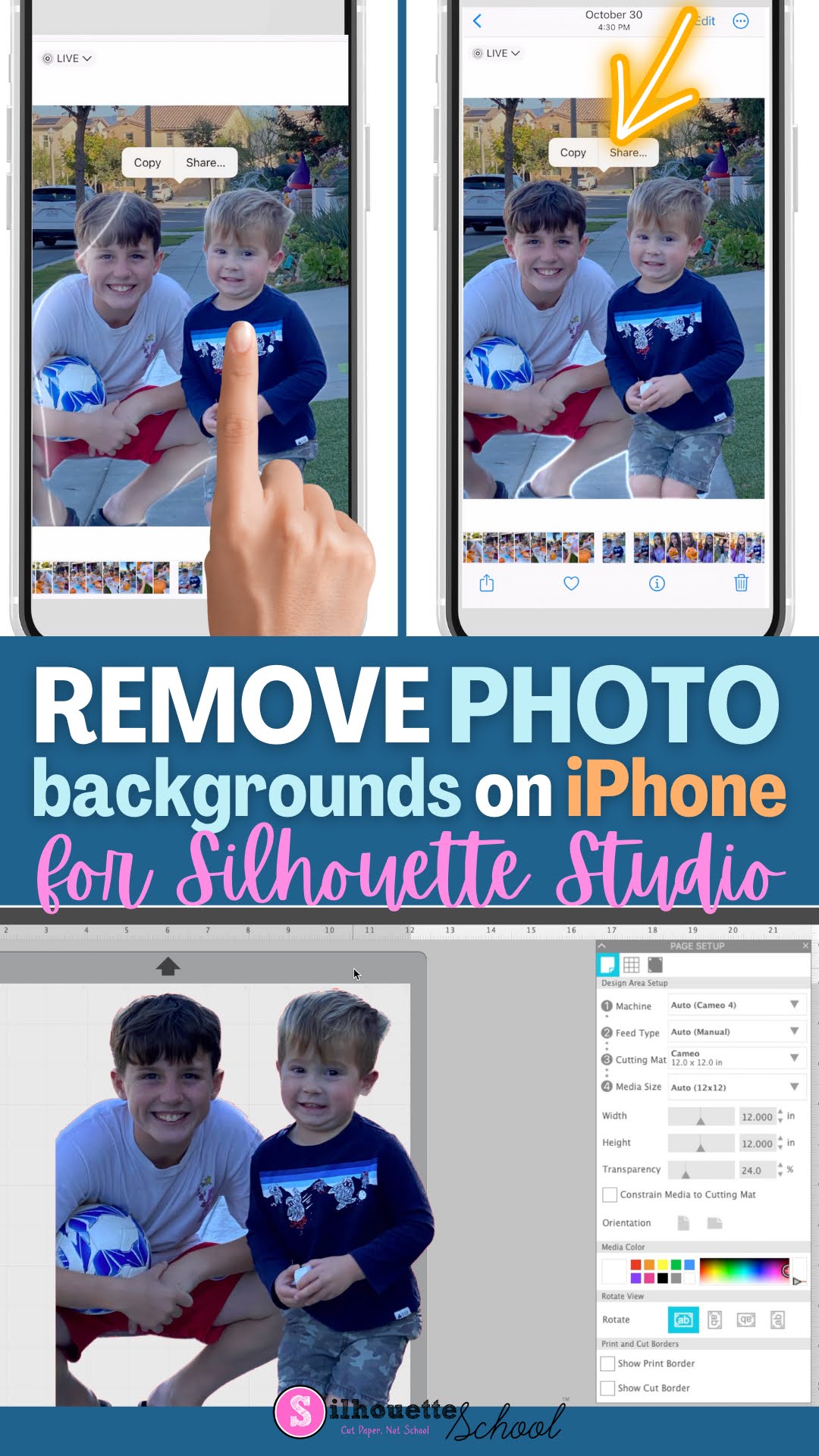
How to Remove Photo Backgrounds on iPhone and Open in Silhouette Studio

It's never been easier to remove photo backgrounds than now with the new iPhone iOS 16 update. 

silhouette 101, silhouette america blog, photos, remove background, silhouette studio v4

But once you remove the background, how do you get the image to your computer and Silhouette Studio? Keep reading to learn how easy it is! 

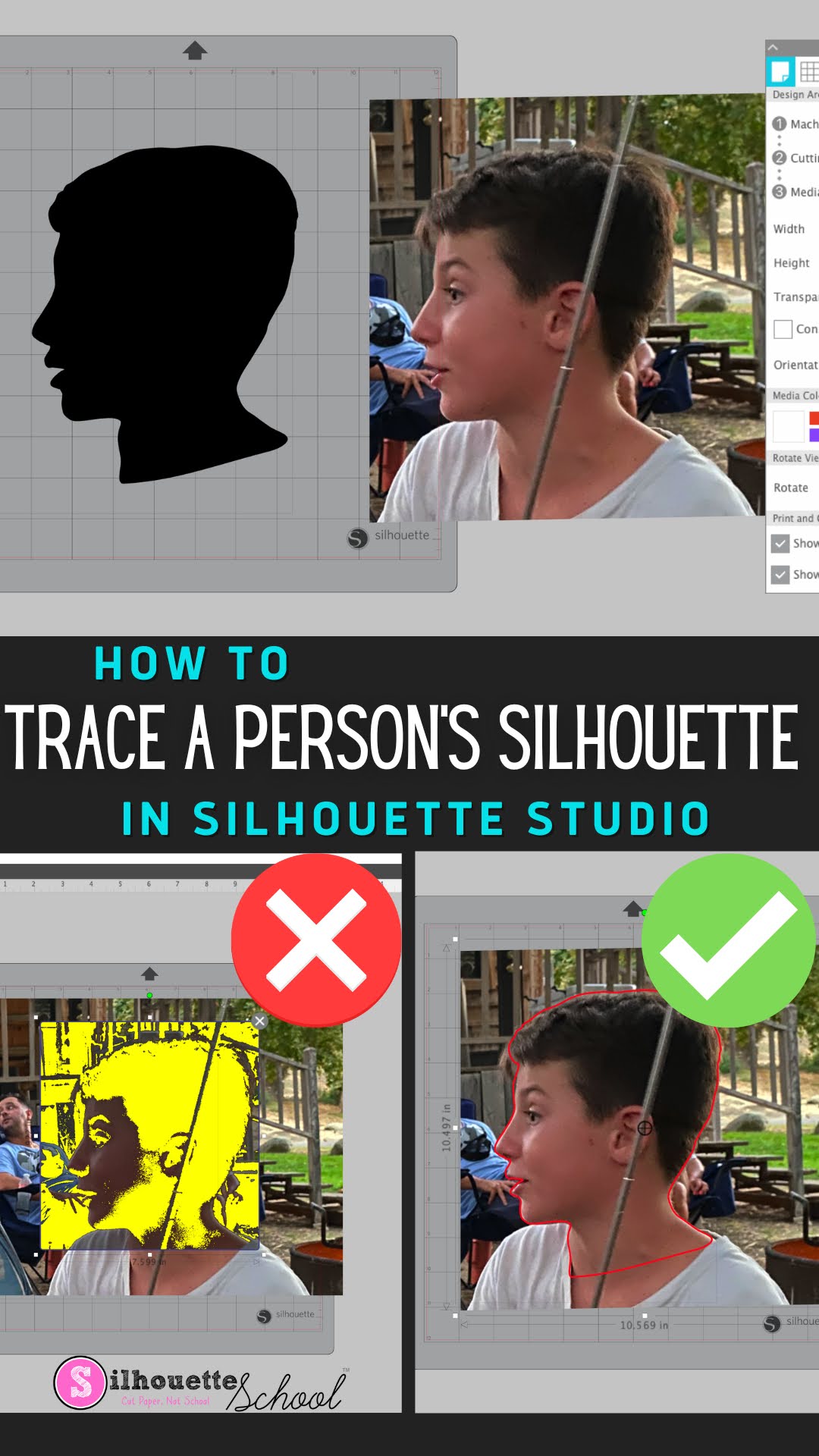
How to Trace a Silhouette of a Person in Silhouette Studio

You can trace a Silhouette of a person in Silhouette Studio to turn it into a cut file to create silhouette art. 

silhouette 101, silhouette america blog, silhouette studio v4, trace silhouette, trace tool

What's even better is this can be done in the free version of Silhouette Studio. Read on for the full tutorial on how to trace a silhouette of a person in Silhouette Studio.

How to Use Silhouette Studio Business Edition (ONLY!) to Create Roland Contour Cut Lines (Video, Too)

If you are a Silhouette Studio Business Edition user and have a Roland BN-20A or BN-20...this is a game changer. 


By combining the power of the one-time paid Silhouette Studio upgrade to Business Edition and the free Roland Versaworks you can create Roland Contour Cut lines without any other software programs including Adobe Illustrator, Affinity Designer, Corel Draw, or Flexi.  

This is hands down the cheapest way to create Roland Versaworks Contour Cut Lines and will significantly cut down the learning curve for those already comfortable in Silhouette Studio...and even if you're not a Silhouette user - listen up because you don't even need a Silhouette machine to use the Silhouette Studio software!