Copyright Silhouette School 2016. Powered by Blogger.


Showing posts with label registration marks. Show all posts

First Print and Cut in Silhouette Studio V5 (Important Changes)

If you're using Silhouette Studio V5 for print and cut, there are some important changes you'll want to be aware of. 

Stickers,registration marks,Silhouette Studio,Print and Cut,silhouette studio tutorial,print and cut sticker machine,V5,

Even if you're not a beginner, I would highly suggest going through this step by step tutorial the first time you are printing and cutting in V5. 

Silhouette Registration Mark Types EXPLAINED (3 vs 4 Marks)

If you're new to the Silhouette Cameo 5a or coming from an older CAMEO model, you might have noticed that your registration marks look different. 

Print and Cut,Silhouette Print and Cut,cameo 5,Silhouette cameo 5,silhouette cameo 5a,registration marks,Stickers,

This isn't a bug or an error - it's actually one of the differences between the CAMEO 5a (and Silhouette Pro MK II) and the rest of the Silhouette machines which use a three mark system. 

Why Your Silhouette Won't Register Marks (and 5 Quick Fixes!)

If your print and cut job is giving you registration errors, it's almost always a simple setup issue!  

Silhouette Print and Cut, sihouette studio, silhouette cameo,registration marks,

It can be confusing trying to find the right settings, but we've narrowed down the five biggest things that cause problems for beginners. 

Print and Cut Registration Errors in Silhouette Studio: 5 Things to Check First

There is nothing more frustrating than finally getting to your print and cut project...and then getting hit with a registration mark error. 

registration marks,silhouette,silhouette cameo, print and cut, silhouette studio, errors,Silhouette CAMEO print and cut,Silhouette Print and Cut,


If your Silhouette is acting up, don’t panic—this tutorial walks you through the 5 most common reasons for failed registration in Silhouette Studio.

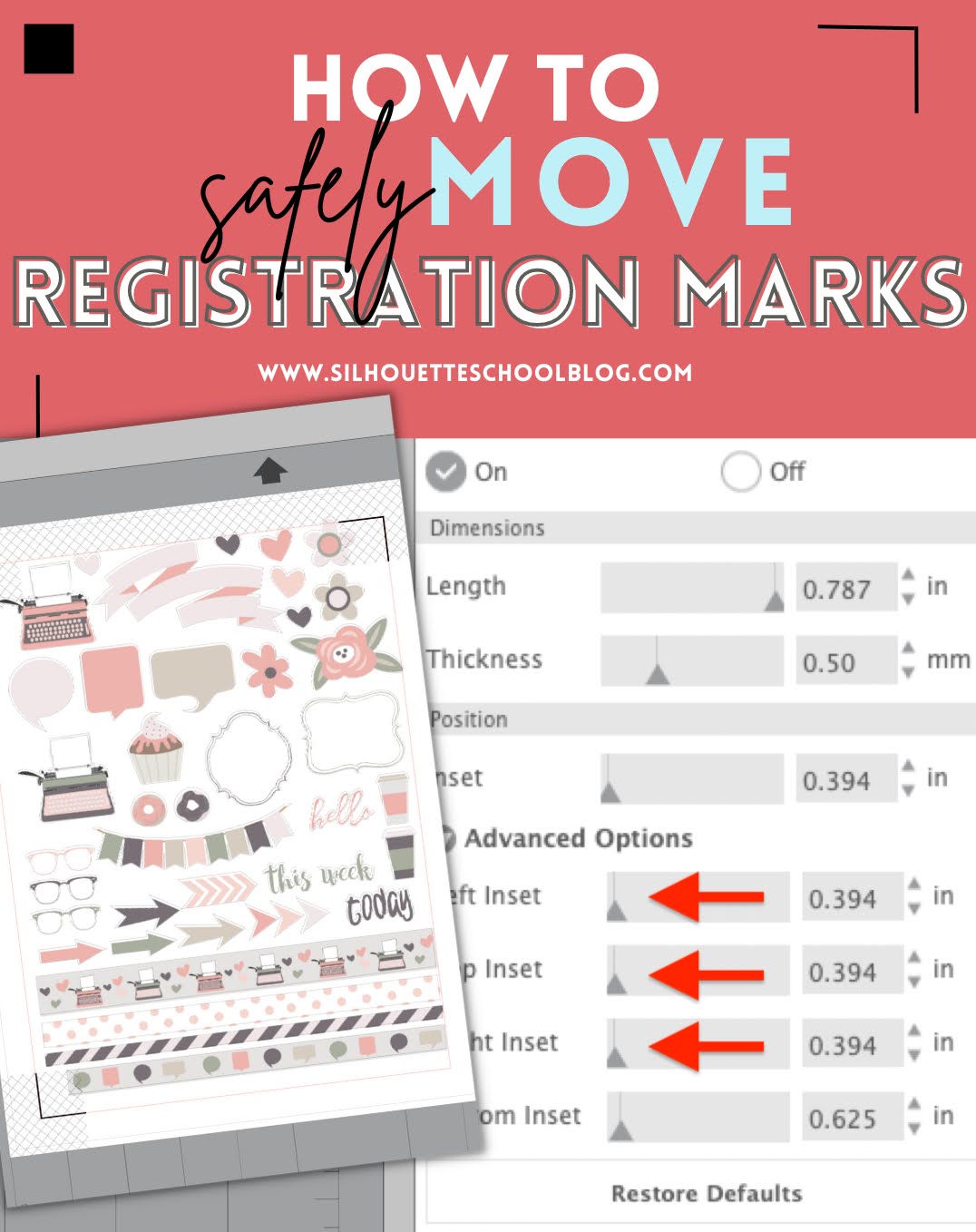
How to Change Position of Registration Marks in Silhouette Studio

You can change the position of registration marks in Silhouette Studio to create a larger printable and cuttable space. 

silhouette 101, silhouette america blog, registration marks, stickers, print and cut

It may also be necessary to change the position of print and cut registration marks to ensure all of your marks print correctly.  Read on for how to move registration marks in Silhouette Studio. 

Silhouette Print and Cut Registration Marks Vs Vinyl Layering Registration Marks

If you've ever been confused by talk of registration marks let's get to the bottom of it today. 

silhouette 101, silhouette america blog, registration marks, silhouette print and cut, layering vinyl

There are two different types of Silhouette registration marks that we talk about. It can be confusing for beginners...so much so that it we see it causing a decent amount of problems. Today we're going to get to the bottom of the two different types of registration marks and when to use one or the other...or neither. 

Silhouette Registration Mark Failure? How to Thicken or Darken Registration Marks

If you're Silhouette CAMEO or Portrait is struggling to find registration marks, and you've been through all of the most common reasons why and their troubleshooting fixes - there is one more option. 

registration marks,Silhouette Print and Cut,Print and Cut,EasySubli,Silhouette CAMEO print and cut,errors

You can actually darken registration marks by thickening them. By doing so, your Silhouette machine will have an easier time registering the marks. Read on for how to darken registration marks. 

Avoiding and Fixing Registration Errors for Printing Clear Stickers

If you're experiencing registration errors when printing and cutting clear stickers, this is a common issue - but one that's easily fixable. 

stickers, registration marks, clear stickers, cameo 5, print and cut, silhouette cameo

The issues are usually due to a glare or the printing having a hard time gripping the material and then printing in the wrong spot.  Both issues make it difficult for the registration marks to be easily read.  Read on for how to fix Silhouette registration marks errors when printing clear stickers. 

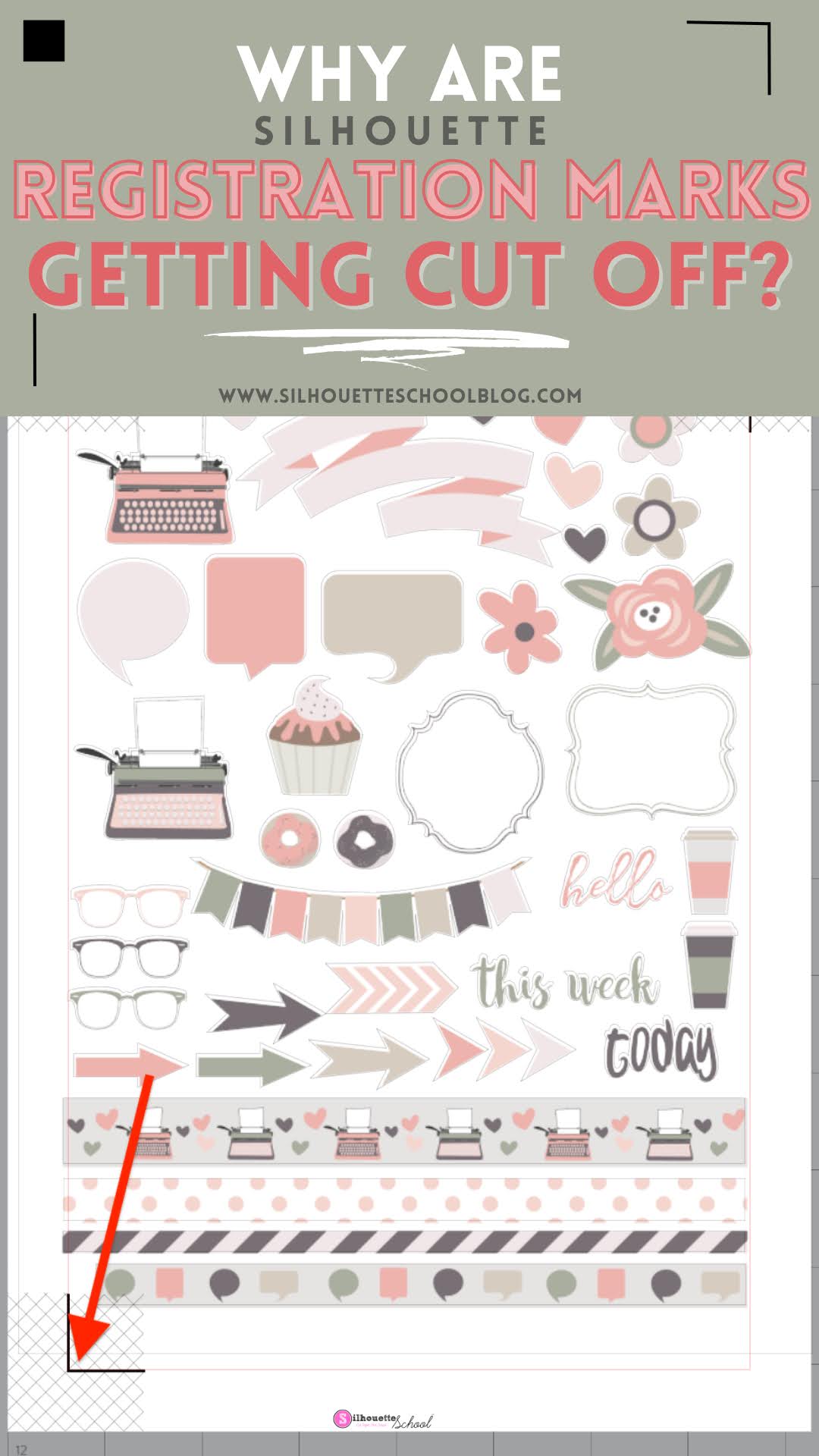
Why Are My Silhouette Registration Marks Not Fully Printing?

If your printer is not printing the full registration marks for Silhouette print and cut it's usually a pretty simple fix. 

silhouette 101, silhouette america blog, registration marks, print and cut, sticker paper

However, if you don't fix this issue - most often affecting the bottom left registration mark - you'll almost always have print and cuts that are not aligned. Read on for how to fix Silhouette registration marks that are not fully printing.