Copyright Silhouette School 2016. Powered by Blogger.


Showing posts with label Cards. Show all posts

How to Put Foil on Paper with a Heat Press and Laser Printer (VIDEO)

If you have a heat press and a laser printer you can add foil to paper for stunning accents. 

silhouette 101, silhouette america blog, gold foil, heat press, laser printer

This is yet another way I use my iColor 560 White Toner printer although this could be done with any laser printer....as the key to this foil is it likes to stick to toner. 

How to Design a Shaped Card in Silhouette Studio

It's easy to design a shaped card in Silhouette Studio with a few design tricks.  

cutting paper,Paper Crafts,Print and Cut,Paper,Fonts,Cards,


While I would not consider this a first Silhouette project, it's definitely beginner friendly. Read on for the step by step on how to design shaped cards. 

How to Combine SVG Files into One File in Silhouette Studio

If you ever wanted to combine SVGs into one file in Silhouette Studio - it's easy to do. 
silhouette 101, silhouette america blog, silhouette studio, customize designs, card making

In this Silhouette Studio tutorial we'll show you how to quickly combine SVG files into one design in Silhouette Studio!

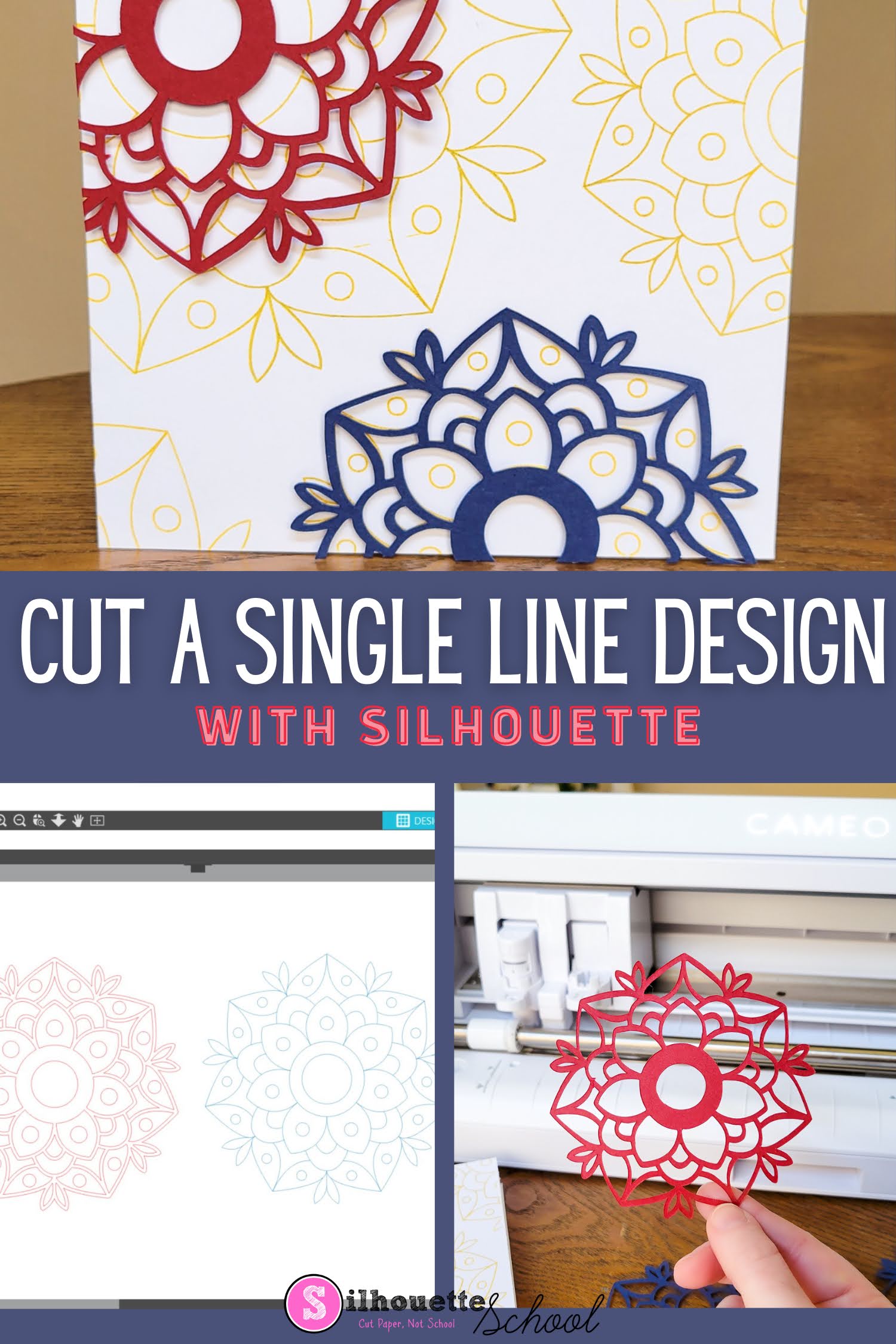
How to Make Single Line SVG Files Cuttable with Silhouette CAMEO

You can make single line SVG files cuttable with your Silhouette CAMEO or Portrait machine. 

silhouette 101, silhouette america blog, sketch pens, silhouette cameo 4, paper crafts

This is an easy process that works for single line fonts and designs that you want to cut instead of sketch or draw. 

First Paper Project with the Silhouette CAMEO 4

If you're new to Silhouette and looking for a first Silhouette CAMEO paper project, you've come to the right spot. 

silhouette america blog, silhouette 101, paper crafts, silhouette CAMEO beginners, paper card

In this Silhouette CAMEO beginner tutorial we'll share the ins and outs of cutting paper while making a paper card. 

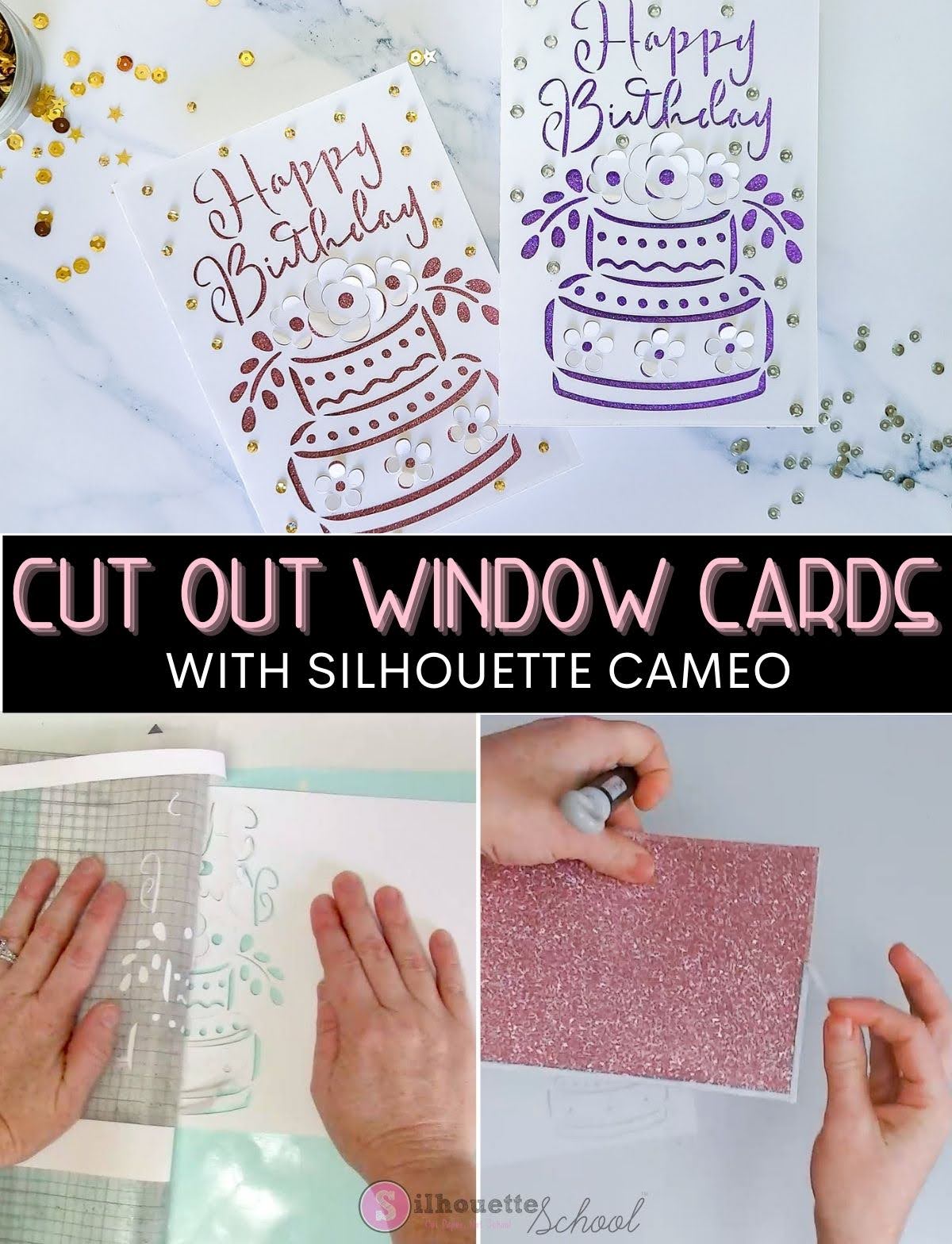
How to Make Cut Out Cards with Silhouette: Beginners Tutorial

If you've never made pop up cards or cutout window cards with Silhouette CAMEO this is a perfect one to start with because you don't have to resize it! 

silhouette 101, silhouette america blog, paper crafts, card stock, cards

Cut out cards have at least two layers with what you see through the cut out being applied after the card is cut and allowing you to customize the look of the card. 

Adorable Watermelon Card (Free Silhouette Studio Cut File)

It's time for another round of Freebie Friday.  Is there any food that screams 'summer' more than watermelon? I think not.

Silhouette Studio, free cut file, watermelon card, silhouette 101, silhouette america blog

So in the spirit (or perhaps dream) of endless summer, I thought I'd share a free watermelon .Studio cut file with you this week.  I love designs like this one that are super cute (IMHO) and are suuuupper easy to design.

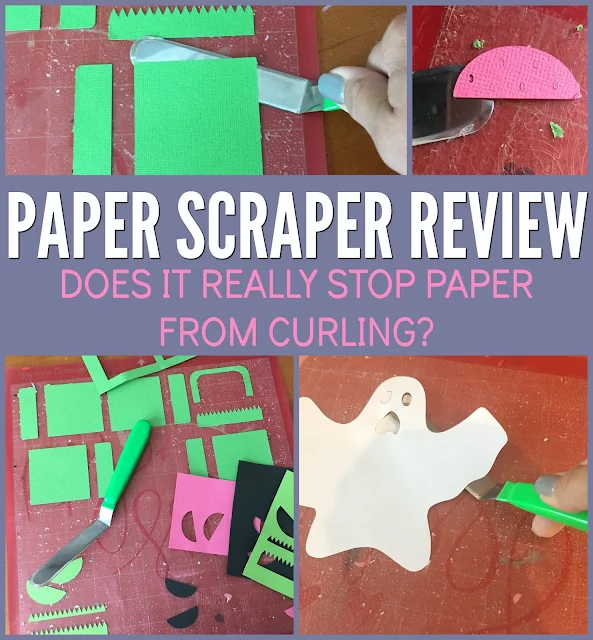
Paper Scraper Review: Tool to Prevent Paper Curling Off Cutting Mat

I can't be the only one who's dealt with paper curling when pulling it off a sticky cutting mat.

silhouette 101, silhouette america blog, paper scraper, Silhouette paper cuts, Paper cutting machine
This is a sponsored blog post, but all opinions are my own.

I just found this new tool called the Paper Scraper that claims to fix that problem! It's made by the same company that sells my favorite weeding tools so I figured - it has to work, right?!


Silhouette PixScan Mat Project Idea and Tutorial: Upcycle Store-Bought Cards

Don't throw out all those holiday cards or store-bought greeting cards!! You can upcycle them with the help of your Silhouette!

Pixscan, pixscan mat, silhouette pixscan, silhouette america blog, silhouette 101
 
Using the Silhouette Pixscan mat you can upcycle cards to re-use them as gift bag tags or scrapbook sentiments and handmade card sentiments.

Free 3D Heart Silhouette Design from Lori Whitlock

Is there anything cuter than a Lori Whitlock holiday card design? I think not!


We're so thrilled to renew our last Friday of the month Freebie Friday partnership with Lori Whitlock again for 2017.

Free Screen Birthday Card Silhouette Cut File from Lori Whitlock

It's Freebie Friday and it's the best one this month because on the last Friday of every month we team up with Lori Whitlock to share an amazing Lori Whitlock design with all of you!
paper crafts, silhouette cameo paper, silhouette paper cutting, cutting paper silhouette cameo, lori whitlock, free cut files, free designs, birthday card cut file silhouette

This week Lori, who has something like 5,500 designs in the Silhouette Online Store, is sharing this adorable screen birthday card with Silhouette School readers. How fun is this?!  It totally has the circus feel going on. 

Cutting Cardstock with Silhouette CAMEO: Secrets and Cut Settings from the Pros!

I'm so excited that the queen of Silhouette Paper Crafts and Designs, Lori Whitlock is on the blog today! Lori's here to share her pro tips on cutting cardstock cleanly with Silhouette CAMEO and Portrait!

Hi everyone! I’m Lori Whitlock and I’m so excited that Melissa asked me to do a guest blog post for you all today. I’ve been designing for Silhouette for over 7 years now (since the beta version of the Design Store was around). If you’ve seen my work you know that I do a lot of card making and 3­ D design so I am using my Silhouette to cut paper and card stock all the time.


With over 5400+ designs I would say I’ve practiced cutting paper A LOT. At some of the events that I attend I’m astounded at the number of people that I have met that have never tried to cut paper/card stock with their Silhouette.

Let me just tell you a little secret... it’s really not that hard! So, let’s give it a try! You should be able to get beautiful clean cuts from card stock or patterned paper. I’ve taught several classes and find that Silhouette crafters can get frustrated trying to get clean cuts. But, I’m here to tell you that if you get everything set up properly your Silhouette CAMEO or Portrait should cut card stock just like butter. It might take a little practice, but I promise you can get it figured out.

Applying Rhinestones to Paper (and a Silhouette CAMEO Print and Cut Rhinestone Tutorial)

If you're not a rhinestone-wearing kind of girl, we're part of the same club. But let me tell you what I can get behind when it comes to rhinestones: putting them on paper! Did you even know it was possible?

Silhouette Cameo rhinestone tutorial

It totally is and it's so fun.  I put rhinestones on cards and scrapbook layouts and tags  - usually there's some kind of print and cut involved.

Free Father's Day Tie Card Cut File from Lori Whitlock

With Father's Day around the corner, this week's Freebie Friday is an nod to dear ol' dad!

Just like we do the last Friday of every month, Silhouette School is partnering up with designer Lori Whitlock to give away a free cut file.

Free Cut File, Silhouette Cut File, Silhouette Studio Cut File
cut file, father's day tie, Silhouette Studio Cut File

Love You a Latte Mug: Free Silhouette Studio Cut File

It's Freebie Friday and this week I'm sharing a cute little mug and text design with you that can be used two ways. 

Silhouette Studio, free cut file, I love you a latte

Adding Reactive Foils to a Silhouette Print and Cut: Tutorial & Free Cut File

If you've been following Silhouette School for any length of time, you know there's no shortage of ways to create with it. Today I'm so excited to have Pam from Get Silvered on the blog sharing an awesome way to take your print and cut projects up a notch by adding reactive foil!

Reactive foils, Silhouette print and cut, free cut file

Hi! I'm Pam from Get Silvered and today, I'm sharing a tutorial to create a Valentine's Day card using Print and Cut techniques embellished with Reactive Foil. Download the Silhouette Studio cutting file V3 version here or V2 version here so you can play along, or use the techniques with another design of your choice.
This project requires a laser printer or copier and a laminating machine. If these aren't available see the other suggestions at the end of the post. I also used Red Reactive foil.

Designing a Shaped Print and Cut Card in Silhouette Studio

One of my favorite ways to use my Silhouette is with Print and Cut. Today I'm going to show you how to use a print and cut or a JPEG/PNG design to easily and quickly create a custom shaped card.

Silhouette Studio, Silhouette tutorial, Silhouette Cameo, print and cut, designing

Silhouette Studio, Silhouette tutorial, Silhouette Cameo, print and cut, designingThe first thing you want to do is find your design. This can be a print and cut design from your Silhouette Studio library that already has cut lines around it or it can be a JPEG or PNG graphic that you import into Silhouette Studio.  I'm going to use this adorable gem heart design from the February Bundle from The Hungry JPEG.

Silhouette and Xyron: How to Use the Crafting Machines Together (Free Silhouette Studio Cut File)

I have a confession to make....I'm one of the people I tell all of you not to be. Not with my Silhouette, but with my Xyron Make a Sticker Machine.  I got not one, but two for Christmas. I still have both...only because they've been sitting in their boxes in the corner for so long that I can no longer return one.  And so I now am the proud owner of two adhesive/sticker machines aka Xyrons.

Silhouette, Silhouette Cameo, Silhouette Studio, free cut file, Xyron

It wasn't until my six year old decided she wanted to do a craft project on her own that I thought I'd pull out the smaller version and let her have at it. The Xyron is actually really kid friendly: there's no heat, batteries or electricity required AND NO MESS!  Just turn the knob and you can turn paper, photographs, even ribbon into a sticker.

Free Silhouette Studio Zipper Card Cut File and Tutorial

Today we have a fun tutorial on how to make a zipper card with Silhouette. My favorite ladies from My Paper Craze are back with the tut and a free cut file! I'll let Becky and Glenna take it from here...

Although I love all the vinyl and t-shirt projects, sometimes I enjoy going back to the basics. Today I have a neat little interactive zipper card to dress up your business cards.
Silhouette Studio, free cut file, zipper card, Silhouette tutorial

We first found zipper cards through our paper crafting expeditions such as our Zipper Die Kid's Interactive Birthday Card. It was so much fun, we decided to make our very own Silhouette cut file and found a new way to use it: a business card holder!

Just-Add-a-Monogram Thank You Cards: Free Silhouette Studio Cut File

It's Freebie Friday at Silhouette School and this week I have a thank you card template for you! All you have to do is add a monogram in your favorite font, change the color if you prefer,  and you're ready to print and cut these standard A6 size DIY note cards.

Silhouette Studio, free cut file, monogram thank you card, DIY, do it yourself
I designed this set for my husband because it's not easy to find 'manly' thank you notes. Seriously...I've looked (in the all of 5 minute notice he gave me before he needed to mail them).

Because of the size of these cards, unfortunately only one fits on an 8.5x11" sheet of card stock.  But if you're not printing too many you can get them print and cut in just a few minutes!


As always, this Studio cut file is free for personal use only! 

I also made him some matching return address labels...because, well you know, I'm an awesome wife like that! Just snag the middle square, resize it, and add your info.  I print and cut these on my favorite alternative to Silhouette sticker paper. TIP: The easiest way to just get the outer edge of the square to cut is to do a VERY small offset (.005) and just cut the offset while leaving everything else 'no cut'.

Silhouette Studio, free cut file, monogram thank you card, DIY, do it yourself

Note: This post may contain affiliate links. By clicking on them and purchasing products through my links, I receive a small commission. That's what helps fund Silhouette School so I can keep buying new Silhouette-related products to show you how to get the most out of your machine!

Thanks for coming to class today at Silhouette School.  If you like what you see, I'd love for you to pin it!

Pin It!

 photo 2b820f06-c93b-4b24-929c-96287390140f_zpsf3cd3a23.jpguse twiter photo Twitter_48x48_zps4e06061c.pnguse twiter photo Twitter_48x48_zps4e06061c.pngUse Feed photo Feed_48x48_zps63f27a4f.pngUse Feed photo Feed_48x48_zps63f27a4f.pngUse Feed photo Feed_48x48_zps63f27a4f.png

Get Silhouette School lessons delivered to your email inbox! Select Once Daily or Weekly.

www.silhouetteschoolebook.com