
Copyright Silhouette School 2016. Powered by Blogger.


Showing posts with label Silhouette Help. Show all posts

It's Back! The Annual Silhouette U Anniversary Sale is Here!

We don't do this often...but when we do we go big!  The 48 hour Silhouette U Annual Membership sale is is here!  


And this isn't just any sale...we've rolled back our prices to 2016 Silhouette U Launch Day prices...which means if you join before 11:59pm est on Tuesday October 22, you'll LOCK IN those prices for the lifetime of your membership. 

All membership plans for Silhouette School's exclusive premium membership site - which includes videos, 1:1 chat help, free mini guides, and a monthly credit for fonts and designs (that pays for the membership)- are discounted but only for 2 days! And here's a secret - the discount is greater the longer you join Sil U! 


If you're an existing member, you can participate!! This is a sale for not only existing members who want to change plans, but also new members...so read on! 
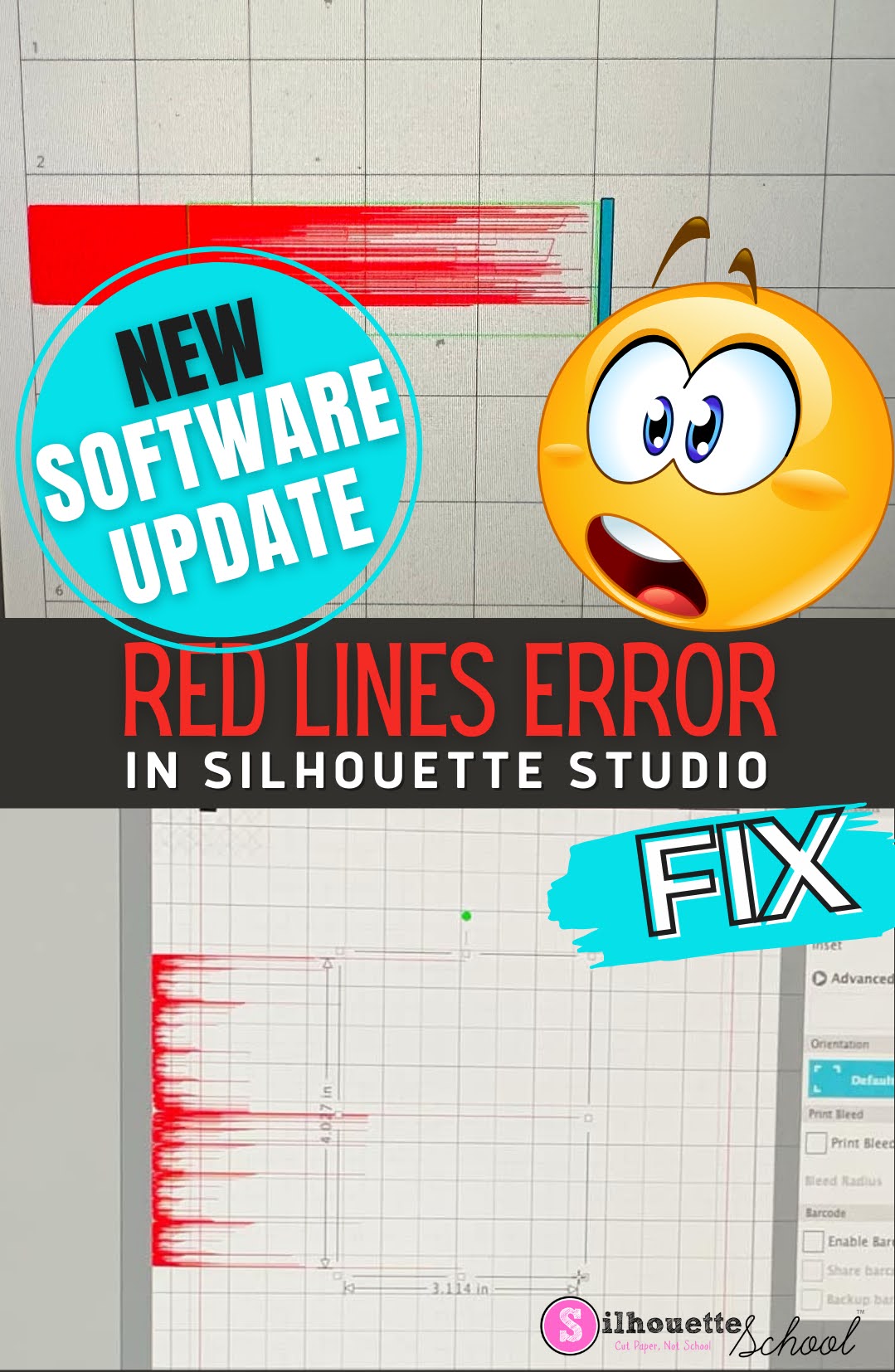
How to Fix Red Lines in Silhouette Studio on Mac (New Software Update!)

12/20/23 UPDATE: Silhouette has now released a full version of Silhouette Studio to resolve the Sonoma issue resulting in designs appearing as a much of strewn red lines.  If you are experiencing this issue, download Silhouette Studio V4.5.770 to resolve it.

silhouette 101, silhouette america blog, cameo 5, silhouette studio, silhouette studio 4

If you are not experiencing this red line issue, another display issue with Silhouette Studio, or with the software being slow to respond, I would NOT install this version of Silhouette Studio yet. 

How to Install a New Version of a Silhouette Studio

  • Go to SilhouetteAmerica.com/software/
  • On the Download button, click the down arrow to expand
  • Select the Mac 64-bit option
  • Find the download on your computer (likely in the Downloads folder) and double click to launch the installation
  • When prompted, drag the Silhouette Studio icon into the Applications folder
  • Launch the 4.5.770 version of Silhouette Studio 

12 Silhouette Hacks You Shouldn't Craft Without

If you've been hanging around Silhouette School for any length of time, you know I love to share Silhouette hacks and workarounds with you.  They're the little crafting shortcuts that make crafting more fun, easier, faster, and cheaper.  They're also often times the ones that make you go "Why Didn't I Think of That?!"   

silhouette hacks, silhouette portrait, silhouette cameo tutorials, silhouette 101, silhouette america blog

Today I am sharing 12 of the best Silhouette Hacks that I advise you don't craft without. Hold on to your hats because you're about to have your mind blown.  Click on any of the title links to go to the Silhouette CAMEO Tutorial.

New!! Try Silhouette U | Get a 7 Day Free Trial With Full Benefits!

If you've been on the fence about trying out Silhouette U, my ads-free premium content membership site, we just made a HUGE change! For the first time ever we're allowing everyone to try out Silhouette U free for 7 days! 

During the 7 day free trial you'll have complete access to all membership benefits! That means you can:
  • Watch any and all of our more than 500 videos (preview them all here!)
  • Use the $14.99 coupon to So Fontsy for free fonts and designs of your choice 
  • Download the free ebook
  • Take advantage of the member-only discounts at our partner retailers
  • Join the Silhouette U private Facebook Group
  • Get priority email support by using our member-only inbox
  • Join a live 1 on 1 chat with me during Office Hours (which take place twice a week for a total of 9-10 times each month.)

It's also worth pointing out that, like Silhouette School Blog, Silhouette U has expanded beyond just Silhouette machines and the Silhouette Studio software. 

So if you need help with sublimation, ecosolvent, DTF, DTG, White Toner Printer, and software..I'm happy to bring my deep knowledge and strong partnerships with all of these brands and processes to Silhouette U to support you as you grow from a crafter to a small business.


Silhouette U 3rd Anniversary SALE: Lock In the Savings for a Limited Time

It's hard to believe, but Silhouette U is celebrating THREE years...and that calls for a rare sale on all memberships for new members!

silhouette 101, silhouette america blog, silhouette u, Silhouette u promo code, silhouette university


For the week of October 7, 2019 all Silhouette U membership plans are marked down  -  and you can lock in the anniversary pricing for the lifetime of your membership when you join as a new member!

All new membership plans for Silhouette School's exclusive premium membership site are discounted- but here's the catch: the discount is greater the longer you join Sil U and it's greater than it's EVER been!

Yup it's our biggest sale ever!

Easily Fix a Silhouette Registration Mark Sensor Error

At least weekly I get an email from someone saying they're getting a Registration Sensor Error on their Silhouette CAMEO or Portrait.

silhouette print and cut, print and cut silhouette, silhouette cameo print and cut, print and cut silhouette cameo, print and cut files for Silhouette

Luckily this is one of the easiest and quickest Silhouette errors to troubleshoot.

Guaranteed Way to Get Bad Cuts with Silhouette CAMEO 3 AutoBlade (And How to Fix It)

One of the most common issues from Silhouette CAMEO beginners is that their CAMEO 3 Autoblade is cutting through the vinyl (or other material) and the backing.  The same goes for the Portrait 2 Autoblade.


silhouette cameo, cameo 3, silhouette cameo 3, silhouette cameo 3 machine, silhouette 3 cameo

In most cases there are two quick fixes that will fix the issue and get you cutting successfully in a hurry.

10 Best Silhouette Troubleshooting Tips

Not surprisingly the large majority of Silhouette questions I get from beginners - and experienced users -  are about troubleshooting either Silhouette Studio or the Silhouette cutting machines. 


For this reason, I've gathered our 10 most popular Silhouette CAMEO troubleshooting tips and tutorials into one place so you have a one stop shop if when you run into an issue.

Silhouette CAMEO 3 Firmware Update Errors: 3 Ways to Fix It

One of the first things Silhouette CAMEO 3 users should do is update their firmware to V1.40 on their cutting machine.  But...what happens if your computer can't seem to successfully complete the firmware update?

update firmware silhouette cameo 3, cameo 3 update, firmware errors

There are actually three different ways to fix the issue and they're all pretty easy.

Silhouette CAMEO 3 Not Cutting? Here's Why!

If you're having trouble with your Silhouette CAMEO 3 not cutting there are a few reasons why. Don't worry - you don't need to send the cutting machine back, you just need to know what to look for so you can trouble shoot.


The most common cause for the Silhouette CAMEO 3 not cutting or not cutting through is a problem with the blade - specifically the Autoblade.

Silhouette Pixscan Registration Failed? 9 Ways to Fix the Error

I have never had more love for a Silhouette product than I do for the Silhouette Pixscan Mat...unfortunately not all Silhouette crafters can say the same thanks to Pixscan registration errors.

Silhouette Pixscan registration failed


If you've met the Pixscan registration failure error I really hope you'll give your mat another chance because the Pixscan technology is jaw dropping!

Silhouette CAMEO 3 Pause Status: How to Fix It When It's Stuck

Can we just have a chat here for a second because my inbox has been overflowing lately with emails from those experiencing the Silhouette CAMEO 3 Pause Status issue.

Silhoeutte cameo 3, silhouette cameo 3 getting started, silhouette cameo 3 pause status, silhouette cameo 3 stuck on pause
 
Fear not...there's an easy fix and it's one that I wish I could plaster in big.bold.letters on every CAMEO 3 box that is shipped out. Before you make your first cut with the Silhouette CAMEO 3...you need to update the firmware.

Silhouette School Live: Tickets Now on Sale For One Day Event

I get requests weekly to come teach here, there, and everywhere and while my answer 99% of the time is, "I don't organize events, I just go where I'm invited...." we've decided there's so reason we can't host a one day event in our own back yard (I don't mean literally our back yard...). And so I'm thrilled to announce a limited number of tickets are now on sale for the first ever: Silhouette School Live. 


Eeek I can't wait to tell you all the details!

