Copyright Silhouette School 2016. Powered by Blogger.


19 Silhouette Tips, Tutorials and More! (May Wrap Up)

And just like that May is in the books! While school is getting out for the kids, Silhouette School is always in session! And there's lots and lots of fun stuff on the lesson plan for summer school.

silhouette 101, silhouette america blog, cameo 4, silhouette studio, silhouette cameo tutorials

But before we get to what's ahead in June, let's take a look at all that was covered in May!! 

Free Silhouette Design: I'm Not Pizza

It's everyone's favorite time of the week at Silhouette School! 

freebie friday, free silhouette studio file, free studio design, free silhouette design, free silhouette studio design

And this week we have the perfect design for anyone who feels like they have to please everyone. 

Heat Transfer Vinyl Temperature and Time Settings (at Your Fingertips)

If I've been asked once I've been asked a thousand times about the appropriate heat transfer vinyl time and temperature press times.

Apparently not everyone knows about the FREE app that lists all of this info on HTV temperature and time recommendations!

Heat transfer Vinyl, HTV, silhouette 101, silhouette america blog, heat press settings

I'm sure most of you who are cutting HTV are cutting EasyWeed.  Siser's Smooth EasyWeed is perhaps the best known, but it's just one of many types of Siser brand heat transfer vinyl. 

Updating Silhouette Studio Software: A Complete Step By Step How To Guide

Every time there is a Silhouette Studio update I get questions about how to update to the newest version of the software. This step by step guide applies to updating to any new Silhouette Studio Version...beta or otherwise.

silhouette 101, silhouette america blog, silhouette studio, silhouette studio v4, silhouette cameo beginner

I know it can be scary and intimidating to update...but the good news is I'm here to walk you through step by step.

Please note this tutorial applies to going from V4 to V4.1 and V4.1 to V4.2 and V4.2 to V4.3 and between versions of V4.4!

Best Printable Clear Sticker Paper for Silhouette Stickers

You can make custom printable clear stickers with Silhouette if you have the basics of print and cut down and the right printable clear sticker paper...plus a few tricks up your sleeve.

silhouette 101, silhouette america blog, silhouette print and cut, print and cut, sticker paper

My favorite clear sticker paper for inkjet printers is from Online Labels because it's high quality, doesn't smear, and cuts easily. 

Where are Silhouette Studio Files Stored? How to Easily Find and Move Designs

Knowing where Silhouette Studio files are stored can help you find your files when they 'seem' to be missing. 

silhouette 101, silhouette america blog, silhouette studio, silhouette cloud, silhouette library

It's also important to know where to locate design files for file management and accessibility on various computers! This tutorial will take you through the three different places Silhouette Studio files are stored in your library and show you how to move them to different storage areas. 

Free Silhouette Design: Teacher Apple

It's time for another free Silhouette design and this week we're focusing on teachers!

freebie friday, free silhouette studio file, free studio design, free silhouette design, free silhouette studio design

End of School is JUST around the corner so you still have time to make your favorite teacher a gift after everything that they have done this crazy year!

Silhouette CAMEO 4 Autoblade Not Cutting? 4 Fixes

If you're having Silhouette CAMEO 4 Autoblade issues, it's likely there's one of four reasons why. 

silhouette 101, silhouette america blog, cameo 4, autoblade, cameo 4 help

In this Silhouette tutorial I go in depth on how to fix common issues including when the Silhouette CAMEO 4 Autoblade isn't cutting, isn't cutting deep enough, or when it's cutting too deep. 
 

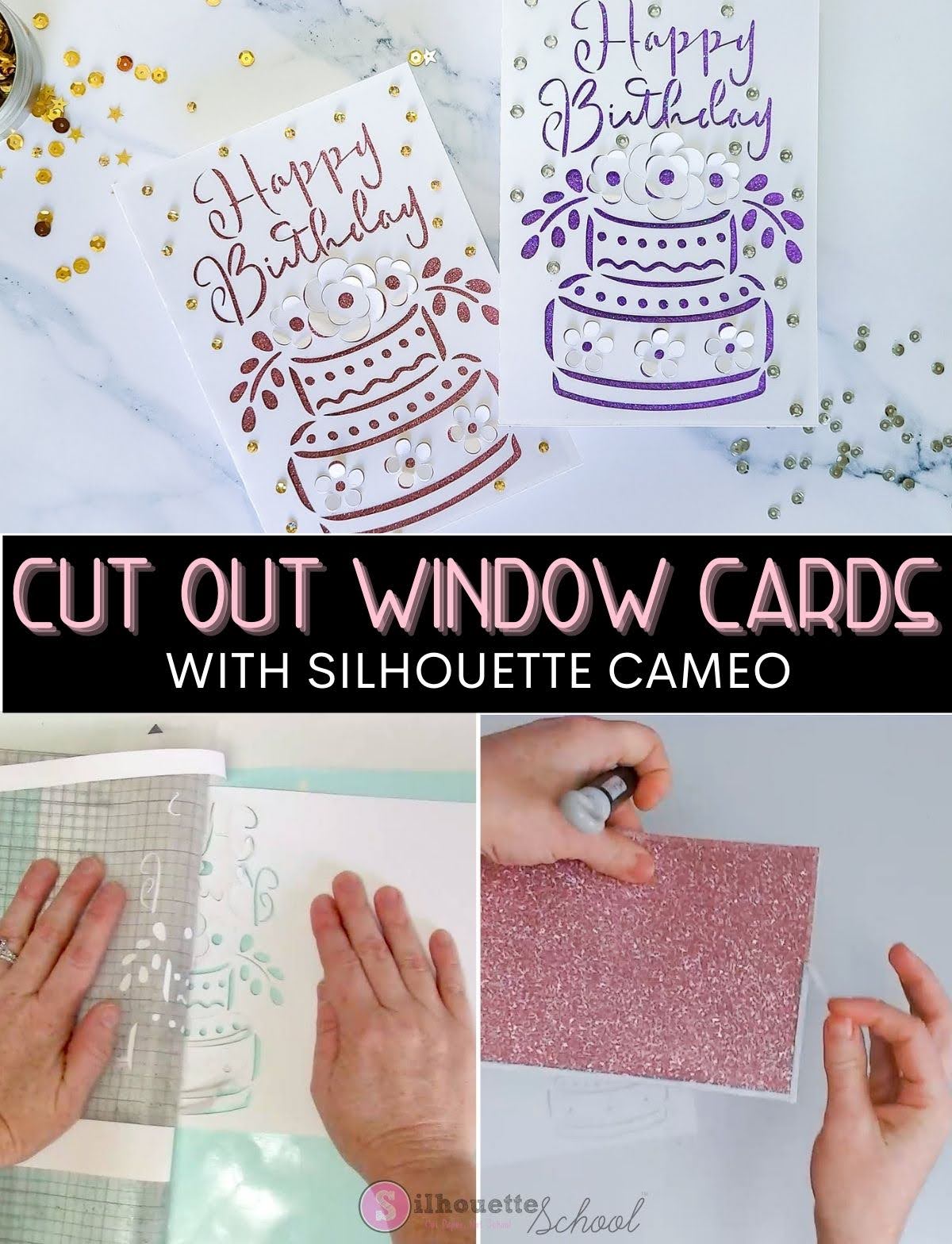
How to Make Cut Out Cards with Silhouette: Beginners Tutorial

If you've never made pop up cards or cutout window cards with Silhouette CAMEO this is a perfect one to start with because you don't have to resize it! 

silhouette 101, silhouette america blog, paper crafts, card stock, cards

Cut out cards have at least two layers with what you see through the cut out being applied after the card is cut and allowing you to customize the look of the card. 

How to Stop an SVG Opening in Internet Browser on PC Windows 10

If you're pulling your hair out wondering "Why are my SVGs opening in Chrome?" or some other Internet browser, you are not alone. 

silhouette 101, silhouette america blog, SVG, silhouette CAMEO fundamentals, silhouette studio basics, silhouette studio, designer edition

But, don't worry - this happens to a lot of crafters and here's a step-by-step tutorial how to get SVGs to open in the right app or software. This tutorial will show you the steps on a PC computer running Windows 10.

Best Mug Press Machine with Attachments for Various Size Mugs and Tumblers

If you're comparing mug press machines it's not always easy to know which mug press attachments will work with various size and shape mugs and tumblers. 

silhouette 101, silhouette america blog, mug press, silhouette and sublimation, heat press basics

Mug press attachments vary by height and pad thickness which impacts what diameter mugs and tumblers will fit...and each manufacture is different. Because of the number of questions I have been getting about what mugs and tumblers can fit in the mug press that's part of the Swing Design 8 in 1 heat press I have put together a chart to help. 

The same four attachments are included in the Swing Design 4 in 1 mug press - so it can accommodate all the same drinkware.

Free Silhouette Design: America Y'all (Commercial Use Available)

Freebie Fridays just roll around here so quickly it seems! Time for another one here at Silhouette School! 

freebie friday, free silhouette studio file, free studio design, free silhouette design, free silhouette studio design

With Memorial Day creeping right around the corner I thought I'd share a patriotic design with you for this week's Freebie Friday!

DIY Faux Leather Earrings Start to Finish: Silhouette CAMEO Tutorial

A few weeks back I shared my favorite faux leather sheets (and Silhouette cut settings) for making leather earrings.


Since then I've been asked quite often how to finish the faux leather earrings. Today I'm going to share a full start to finish leather earring tutorial including all the supplies you need.

How to Load Vinyl Into Silhouette CAMEO 4 So It Cuts Straight

The best way to load vinyl or a cutting mat into a Silhouette cutting machine is to use both hands to ensure it loads - and then cuts - straight.

silhouette 101, silhouette america blog, cameo 4, cameo 4 pro, silhouette cutting mat

This was much more challenging to do prior to the still little known mat sensor on the Silhouette CAMEO 4, CAMEO 4 Plus, and CAMEO 4 Pro.  Using this relatively new feature you can more easily load the mat and/or materials into the Silhouette CAMEO 4 machines so they cut straight! Read on for how...

Free Silhouette Design: Friends are the Family You Choose (Commercial Use Available)

It's Friday! And Fridays around Silhouette School mean one thing...free Silhouette designs. 

freebie friday, free silhouette studio file, free studio design, free silhouette design, free silhouette studio design

We can't pick our family...but the good thing is we can pick our friends that become family! 

How to Make Reusable Stencils with Silhouette CAMEO | VIDEO

Ever wonder how to make DIY reusable stencils with Silhouette CAMEO? If you create a stencil with vinyl you can use it once then you have to throw it out. 

silhouette 101, silhouette america blog, saving money with silhouette, silhouette stencils, silhouette video courses

But if you use the right material you can make a DIY stencil for wood signs that you can use over and over again!  Look no further than your laminator.

How to Fill a Traced Image in Silhouette Studio (to Change the Colors)

When you trace an image in Silhouette Studio to create cut lines the cut lines are red and the design itself is transparent. 

silhouette 101, silhouette america blog, silhouette studio, silhouette studio v4, fill color tool

So how do you fill a traced image in Silhouette Studio with different colors. In this tutorial I'll explain step by step how to trace a design, separate it, and then fill with color. 

How to Make Stencils for Wood Burning Signs with Silhouette CAMEO

You can use your Silhouette CAMEO to cut stencils for wood burning signs and create totally custom pieces! 

silhouette 101, silhouette america blog, wood signs, silhouette stencils, oramask

If you've never cut stencils with your Silhouette..now's the time to start!  In this Silhouette stencil tutorial we'll walk through everything including the best stencil material for Silhouette to how to using a scorch solution with a heat gun to burn wood. 

22 Silhouette Tutorials, Tips & More (April Wrap Up)

And just like that April is in the books! While Spring Breaks were happening, Silhouette School is always in session!

silhouette 101, silhouette america blog, silhouette studio, cameo 4, silhouette cameo tutorials

Let's take a look at all that was covered in April - lots of vinyl and HTV tutorials, heat press tips, of course freebies and lots more!