Copyright Silhouette School 2016. Powered by Blogger.


Showing posts with label Silhouette Studio for PC. Show all posts

How to Stop an SVG Opening in Internet Browser on PC Windows 10

If you're pulling your hair out wondering "Why are my SVGs opening in Chrome?" or some other Internet browser, you are not alone. 

silhouette 101, silhouette america blog, SVG, silhouette CAMEO fundamentals, silhouette studio basics, silhouette studio, designer edition

But, don't worry - this happens to a lot of crafters and here's a step-by-step tutorial how to get SVGs to open in the right app or software. This tutorial will show you the steps on a PC computer running Windows 10.

Easiest Way to Move Fonts from an Old PC Computer to a New One

One of the most common questions I get is "how do you move all your fonts from your old PC to your new one without having to reinstall everything?" 

Distressed Fonts,bulk install fonts,installing fonts,moving new computer,new computer,Silhouette Studio for PC,PC,


It seems like such a time consuming task...but it doesn't have to be.  It's actually much easier than you think! Let me show you exactly how to move fonts from one PC to another without losing a single one.

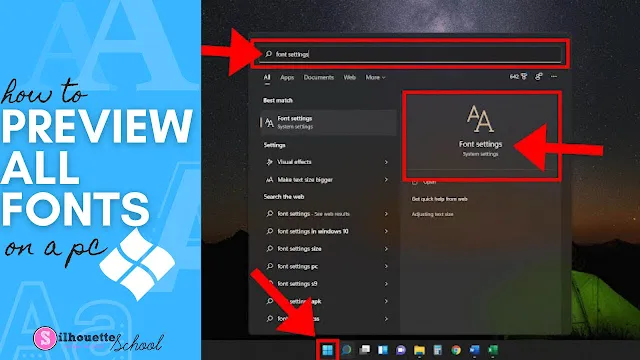
How to Preview Fonts on my Computer (PC)

When you’re trying to find that perfect font for your project (in a hurry), wouldn’t it be nice to be able to see ALL the fonts installed on your PC? 

silhouette 101, silhouette america blog, silhouette studio for pc, fonts, font management

In this tutorial, we’ll show you how to do it. It’s called the Font Settings menu and it’s such a valuable tool for font-a-holics!

5 Basic Computer Functions to Know When Using Silhouette Studio (MAC and PC)

There are some basic computer functions that everyone should know when using Silhouette Studio. 

silhouette 101, silhouette america blog, silhouette software, silhouette cameo beginner tutorial, silhouette cameo fundamentals

These aren't necessarily specific to the Silhouette Studio software, but are important for all users to know how to do as they are often used and needed in the Silhouette software. In this tutorial we'll go over the five basic computer functions I think everyone should know AND how to do them..whether you're on a MAC or a PC. 

Windows 10 1809 Update Impacting Some Silhouette CAMEO, Portrait Users

WARNING!!!  Windows users LISTEN UP!! There's a significant change in the recently released Windows operating system update. 
 
As of August 1, 2019 and with the release of Windows 10 1809, 1903 and above Microsoft no longer supports USB 1.0 connections via a USB 3.0 port. Sound like gibberish?

Silhouette Studio for Windows PC: How to Install or Update the Free Software

Today we're going back to the fundamentals of using Silhouette Studio... how to install Silhouette Studio for PC. This is for both brand new Silhouette CAMEO beginners and for users who want or need to upgrade their software to a newer version.

installing Silhouette Studio PC, silhouette studio windows 10, silhouette studio windows 7, silhouette studio beginners

Knowing how to locate and install an update for Silhouette Studio is very useful, especially if you are new to the Silhouette world.  All new users will also need to install Silhouette Studio before they are able to use their new Silhouette cutting machine.