Copyright Silhouette School 2016. Powered by Blogger.


Free Can Cooler Design Template (Plus a FREE Font!)

You guys! It's that time again here at Silhouette School...Freebie Friday!

silhouette 101, silhouette america blog, can cooler template, free template, free silhouette studio design

And this time we have a Freebie that so many of you asked for a couple weeks back when we did the Test It Tuesday Facebook Live with the can coolers!

Cricut Infusible Inks Sheets vs Sublimation: Pros and Cons of Both (Video)

With the relatively recent release of Cricut Infusible Ink sheets a lot of crafters are realizing just how similar they are to sublimation.

silhouette 101, silhouette america blog, sublimation, infusible ink, cricut infusible ink

I would go so far as to call them pre-printed sublimation sheets, although Cricut isn't claiming them to be.  Today we're going to break it down and take a closer look at Cricut Infusible Ink sheets vs sublimation and the pros and cons of both.  This should help you decide if you want to invest in one or the other, both, or neither.

B-Flex GIMME5 HTV Review and Silhouette Cut Settings (Free Cut File)

A lot of craft products come across my desk and it takes a lot for something to really peak my interest especially if I've been using an industry-leading competitor for years.

silhouette 101, silhouette school blog, b-flex gimme5 htv, heat transfer vinyl, htv
This is a sponsored post but all opinions are my own
But a few months back I got a package of heat transfer vinyl from B-Flex that claimed to press in just 4 seconds, at a lower than standard temperature, and have a true matte finish. Hmm...talk to me!

Cutting Silhouette Stickers Without Registration Marks (Free Sticker Set)

If you want to get more stickers out of each sticker sheet, you can print and cut stickers with Silhouette CAMEO without registration marks.

silhouette 101, silhouette america blog, online labels, silhouette sticker, silhouette stickers
This is a sponsored post but all opinions are my own
Registration marks take up space on the printed sheet and limit the max size of the area printed with stickers. But the Silhouette Pixscan mat actually lets you use the entire sticker sheet for stickers!

Silhouette CAMEO 4 Pre Order Date and Where to Buy!

Silhouette CAMEO 4 pre orders will begin on September 10th - the same day as the CAMEO 4 launch party.

silhouette 101, silhouette america blog, cameo 4, silhouette cameo 4, cameo 4 cutter

A very limited number of Silhouette CAMEO 4 machines and CAMEO 4 bundles will be available for pre-sale. 

If you want to be sure you don't miss your chance to pre-order and get yours in the first round of shipments, sign up to get an email alert as soon as the CAMEO 4 pre sales begins.

cameo 4, silhouette cameo 4, cameo 4 cutter, silhouette cameo 4 machine, silhouette cameo

Free Silhouette Design: Book Lover

Another Friday has rolled around which here at Silhouette School means Freebie Friday! 

Silhouette svg files, svg silhouette, silhouette cameo svg, free svg files for silhouette studio, Free svg files for silhouette

This week we have THE perfect design for all those book lovers out there that want to let everyone know that they are living life by the spine!!

48 Hrs: Silhouette School eBook Back to School Sale

If your kids headed back to school this week, like mine, that means one thing - time to get productive again!!
silhouette 101, silhouette america blog, silhouette guide, silhouette book, silhouette for dummies

I want to help you take advantage of the little crafting time you have by giving you more of that time to actually craft - and less of that time searching for Silhouette help.
Sooo...how about a deal on the only Back to School supply YOU'LL need: The Ultimate Silhouette Guide!

How to Make Custom Cookie Cutters with Silhouette Alta (VIDEO)

Did you guys know you can design your own cookie cutters in Silhouette Studio and then print them right at home?!

silhouette 101, silhouette america blog, silhouette alta, custom cookie cutter, custom cookies, 3D printer


Using Silhouette Studio and the Silhouette Alta 3D printer you can make custom cookie cutters to match cookie cut files and stencils.

10 Non Cricut Infusible Ink Blanks You Can Use with Infusible Ink Sheets and Markers

If you're looking for Cricut Infusible Ink blanks, you're not limited to the Cricut-brand blanks.

silhouette 101, silhouette america blog, cricut infusible ink, cricut, infusible ink

The Cricut Infusible Ink sheets are essentially pre-printed sublimation sheets, which means you can apply the sheets and Cricut Infusible markers to any sublimation blank...and there are tons to pick from!  Here's a list of 10 of my favorite non-Cricut Infusible Ink blanks.

Silhouette Studio V4.3 Beta Relesed: 7 New Features!

Silhouette Studio V4.3 was released in beta recently and with it several new software features are now available.

silhouette 101, silhouette america blog, silhouette studio v4.3, silhouette studio, silhouette design studio

The updated version of the Silhouette software can be downloaded free and will run all of the Silhouette machines - including the soon to be released Silhouette CAMEO 4.  Here are seven new features of Silhouette Studio V4.3.

Free Silhouette Design: All About that Grace (Commercial Use SVG Free Too!)

It's Friday...and you know what that means here at Silhouette School...Freebie Friday!!!

Silhouette svg files, svg silhouette, silhouette cameo svg, free svg files for silhouette studio, Free svg files for silhouette,

This week we are sharing a design for all those who are all about that grace....AND I have a free commercial use version for you as well!

Sublimation Sequin Pillows Tutorial (3 Steps!)

Sublimating onto reversible sequin pillows is far easier than you think!

silhouette 101, silhouette america blog, sublimation, sublimation blanks, wholesale sublimation blanks

The DIY custom pillows make a huge statement...but are really only three simple steps: print, press, flip!

Silhouette CAMEO 4 Launch Party - Tickets Available

The new Silhouette CAMEO 4 will officially launch in September with a launch party - open to the public - in less than a month!


A limited number of tickets for the CAMEO 4 launch party officially went on sale today.

Big News is COMING! Watch This Space!

Big news is coming today...watch this space and the Silhouette School Facebook Page for details!


In the meantime enjoy this gem from my days as a TV news producer. And yup, that's Bob when he was as sport reporter at the same station. 

Note: This post may contain affiliate links. By clicking on them and purchasing products through my links, I receive a small commission. That's what helps fund Silhouette School so I can keep buying new Silhouette-related products to show you how to get the most out of your machine!


Get Silhouette School lessons delivered to your email inbox! Select Once Daily or Weekly.


www.silhouetteu.com

Windows 10 1809 Update Impacting Some Silhouette CAMEO, Portrait Users

WARNING!!!  Windows users LISTEN UP!! There's a significant change in the recently released Windows operating system update. 
 
As of August 1, 2019 and with the release of Windows 10 1809, 1903 and above Microsoft no longer supports USB 1.0 connections via a USB 3.0 port. Sound like gibberish?

Free Silhouette Design: Craftaholic

It's the most wonderful time of the week here at Silhouette School...Freebie Friday!!

Silhouette svg files, svg silhouette, silhouette cameo svg, free svg files for silhouette studio, Free svg files for silhouette

And this week, I've got a design I think ALL of you will love and have said at one point or another! Where are all my craftaholics?!? Raise your craft supplies high as you head to the next craft store!

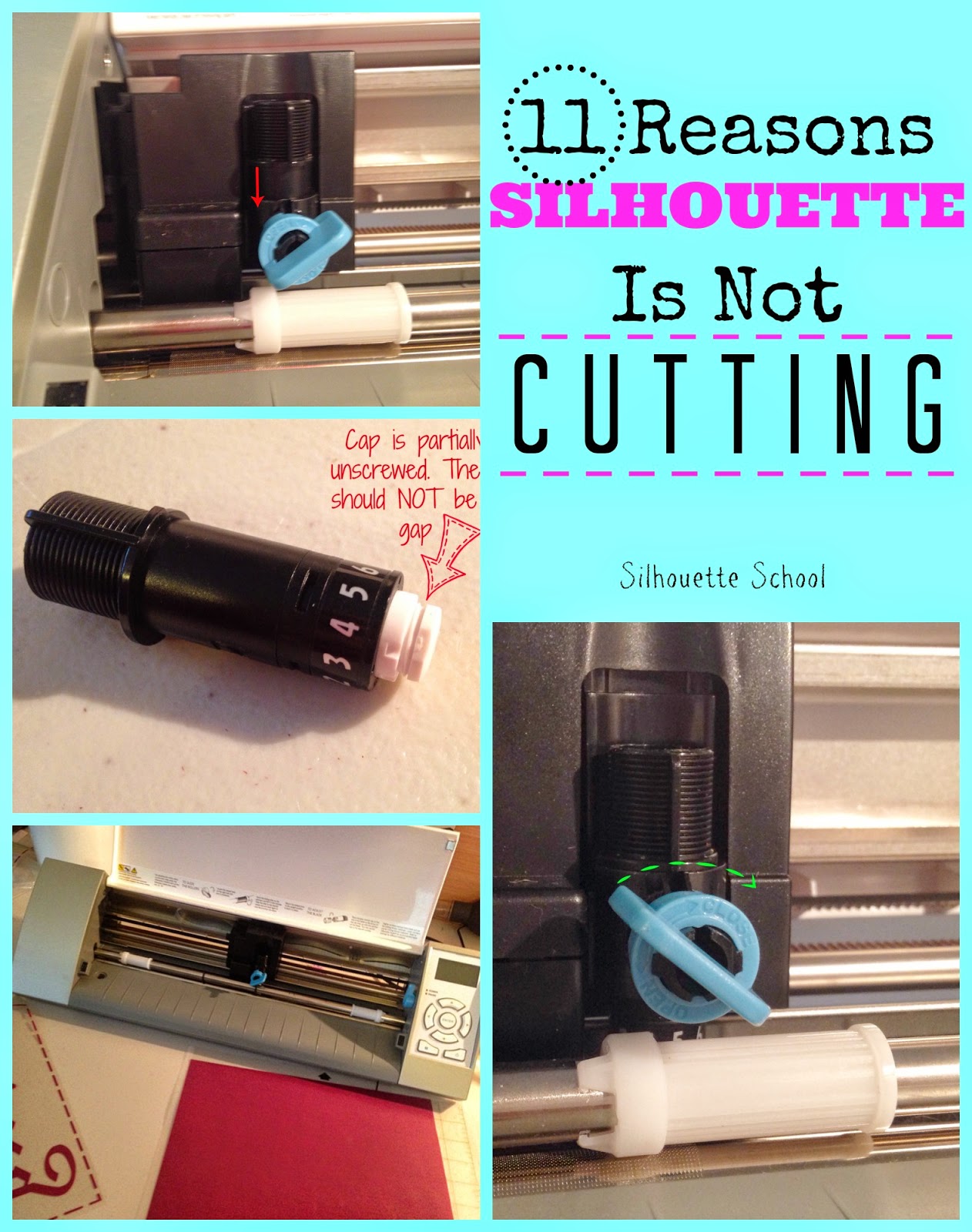
11 Reasons Your Silhouette Is Not Cutting (or Not Cutting Completely)

I get questions almost daily from Silhouette users who are having issues with their Silhouette not cutting. There are at least 11 reasons why your Silhouette may not be cutting and most of them are really easy to fix.

troubleshooting, Silhouette Studio, silhouette not cutting, silhouette 101, silhouette america blog

Some of the issues have to do with the Silhouette CAMEO blade not cutting, while others stem from settings in Silhouette Studio and still others are user error. No worries, just go through this checklist to figure out why your Silhouette isn't cutting!

Update: If you're having trouble with a Silhouette CAMEO 3 not cutting, go through the below list and if none of these easy fixes remedy the problem, it could be a problem with the how the Autoblade is sitting in the tool carriage or Bluetooth. If that's the case, check out this additional information on why the Silhouette CAMEO 3 isn't cutting.

silhouette cameo 3, not cutting, silhouette, troubleshooting, silhouette auto blade

How to Cut Felt with Silhouette (2 Ways)

Cutting felt with Silhouette isn't the easiest material to cut, but it can be done.  There are several tutorials out there on cutting felt all of them with a few different tips or tricks for successful cutting.  Today I'm going to share the way I cut felt with what I would consider pretty good success.

Felt, cut, Silhouette, Silhouette tutorial

I was making an costume for a friend using a white hoodie.  I needed to add some felt details for the buttons, eyes and eye brows.   The first thing I did was create the design in Silhouette Studio.

Trick to Removing Bubbles in Vinyl (And Preventing Bubbles at All)

Is there anything more annoying then bubbles under your perfectly cut, adorably designed vinyl?  You can scrape and rub and burnish all you want, but sometimes those little pockets of air just hold out.

remove bubbles, vinyl, avoid bubbles, silhouette 101, silhouette america blog
Today I'm here to tell you, there is hope!  You do not need to rip off your vinyl and start over. You don't even need to peel it back up and you certainly don't need to live with them.

Silhouette Tutorial: Modifying Fonts to Eliminate the Annoying 'Middles' (ie A, B, D)

I cannot be the only one who is driven bonkers by the annoying middle part of certain letters..not naming any names A a B b D d e g O o P p Q q R.  Actually, I know I'm not the only one who is often frustrated by the tedious task of weeding these letters - I have gotten several emails about how to work around them or fix them or avoid them totally.
Modify fonts, Silhouette tutorial, Silhouette Studio, silhouette 101, silhouette america blog

 The middle part of the letters is called the counter. 

While that little part may be small, it's necessary on most all Silhouette projects (stencils, cards, signs, apparel) that aren't print and cut.  If you're making a stencil they're definitely essential because without the counters letters look oddly shaped.

I have come up with a little work around to make your life a whole lot easier.

Free Set of Popsicles: Silhouette Cut Files

It's Freebie Friday and you know what that means here around Silhouette School - a free (and in this case super cool) Silhouette Studio design to download!


Silhouette svg files, svg silhouette, silhouette cameo svg, silhouette studio svg, Free svg files for silhouette

This week not only are we sharing one sweet little popsicle design created just for you, but we have TWO designs!