Copyright Silhouette School 2016. Powered by Blogger.


Showing posts with label Tracing. Show all posts

How to Separate Layers in xTool Creative Space (XCS) | Tracing PNG Files

If you're trying to convert a PNG file to a laser engraving file in xTool Creative Space it's easier than you may think. 

This is my FREE Video of the Month for August!

The full step-by-step video walking through everything below is free to watch all month long, no membership needed. In September it moves into the members-only library, so grab it now while it's free.


xtool,Trace by Color,Tracing,xtool creative space,XCS,laser business,laser engrave,laser cutter,


Since PNG files are flat without vectorizing and separating the layers it's not possible to assign different processing types (cut, engrave, score) to different parts of the designs. 

That's why separating layers is important so you can apply different processes to individual layers. Read on to learn about separate a PNG file in XCS using the tracing tool. 

Why Tracing in Silhouette Studio Creates Double Cut Lines (and the Workaround)

Are you getting double cut lines when you trace in Silhouette Studio?   

how to trace,import files,pdf,Silhouette Studio 4,trace and detach,Tracing,


This is a common issue when tracing lines in Silhouette Studio.  And the "issue" is actually how tracing works. 

Read on for the best way to to recreate lines in Silhouette Studio. 

How to Fill a Traced Image in Silhouette Studio (to Change the Colors)

When you trace an image in Silhouette Studio to create cut lines the cut lines are red and the design itself is transparent. 

silhouette 101, silhouette america blog, silhouette studio, silhouette studio v4, fill color tool

So how do you fill a traced image in Silhouette Studio with different colors. In this tutorial I'll explain step by step how to trace a design, separate it, and then fill with color. 

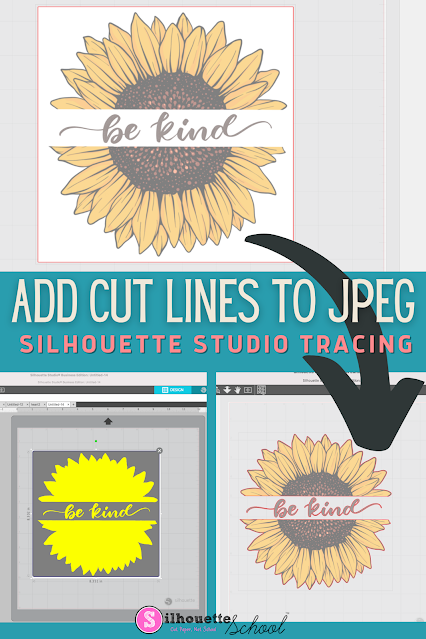
How to Add Cut Lines to JPEG in Silhouette Studio

You can add cut lines to a JPEG in Silhouette Studio by using the trace tool. 

silhouette america blog, silhouette 101, silhouette studio v4, JPEG files, beginner tutorial

The free version of Silhouette Studio allows you to import JPEG files making it a popular file type choice for some.  This tutorial will show you how to add a cut line to a JPEG image in the Silhouette software. 

Why the Trace Tool in Silhouette Studio Isn't Working (And How to Fix It)

I hear it all the time: "the trace tool isn't working."  

how to trace,Print and Cut,Silhouette CAMEO print and cut,Silhouette Print and Cut,sticker,sticker printer,trace and detach,Trace by Color,Tracing,

You found a graphic you want to cut. Maybe it's a sticker sheet, maybe it's a design someone sent you, maybe it's something you pulled off Pinterest or made in Canva. You bring it into Silhouette Studio, click Select Trace Area, adjust the threshold, and either nothing is yellow or everything is yellow and it looks like a mess. 

read on for tips on how to trace to get clean cut lines on hard to trace images. 

How to Change the Colors of a PNG in Silhouette Studio

Wondering how to change the colors of a PNG in Silhouette Studio? 

silhouette 101, silhouette america blog, silhouette studio v4, png file, tracing

There are actually two ways to do it. One is a single click and other requires a bit of manual work. Read on for how to change the colors of a PNG in Silhouette Studio. 

Stickers with Borders: How to Fix Extra Internal Cut Lines in Silhouette Studio

If you're trying to add a white border around stickers in Silhouette Studio and now you have a bunch of unwanted internal cut lines - there's an easy fix. 

Stickers,remove cut lines,how to trace,Tracing,sticker,


Trying to select and delete those little islands isn't possible without deleting the entire offset.  They're one of the most common frustrations people run into when making white border stickers in Silhouette Studio. Here's exactly what they are and how to get rid of them.

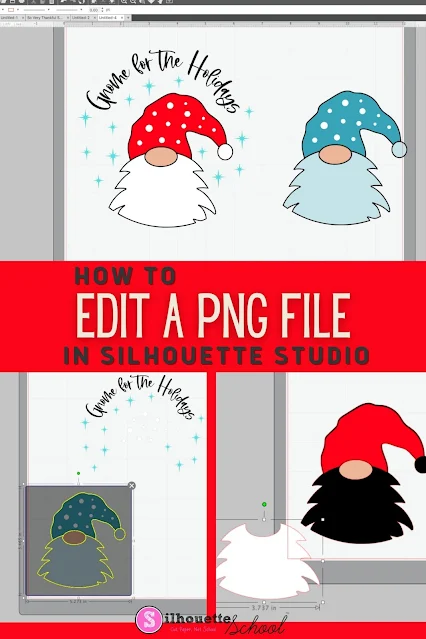
How to Edit a PNG File in Silhouette Studio

If you know the right tools to use, you can edit a PNG file in Silhouette Studio...but there a few things to know! 

Silhouette 101, Silhouette America blog, Silhouette Studio v4, Silhouette Studio, Trace by Color

The easiest file type to open and edit in Silhouette Studio is an SVG, but if you don't have that option you can edit PNG files in Silhouette software as well. This tutorial will explain the best way to go about editing PNGs in Silhouette Studio. 

How to Smooth Trace Lines in Silhouette Studio

If you're wondering "How do I smooth trace lines in Silhouette Studio?" you've come to the right place.

silhouette 101, silhouette america blog, trace lines, silhouette studio v4, tracing

Trace lines that are not smooth create jagged cut lines, which is why it's important to smooth trace lines in Silhouette Studio before you cut. This tutorial will explain how to smooth out Silhouette trace lines.

QR Code Generator: How to Make QR Code with Silhouette CAMEO

QR code signs are one of those craft trends that seems to be sticking around so today we have a tutorial on how to make a QR code with Silhouette. 

silhouette 101, silhouette america blog, qr code, qr code craft, vinyl

Using a scannable QR code generator is the key which will allow you to take customization to the next level with your Silhouette projects!  This is a really special, but super easy, way to add even more sentimental value to your projects.  Here's how to do it!

How to Turn Drawings into SVG File

You can turn your drawing into SVG files pretty easily using Silhouette Studio. 

tracing in studio, svg, tracing, laser engraving, silhouette studio v4

The best part is you don't even need a Silhouette cutting machine to do it!  Follow along to learn how to convert a drawing into an SVG. 

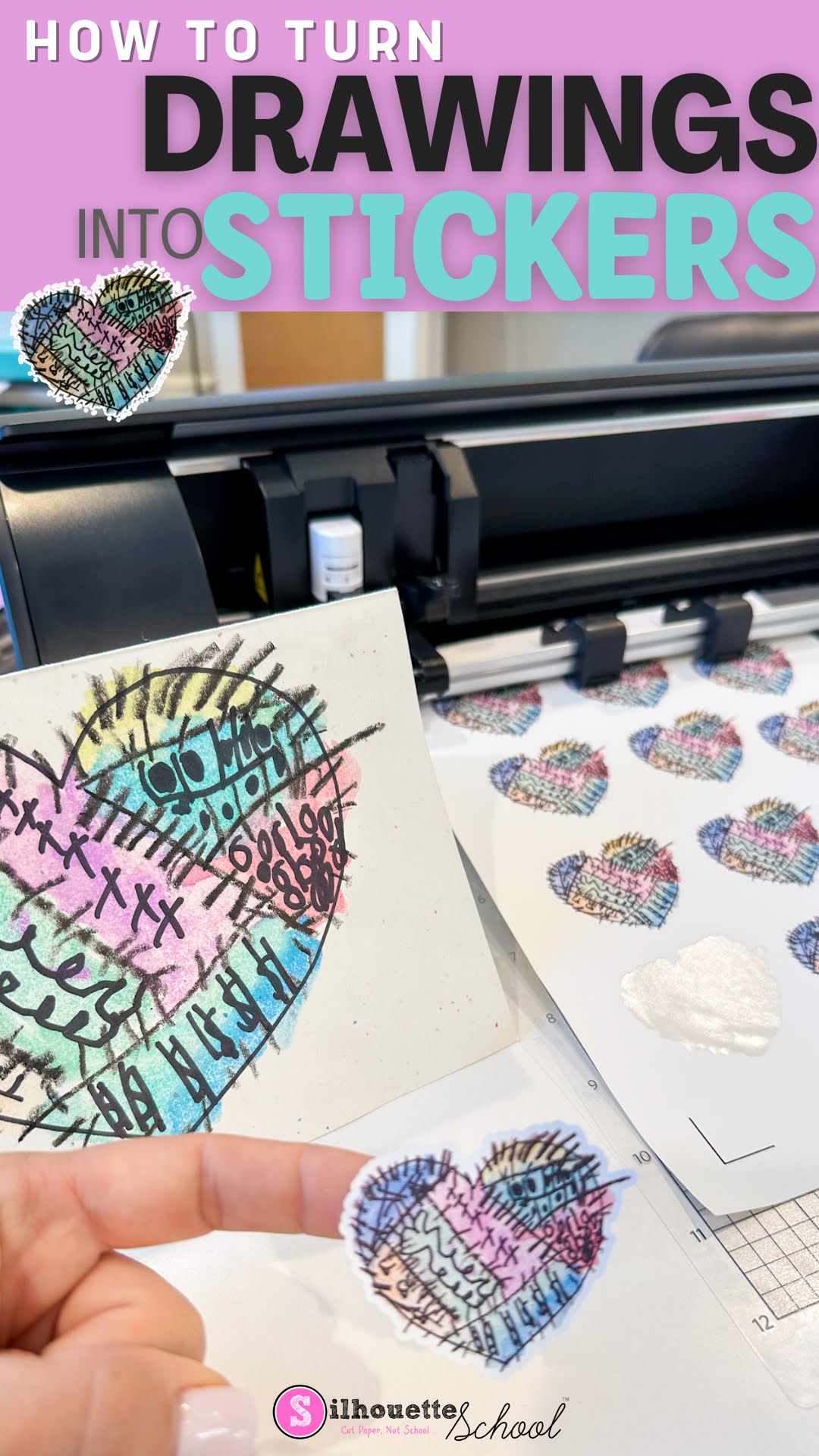
How to Turn Drawings into Stickers

You can turn your drawing into stickers pretty easily using Silhouette Studio. 

You can even do it with the free version of the Silhouette software program...whether you have a Silhouette cutting machine or not. 

stickers, cameo 5, sticker paper, print and cut, silhouette cameo 5

Follow along to learn how to turn your drawings into stickers in just a few steps. 

Tracing in Silhouette Studio V4 for Beginners: Solid and Multi Color JPEGs and PNGs

I get a lot of questions about how to trace in Silhouette Studio V4.

silhouette cameo tutorial for beginners, silhouette cameo for beginners, silhouette cameo tutorials for beginners, silhouette 101, silhouette america blog

This beginner tracing tutorial will show you how to get the best trace in Silhouette Studio V4. 

Trick for Tracing Hard to Trace Images in Silhouette Studio

The detailed tracing capabilities is one of my favorite things about Silhouette Studio. But it can be frustrating when you can't get a good trace on a photo, so I've learned to use a hidden little gem of a tool to make tracing easier.

trace in silhouette studio, silhouette studio trace, trace, silhouette 101, silhouette america blog


In this tutorial I'll show you how to invert an image using the Image Effects tool to make tracing hard to trace images a whole lot easier.

How to Remove a Photo Background in Silhouette Studio

A common question from Silhouette crafters is how do I remove a photo background in Silhouette Studio?

silhouette 101, silhouette america blog, Silhouette Studio v4, tracing, trace a photo

While there is no magic button in the Silhouette software to do this, it is pretty easy to do and you can do it in the free version of the software. This step by step Silhouette tutorial will explain exactly how to remove a photo background.

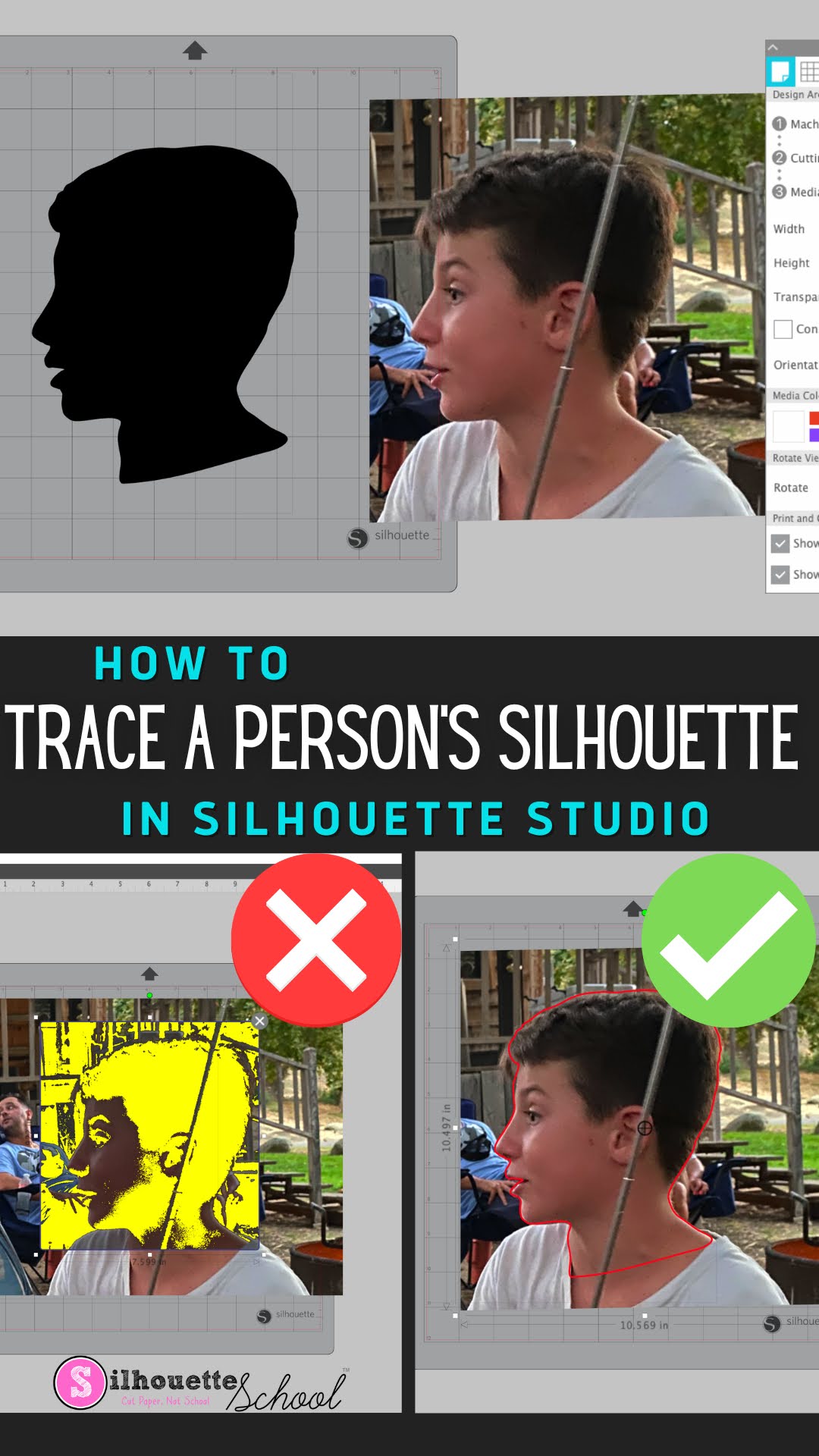
How to Trace a Silhouette of a Person in Silhouette Studio

You can trace a Silhouette of a person in Silhouette Studio to turn it into a cut file to create silhouette art. 

silhouette 101, silhouette america blog, silhouette studio v4, trace silhouette, trace tool

What's even better is this can be done in the free version of Silhouette Studio. Read on for the full tutorial on how to trace a silhouette of a person in Silhouette Studio.

How to Remove Unwanted Cut Lines in Silhouette Studio

If you have unwanted cut lines in Silhouette Studio you can easily remove them. 

silhouette 101, silhouette america blog, silhouette studio, silhouette studio v4, roland

In fact you can actually avoid them to begin with if you're tracing.   Most often people want to get rid of internal cut lines because they only want the outside edge of the design to cut. This tutorial is a bonus in the 5 Part How to Create Contour Cut Lines in Silhouette Studio series and will explain how to get rid of red cut lines in Silhouette Studio. 

How to Turn Your Logo into a Sticker: Start to Finish

You can turn your logo into a sticker or vinyl sticker easily using Silhouette Studio and Silhouette CAMEO. 

silhouette 101, silhouette america blog, print and cut, stickers, tracing

Making custom logo stickers is great for branding and packaging. This tutorial will explain how to turn your logo into a custom sticker. 

How to Use Silhouette Studio Business Edition (ONLY!) to Create Roland Contour Cut Lines (Video, Too)

If you are a Silhouette Studio Business Edition user and have a Roland BN-20A or BN-20...this is a game changer. 


By combining the power of the one-time paid Silhouette Studio upgrade to Business Edition and the free Roland Versaworks you can create Roland Contour Cut lines without any other software programs including Adobe Illustrator, Affinity Designer, Corel Draw, or Flexi.  

This is hands down the cheapest way to create Roland Versaworks Contour Cut Lines and will significantly cut down the learning curve for those already comfortable in Silhouette Studio...and even if you're not a Silhouette user - listen up because you don't even need a Silhouette machine to use the Silhouette Studio software!

How to Remove White Border on Sticker Designs in Silhouette Studio

When making stickers there are some times when you want to make them with a white border around them, and then there are other times when you want to make stickers without a white border. 

silhouette 101, silhouette america blog, stickers, silhouette studio v4, Print and cut

In this tutorial, we'll show you how to remove the white border around PNG sticker designs in Silhouette Studio.