Showing posts with label xtool. Show all posts
How to Separate Layers in xTool Creative Space (XCS) | Tracing PNG Files
Wednesday, February 11, 2026
If you're trying to convert a PNG file to a laser engraving file in xTool Creative Space it's easier than you may think.
Since PNG files are flat without vectorizing and separating the layers it's not possible to assign different processing types (cut, engrave, score) to different parts of the designs.
That's why separating layers is important so you can apply different processes to individual layers. Read on to learn about separate a PNG file in XCS using the tracing tool.
How to Put DTF Transfers on Acrylic (DTF Printer or Laser Cutter Not Required)
Wednesday, January 14, 2026
Did you know you can put DTF transfers on acrylic? It's SO easy and creates the most gorgeous ornaments, keychains, and gift tags!
Perfect Silicone Engraving Settings: My Must-Try Tips and Tricks - Video Tutorial
Tuesday, December 2, 2025
I know laser engraving silicone and rubber can seem tricky, especially when you're trying to avoid that messy black soot and getting a clean result.
But don't worry, I am going to share my trick when engraving silicone items.
Add Any Font in xTool Creative Space - Video Tutorial
Tuesday, November 11, 2025
Labels:
xtool,
xtool creative space,
xtool F1,
xtool laser,
xtool M1,
xtool P2,
xtool S1
xTool Creative Space Tutorial | 5 Tips for Laser Beginners
Thursday, September 18, 2025
The xTool laser software is pretty user friendly - even for beginners. While it's definitely not a full fledge design software by any means, there are some pretty cool hidden features that make the laser cutting software that much better.
In this xTool Creative Space tutorial I'll be sharing five little known tips for using XCS that will make your xTool M1, P2, F1, S1 or D1 that much better!
Live Look the NEW xTool Apparel Printer for DTF Beginners and Small Shops | Live Stream Event Details
Monday, September 15, 2025
I am SO excited to announce something I've been working on - a rare LIVE stream to answer your questions and do a live demo on the new xTool Apparel Printer.
If you've been looking for a DTF printer that's MAC and PC compatible, while also being beginner friendly, easy to set up and use - the xTool DTF printer may just be what you're looking for.
How to Make Your Own Sublimation Blanks (and Save Money)
Thursday, August 14, 2025
You can make your own sublimation blanks which will not only save you money, but also give you creative freedom.
Cutting full sheets of MDF sublimation hardboard into custom shapes means you can match your sublimation blanks to your designs. Read on for how to make your own sublimation blanks.
Why Your Laser is Smoking (And How to Fix It!)
Tuesday, August 12, 2025
Labels:
xtool,
xtool air purifier,
xtool cleaning,
xtool F1,
xtool M1,
xtool P2,
xtool S1
Beginners Guide to Laser Engraving Silicone Rubber (Without Burning)
Monday, August 4, 2025
If you're new to laser engraving silicone rubber - you're in the right spot!
Once you nail the best laser engraving settings, to avoid burning and scorching, you're going to be absolutely amazed at the results you an get when engraving silicone.
Read on for my beginner's guide to laser engraving silicone rubber.
How to Add Fonts to xTool Creative Space for Laser Engraving
Monday, July 28, 2025
Adding custom fonts to xTool Creative Space is one of the easiest ways to customize your laser projects.
If you've been stuck using only the default fonts in XCS, this tutorial is going to blow your mind. You can literally use ANY font that's installed on your computer - and I'm going to show you exactly how to do it.
How to Laser Engrave on Glass Tumblers with a Diode Laser (xTool F1, M1, S1)
Thursday, July 24, 2025
You can laser engrave on glass cans and tumblers with a diode laser! The trick is to use frosted glass like the frosted libbey cans.
What's even better is if you have a sublimation printer and are used to sublimating onto frosted glass cans, these are the same ones. Read on for how to laser engrave on glass with an xTool laser.
Unboxing and Set Up For the xTool AP2 Air Purifier - Video Tutorial
Tuesday, May 27, 2025
Fume-free crafting is here! I'm so excited to show you the new xTool AP2 Air Purifier.
If you're anything like me, you love getting creative with your laser cutters and engravers. But with that amazing creativity can come fumes and particles that you definitely don't want lingering in your workspace.
Which xTool Laser Cutter Can Cut Acrylic?
Thursday, April 10, 2025
If you're looking for a laser cutter that can cut acrylic, you'll likely find a wide range of answers.
It's important to understand that not all acrylic is the same, just like not all lasers are the same. You can technically cut SOME acrylic with all xTool lasers...but if you're serious about cutting all acrylic there's only one option.
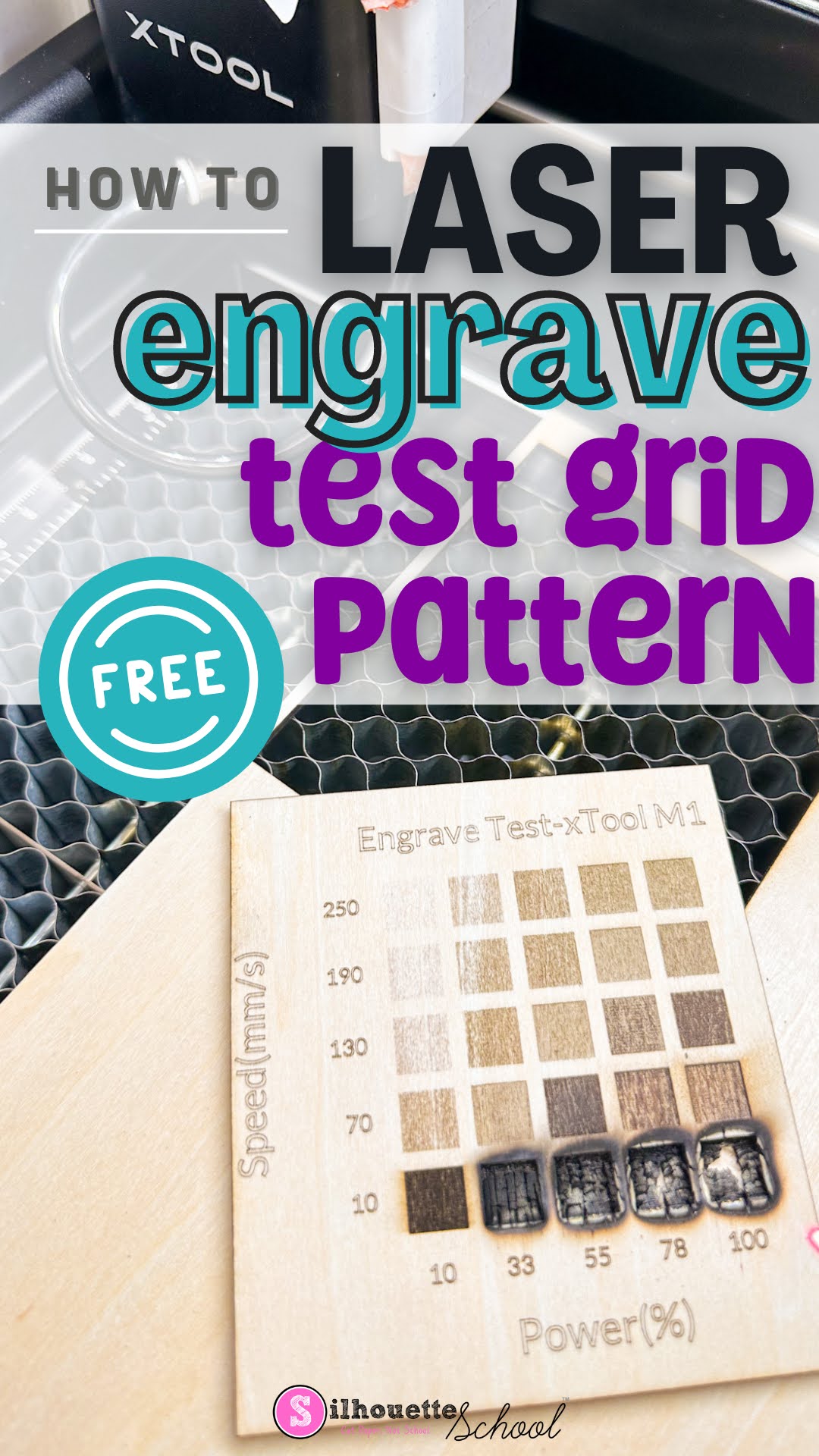
How to Quickly Make an xTool Test Grid Pattern Free
Thursday, January 16, 2025
Making an xTool test grid is the easiest and best way to find the perfect laser settings for the material and laser you're using.
When you have a new material you're working with, rather than guessing the laser power and speed, use the free xTool test grid pattern found in xTool Creative Space. Follow along to learn how and where to find a free test grid pattern for xTool lasers!
Laser Engraving Trick: Use Score for Perfect Placement
Wednesday, January 15, 2025
Layered laser cut projects that have multiple pieces to place can be tricky and time consuming to assemble if you don't know this one trick.
Read on to see why scoring is the key to perfect layered laser projects!
Live Support Is Still Alive With Silhouette U
Tuesday, January 7, 2025
Struggling to find live support for your Silhouette, Roland, xTool, or other cutting and sublimation machines? I have a solution.
Waiting days for answers can be frustrating, especially when you're in the middle of a creative project. That's where Silhouette U comes in!
Labels:
1 on 1 help,
chat support,
live help,
Roland,
Silhouette,
Silhouette U,
sublimation,
xtool
From SVG Design to Laser Cut Earrings: Design Tutorial
Monday, December 30, 2024
You can turn any SVG design you use for cutting into laser cut earrings with just a few slight modifications.
Whether your designs are are "intended" for stickers or sublimation, you can use these tricks to design when laser cutting earrings. (And psst..the exact same process works for keychains and ornaments too!)
Tips to Reduce Charring When Laser Cutting Wood
Thursday, December 12, 2024
If you're getting charring when laser cutting wood, there are ways to reduce the charring and clean up your wood cuts.
Wood charring is often caused when there's not enough air during the laser cutting process. Here I'm sharing my best advice on getting cleaner wood laser cuts and a dramatic side by side!
Subscribe to:
Posts (Atom)


.jpg)


.png)


.jpg)
.jpg)
.jpg)


.png)