Copyright Silhouette School 2016. Powered by Blogger.


Love You More Valentine Freebie Friday Silhouette Cut File

It's Friday and you guys know what that means - time for a freebie! 

Free Studio Files,freebies,Free Silhouette Designs,Freebie Friday,free,


Valentine's Day is just around the corner, and what better way to express your affection than with a handmade gift or decoration?

Best Thermoflex Silhouette Cut Settings

If you haven't tried Thermoflex heat transfer vinyl...you're missing out.

silhouette 101, silhouette america blog, thermoflex htv, htv, cut settings
This is a sponsored post, but all opinions are my own.
I'm sure you've heard of Thermoflex HTV ... a lot of Silhouette crafters swear by it and it's easy to see why! BUT who wants to spend a lot of time (or material) test cutting to find the right cut settings? That's why today I'm sharing the best Thermoflex Silhouette cut settings with you!

19 Silhouette School Tutorials You May Have Missed In January 2025

We are wrapping up the first month of 2025 here at Silhouette School. 

    CAMEO 4 tutorials,Month in Review,Silhouette CAMEO Tutorial,monthly wrapup,Silhouette CAMEO  tutorials,

    January was a whirlwind of creative inspiration here at Silhouette School! 

    Laser Cutting Pre Printed Images With XTool P2 - Video Tutorial

    You've printed your images onto acrylic, but now what? 


    Let me show you how to easily cut them out with using your xTool laser camera as a guide.

    The ONLY Way I Weed Heat Transfer Vinyl

    Wanna know the trick that will make it easier than ever to weed HTV? 

    Heat Press Basics,Heat Press,8-in-1 heat press,Glitter HTV,Heat Transfer Vinyl,glitter heat transfer vinyl,


    It's all about your heat press...so read on for this pro tip for easy weeding! 

    Free Hugs Valentine Freebie Friday Silhouette Cut File

    It's Freebie time at Silhouette School and this week I am sharing this cute Valentines Day design!

    Free Studio Files,freebies,Free Silhouette Designs,Freebie Friday,free,

    How adorable is this Free Hugs design??

    Roland BT-12 Direct to Garment (DTG) Printer vs Sublimation Printing

    Sublimation has become very popular with Silhouette crafters for the ease of use, ability to use the same designs as Silhouette Studio, and stunning vibrant colors. 

    silhouette 101, silhouette america blog, sublimation, DTG, direct to garment

    The biggest drawback to sublimation is you can only sublimate onto blanks with a poly coating, and in the case of apparel, polyester.  For some small t-shirt businesses that leaves a pretty big void without being able to apply to cotton shirts. Sublimation's cousin, Direct to Garment or DTG, fills that gap with the ability to print directly onto cotton or textile products with at least 50% cotton.

    Are You Grouping in Silhouette Studio All Wrong?!

    Are you grouping all wrong in Silhouette Studio?  

    Group,Silhouette Studio,tricks,Silhouette Studio Design tools,HTV,Heat Transfer Vinyl,


    If you are clicking and selecting and clicking more and then grouping..you're doing it the hard way.  Read on for this Silhouette Studio trick to group same color design elements faster than you thought possible. 

    DIY Custom Patterned Acrylic Sheets - A Step by Step Tutorial Video

    Tired of searching for the perfect patterned acrylic?
     

    Let me show you how to turn any graphic or logo into a full sheet of patterned acrylic using Silhouette Studio.

    How to Open and Use Alphabet Sets in Silhouette Studio

    Alphabet sets look like fonts, but they act like PNG or SVG files in Silhouette Studio. 

    Silhouette Studio,Silhouette Studio Business Edition,How to,SVG,Designing,Fonts,alphabet set,


    They're easy and fun to use and give you a lot of flexibility, but can be time consuming to open in Silhouette Studio.  But..oh they're so worth it!  

    Read on for my tips on opening and using Alphabet SVG sets in Silhouette Studio.

    Welcome To Our Beautiful Chaos Freebie Friday Silhouette Cut File

    Happy Friday! Here is another free Silhouette cut file for you.

    Free Studio Files,freebies,Free Silhouette Designs,Freebie Friday,free,

    Life can feel chaotic at times, but there's beauty in the mess! 

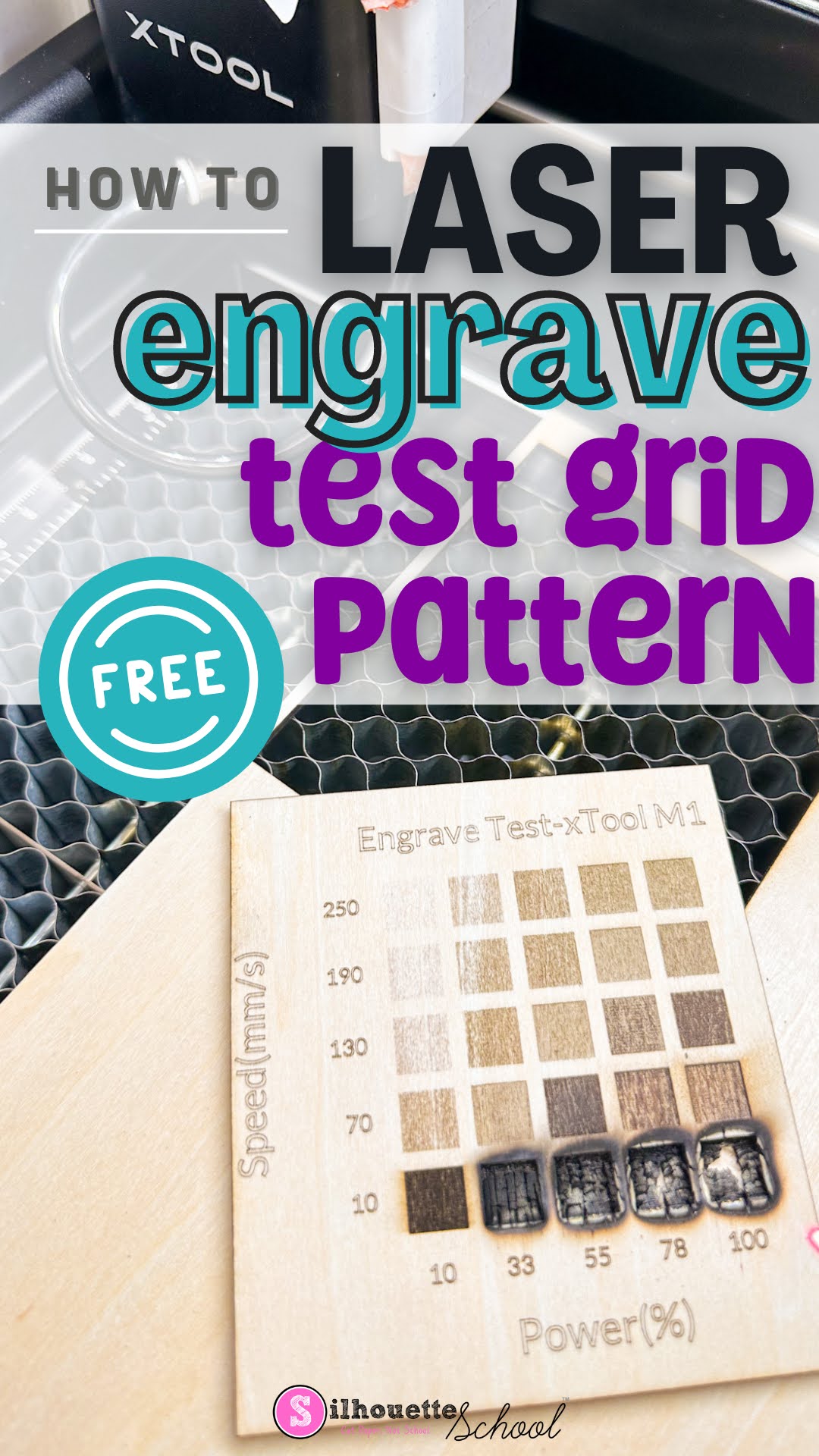
    How to Quickly Make an xTool Test Grid Pattern Free

    Making an xTool test grid is the easiest and best way to find the perfect laser settings for the material and laser you're using. 

    xtool, xtool m1, xtool p2, laser engraver, laser engraving, test grid pattern

    When you have a new material you're working with, rather than guessing the laser power and speed, use the free xTool test grid pattern found in xTool Creative Space. Follow along to learn how and where to find a free test grid pattern for xTool lasers! 

    Laser Engraving Trick: Use Score for Perfect Placement

    Layered laser cut projects that have multiple pieces to place can be tricky and time consuming to assemble if you don't know this one trick.  

    laser business,laser engrave,xtool,wood signs,xtool P2,xtool creative space,laser cutter,laser engraving,


    Read on to see why scoring is the key to perfect layered laser projects!  

    How To Save PNG Files With A Transparent Background In Silhouette Studio

    Have you ever wanted to use your Silhouette Studio designs in another program, but struggled to export them correctly? 

    Silhouette studio, silhouette cameo, silhouette tips


    Fear no more! Silhouette Studio Business Edition makes it incredibly easy to save your designs as PNG files with transparent backgrounds.

    Silhouette CAMEO: How to Use Fill Colors to Cut Different Materials on the Same Mat

    You can cut different materials on the same cutting mat, with different cut settings, at the same time. 

    silhouette studio, silhouette cameo, htv vinyl


    The trick is using either cut by line color or cut by fill color. Read on for the step by step on how to set up multi-material cutting with Silhouette CAMEO.

    Exercise Extra Fries Freebie Friday Silhouette Cut File

    Happy Friday! While many of us are making resolutions to get in shape, we understand if you're not quite ready to hit the gym.

    Free Studio Files,freebies,Free Silhouette Designs,Freebie Friday,free,

    That's why we're sharing this hilarious "Exercise? I Thought You Said Extra Fries!" cut file. 

    Silhouette Cameo Beginners: 10 Tips for Getting Started with Your First Cut (Updated 2025)

    If you want to avoid being one of those Silhouette CAMEO beginners who leaves their Silhouette cutting machine in the box for days or weeks or months or years (yes, years!) because they don't know where to start....allow me!

    Silhouette Cameo Beginners Getting Started First Cut

    Having written now 13 Silhouette beginner guides (some have even called them the Silhouette Books for Dummies) I know the struggles that newbies face when they first get their cutting machine. It's overwhelming!

    You don't know what 651 or 631 or weeding or compound path or Silhouette Studio or any of that lingo means.  You're fascinated by the possibilities, but they stall you at the same time because there are just.so.many. Heck, you don't even know what's considered a Silhouette CAMEO beginner project.

    For that reason now 11 years after when I received my first Silhouette cutting machine,  I'm sharing 10 Silhouette CAMEO beginners tips for getting started whether you have a Silhouette CAMEO 5, CAMEO 4, Plus, Pro, Silhouette CAMEO 3, CAMEO 2, 1 or Silhouette Portrait.

    Explained! What is Kerf in Laser Cutting?

    If you've heard the term "kerf" in laser cutting but aren't sure what it is...you're in the right spot. 

    laser business,wood signs,xtool P2,laser engraver,wood burning,Co2 lasers,laser cutter,laser engraving,


    When laser cutting, a portion of the material is eroded or burned away by the laser itself.  Because of this when you cut two pieces of material out of each other the middle one will "fall out".  Enter kerf. 

    Live Support Is Still Alive With Silhouette U

    Struggling to find live support for your Silhouette, Roland, xTool, or other cutting and sublimation machines? I have a solution. 

    Silhouette U, live help, chat support, 1 on 1 help, silhouette,roland, xtool, sublimation


     Waiting days for answers can be frustrating, especially when you're in the middle of a creative project. That's where Silhouette U comes in!

    New Font Bundle? Bulk Install Fonts on a MAC the Easy Way!

    You can bulk install Fonts on a MAC making it super fast and easy when you get a font bundle or pack. 

    font glyphs,So Fontsy,Fonts,font management,installing fonts,


    Once installed fonts and after a program re-start, your new fonts will show up in Silhouette Studio. Read on to learn how in just a few clicks and less than 2 minutes you, too, can install a bundles-worth of new fonts! 

    Everything Will Be Ok Freebie Friday Silhouette Cut File


    Happy Friday and Happy New Year!! Let's get 2025 started with another freebie. 

    Free Studio Files,freebies,Free Silhouette Designs,Freebie Friday,free,

    Spread some cheer and optimism for the new year with this free Silhouette Studio design.

    DTF Transfers with Sublimation Ink vs DTF Printer: Pros & Cons You REALLY Need to Know!

    Printing DTF Transfers with sublimation ink as an inexpensive hack that's being done instead of using an actual DTF printer. 
    Silhouette 101, silhouette america blog, epson sublimation, direct to film, sublimation printing

    Direct to Film solves a lot of problems and this hack allows you to put sublimation on cotton...but not all cotton. BUT...how do you do DTF printing with a sublimation printer...and is it really safe?  Read on to find out! 

    19 Silhouette School Tutorials You May Have Missed In December 2024

    Happy New Year! As we wrap up 2024, let's rewind and revisit all the amazing things we learned at Silhouette School in December..

    CAMEO 4 tutorials,Month in Review,Silhouette CAMEO Tutorial,monthly wrapup,Silhouette CAMEO  tutorials,

    From dazzling foil accents and perfectly puffed vinyl to the relief of recovering a lost Silhouette library, this month was packed with helpful tips and creative inspiration.