I had my laser up and running already for some DIY big heads, so that's why I opted to laser cut the plastic sheets. Here's everything you need to know before you cut.
Showing posts with label Cut Settings. Show all posts
Craft Plastic Sheets for Laser Cutting - Settings and Tips
Wednesday, May 13, 2026
I had never cut craft plastic sheets on my laser before and I honestly wasn't sure what I would use them for. But when I was making photo booth props for my daughter's graduation party, they turned out to be perfect!
This material is thin, slightly flexible - almost rubbery - and it cuts beautifully on a CO2 laser like an xTool P2s or Flux Beamo. You can also cut it on a diode laser or even a craft cutter, like a Silhouette CAMEO or Cricut.
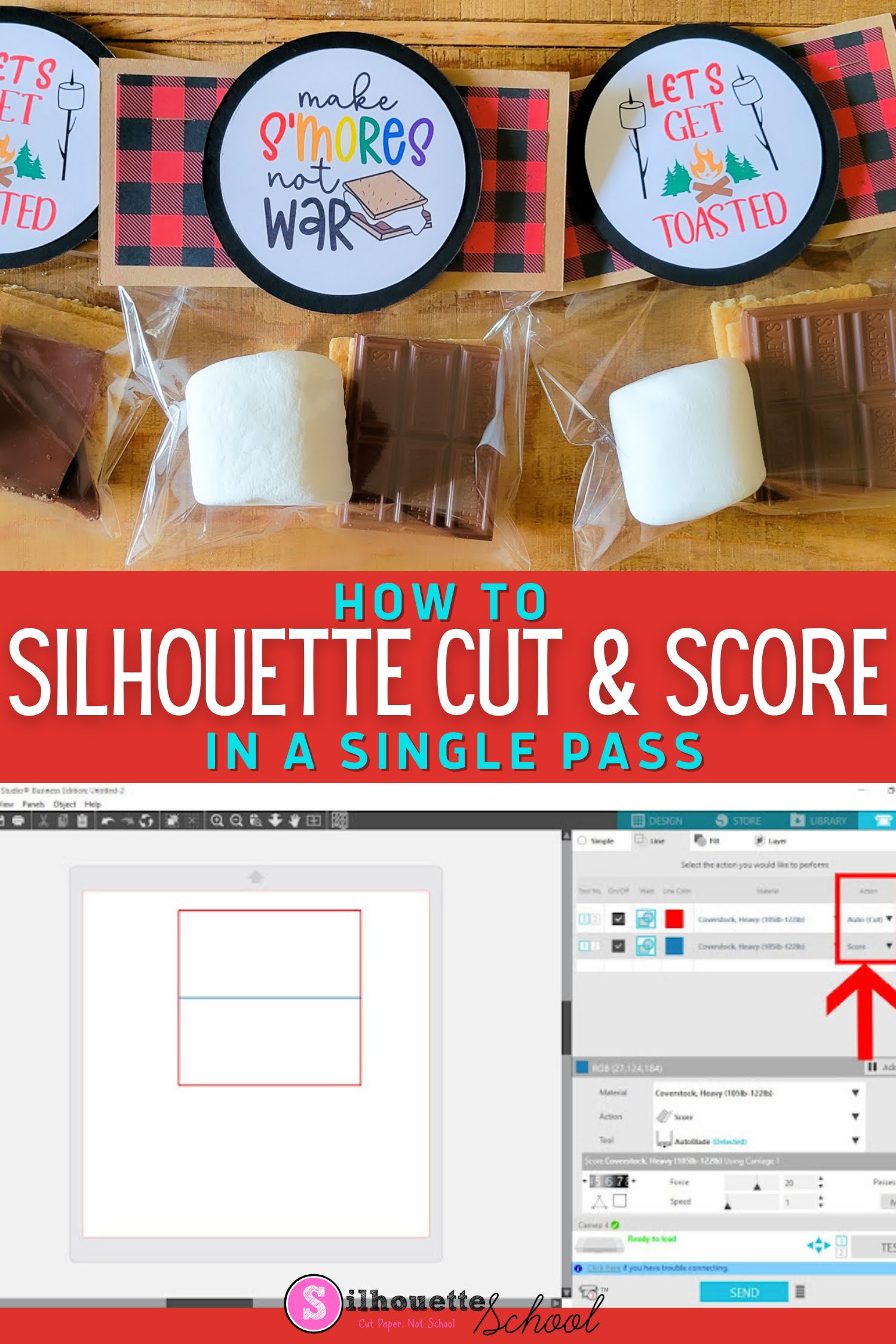
How to Cut and Score with Silhouette CAMEO 4 in a Single Pass
Thursday, June 26, 2025
The ability to cut and score with Silhouette CAMEO can be extremely helpful when it comes to paper projects!
This Silhouette tutorial will show to set up cut and score lines in Silhouette Studio..which comes in really handy for cards, 3d box cards and favor bag toppers like for these adorable s'more bags.
How to Make a Stencil with Silhouette CAMEO or Portrait
Thursday, May 1, 2025
I get a lot of questions about how to create a stencil with Silhouette CAMEO. It's pretty easy to do - as long as you understand where to weed.
Single use stencils can be made using stencil material or adhesive vinyl.
Waterproof Sticker Paper, Printable Foil, Printable Iron On...Oh My!
Thursday, April 24, 2025
Since writing my sticker book, The Ultimate Silhouette Sticker Guide, I get asked often about various types of sticker paper and where it can be purchased. I'm thrilled to say I've finally found my sticker paper people: OnlineLabels.com!
Ohhh emmm gee, you guys! Online Labels has every possible type of sticker paper you could ever think of! Not only do the majority of their printable sticker and label sheets come in both glossy and matte options, they're also available for both laser and inkjet printers!
![]() |
| This is a sponsored post but all opinions are my own. |
Best Thermoflex Silhouette Cut Settings
Thursday, January 30, 2025
If you haven't tried Thermoflex heat transfer vinyl...you're missing out.
I'm sure you've heard of Thermoflex HTV ... a lot of Silhouette crafters swear by it and it's easy to see why! BUT who wants to spend a lot of time (or material) test cutting to find the right cut settings? That's why today I'm sharing the best Thermoflex Silhouette cut settings with you!
![]() |
| This is a sponsored post, but all opinions are my own. |
Best Cardstock for Silhouette CAMEO and Portrait (IMHO)
Thursday, November 7, 2024
Looking for the best card stock to cut with Silhouette CAMEO or Portrait? A good cardstock can make a project and a bad cardstock can ruin one faster than you can finish your cut.
I've cut a lot of cardstock with all my Silhouette machines, including my Silhouette CAMEO 4, and I've not only found my favorite card stock, but also the best Silhouette cut settings to get perfect cuts not matter how small or detailed the design.
Why Bad Silhouette Cuts on Vinyl and HTV May NOT Be User Error (VIDEO)
Thursday, September 5, 2024
If your Silhouette CAMEO is not making clean cuts when cutting vinyl and HTV, there's a good chance it's NOT user error (and I don't often say that).
The default cut settings in Silhouette Studio V4.1 and higher are not accurate for the vinyl and HTV materials which makes getting a good cut without any adjustments nearly impossible. The trick for how to make Silhouette cut deeper should start with the force, not the blade depth.
Labels:
CAMEO 4,
CAMEO 4 help,
cut,
Cut Files,
Cut Settings,
Heat Transfer Vinyl,
HTV,
Silhouette CAMEO,
Vinyl
CAMEO 5 Settings Not Found? Fixing the 'No Compatible Auto Action' Error
Monday, December 4, 2023
If you are getting a Silhouette CAMEO 5 settings error when you try to select a material in Silhouette Studio it can be extremely frustrating.
Unfortunately, with the new Silhouette CAMEO 5 you'll need to (re-)create nearly ALL of your custom settings to clear the "No Compatible Action Found" error. AND what's worse is there are barely any default settings for materials as common as vinyl and sticker paper...
CAMEO 5 users, read on for how to fix this Silhouette Studio error.
Note: If you're experiencing this same incompatible error with the Silhouette CAMEO 4, check out this tutorial.
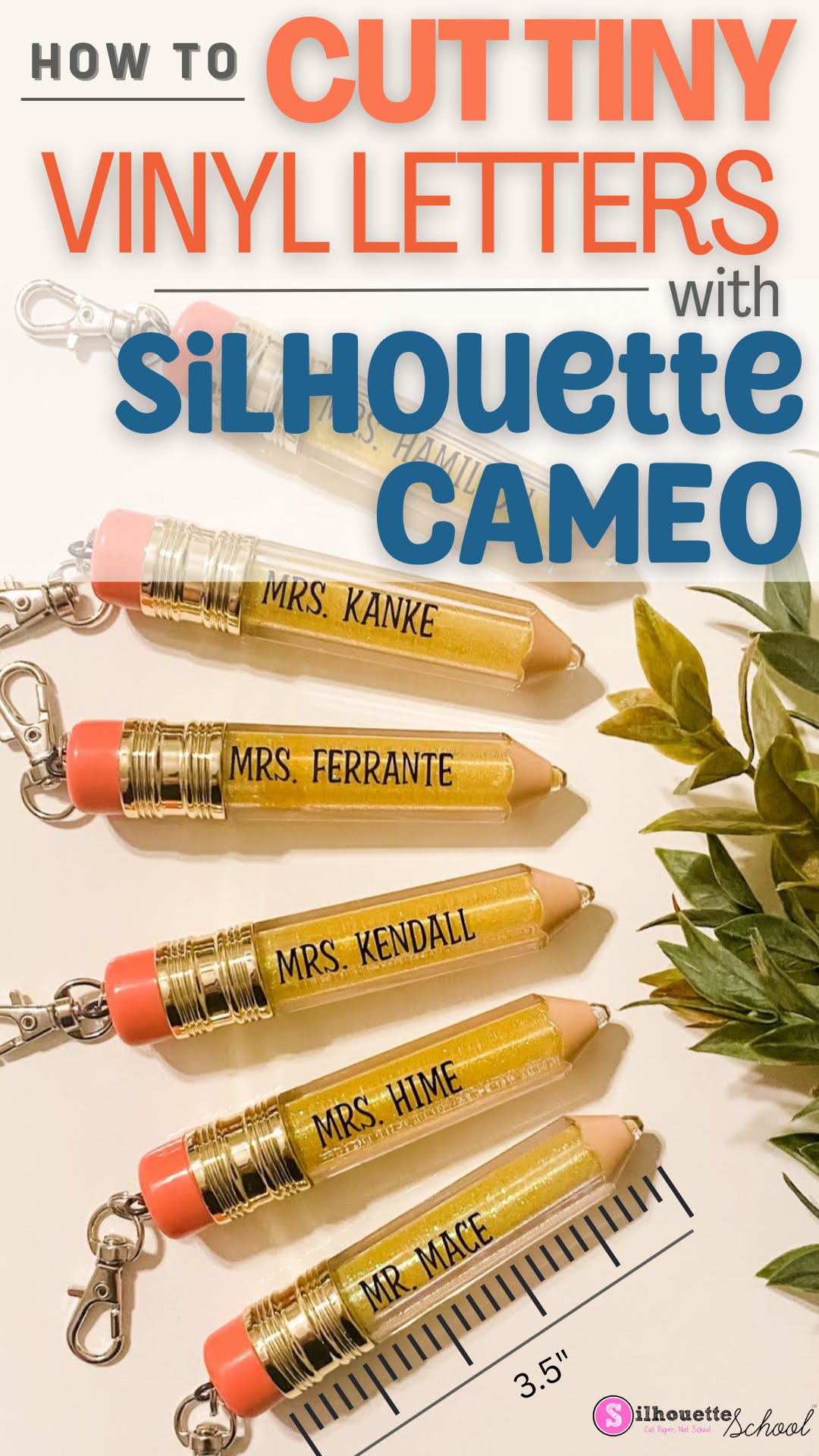
Don't Cut Small Vinyl Text with Silhouette CAMEO Without Reading This FIRST!
Monday, May 29, 2023
You can cut small vinyl text with your Silhouette CAMEO...and not actually pull your hair out.
But just how small can vinyl lettering be cut? In this blog post I'll share some some tips on how to successfully cut even the smallest vinyl letters.
Labels:
adhesive vinyl,
cut,
Cut Settings,
Gift Ideas,
Gifts,
Oracal 651,
Popular,
tearing,
Troubleshooting
Silhouette CAMEO 4 Cut Settings: How to Find The Best Settings for ANY Material! (Video)
Thursday, March 16, 2023
If you haven't asked "What's the Best Silhouette Cut Setting for ____FILL_IN_THE_BLANK___?" are you even really a Silhouette crafter?
While Silhouette Studio offers 100+ recommended cut settings for various materials they are a starting point. They don't take into account the exact material you are using, the condition of your blade, and sometimes (like in the case of permanent vinyl and smooth HTV) they're just wrong. For this reason it's important to know how to find the best Silhouette CAMEO 4 cut settings so you don't waste an entire sheet of material.
Labels:
Advanced Settings,
CAMEO 4,
cut,
Cut Files,
Cut Settings,
How to,
Silhouette CAMEO 4,
Videos
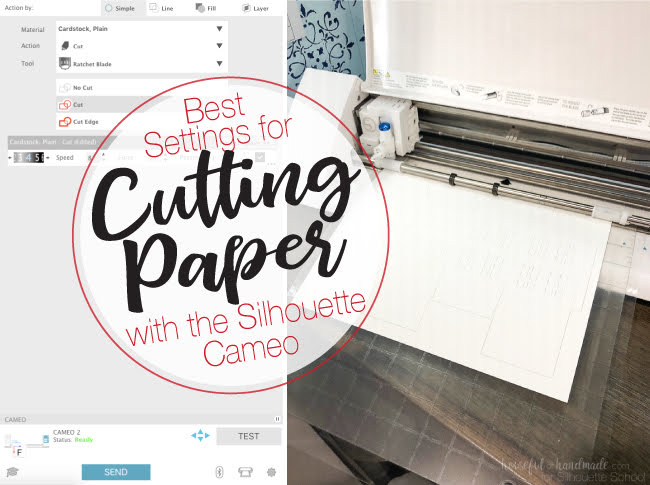
Best Silhouette Cut Settings for Paper
Thursday, December 1, 2022
Well you guys seemed to like all my tips for cutting paper with Silhouette so today we're going to take a closer look the best cut Silhouette settings for paper!
Of course there are all different kinds and weights and textures of paper which means the cut settings will vary. Kati from Houseful of Handmade is here today to share the perfect paper cut settings!
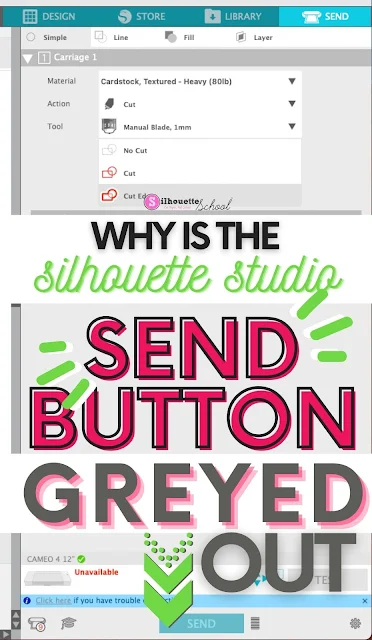
Silhouette Studio Send Button Greyed Out? Here's the Fix
Wednesday, November 24, 2021
If the Silhouette Studio Send Button is greyed out in the Send panel there is usually one main reason why.
In this tutorial we'll look at why the Send button in Silhouette Studio is greyed and how to fix it so you can cut with your Silhouette machine.
How to Reverse Weed Vinyl: Small Letters and Tiny Cuts
Wednesday, September 29, 2021
If you ever tried to weed small vinyl letters or detailed cuts only for the design or text to lift while weeding, you probably aren't reverse weeding.
When reverse weeding vinyl you weed from the sticky transfer tape rather than the vinyl backing. The transfer tape helps prevent the small letters and cuts from lifting while you're weeding. Follow this tutorial for how to reverse weed adhesive vinyl (this doesn't work for HTV).
DIY Faux Leather Earrings Start to Finish: Silhouette CAMEO Tutorial
Thursday, May 13, 2021
A few weeks back I shared my favorite faux leather sheets (and Silhouette cut settings) for making leather earrings.
Since then I've been asked quite often how to finish the faux leather earrings. Today I'm going to share a full start to finish leather earring tutorial including all the supplies you need.
7 Tricks to Cleanly Cutting Tiny Script Fonts on Vinyl with Silhouette CAMEO
Thursday, April 22, 2021
One of the biggest frustrations for Silhouette CAMEO users trying to cut very intricate designs and text is the more intricate and the smaller the design, the harder it is to get a clean cut.
The problem is some of the most beautiful designs are the most intricate ones with scrolls and flourishes and swooshes and sometimes you just need to cut them small! That's when having a few tricks up your sleeve for cutting very small designs or text on vinyl can be the difference between a chewed up design and one that cuts perfectly.
Labels:
Cut Settings,
Fonts,
How to,
Monograms,
Script Fonts,
Silhouette Vinyl,
Tips & Tricks,
Vinyl
Silhouette CAMEO Hack: Self Weeding HTV Designs!
Wednesday, January 27, 2021
Cutting distressed fonts and designs on HTV can be a real challenge to weed.
I recently had this epiphany moment realizing I could actually force the distressed areas to self weed when cutting with my Silhouette machine. And the best part is this works on Mandala designs as well!
How to Turn Off Silhouette 3mm Kraft Blade Hooks and Loops
Monday, January 11, 2021
There's a setting buried in the Send panel that will allow you to turn off the hooks and loops that automatically turn on when using the 2mm and 3mm Silhouette Kraft Blade.
The ability to turn off the series of hooks and loops, called Smart Cuts, often helps to cut thick, dense materials without the blade getting stuck in the material.
Easy Way to Layer Glitter HTV Over Smooth Heat Transfer Vinyl
Wednesday, November 11, 2020
I love trying new combinations of materials and while layering glitter HTV over smooth HTV isn't "new"...I am excited about this new combination!
This is a sponsored post, but all opinions are my own
BFlex's glitter HTV line called Sandy Glitter is extra shiny and when combined with their matte HTV the results really pop - even in monotone!
How to Cut Mask Hooks on Silhouette CAMEO (FREE Ear Saver Design Download)
Friday, April 17, 2020
Silhouette crafters have been answering the call for homemade masks and mask hooks to help anyway they can during the pandemic.
The original mask hooks or 'ear savers' as I've been calling them are easy to print with a 3D printer including the Silhouette Alta. But if you don't have an Alta or the new Alta Plus we now have a free cuttable version of the ear saver....and I'm including the best Silhouette Cut Settings.
5 Reasons to Try B-Flex Glitter HTV
Tuesday, September 24, 2019
I love glitter HTV as much as the next Silhouette crafter, but my biggest complaint is how thick and bulky it can be - especially on large, solid designs.
Well I think I may have just found the answer - a thin, layereable glitter heat transfer vinyl!! After checking out my top five reasons for loving BFlex Glitter, I'm sure you'll want to try it too!
Labels:
Cut Settings,
Glitter HTV,
Heat Press,
Heat Transfer Vinyl,
HTV,
New Products,
Reviews
Subscribe to:
Posts (Atom)


.png)