Copyright Silhouette School 2016. Powered by Blogger.


Showing posts with label patterns. Show all posts

How to Fill a Shape with a Pattern in Silhouette Studio

Filling a shape with a digital pattern is one of those Silhouette Studio features that often gets overlooked. 

digital patterns,patterns,Patterns and Backgrounds,seamless pattern,

There are actually two different ways to do this: using the Fill Patterns tool or using the crop tool in the Modify tool panel.

Read on for exactly how to do it in both Silhouette Studio V4 and V5.

Quick Fix When Scaling Patterns in Silhouette Studio Creates White Grid Lines

Have you ever tried to scale a seamless pattern in Silhouette Studio only to get white grid lines? 

seamless pattern,digital patterns,patterns,Patterns and Backgrounds,


This is not an uncommon problem especially if you scale to a pretty small size like you might need to if you're creating patterns for printing vinyl, HTV or fabric.  So how do you get rid of those annoying white grid lines? 

In this tutorial I'm going to show you a quick and easy hack that I use in Silhouette Studio to hide seamless pattern grid lines! 

DIY Custom Patterned Acrylic Sheets - A Step by Step Tutorial Video

Tired of searching for the perfect patterned acrylic?
 

Let me show you how to turn any graphic or logo into a full sheet of patterned acrylic using Silhouette Studio.

How to Turn an Image into a Pattern in Silhouette Studio (The Easy Way)

You can turn images into a pattern with just a few clicks in Silhouette Studio. 

Advanced Silhouette Studio Tutorials,replicate,patterns,digital patterns,Patterns and Backgrounds,


The Advanced Replicate tool makes turning any image including a logo into a repeating pattern super fast and easy.  Keep reading to learn how!  

Design Trick! Using Glass Can Wraps as Patterns for Printing

If you want to get more out of the designs you own - use them in other ways! Glass can wraps become printed patterns or vertical sign designs are perfect for a sleeve or pant leg. 

Advanced Silhouette Studio Tutorials,Silhouette Studio,white toner printer,laser engraver,patterns,digital patterns,Patterns and Backgrounds,laser cutter,


Here's my secret for turning glass can wraps into digital patterns I can print! 

How to Design Pattern Sticker Sheets with Silhouette Studio

You can take your sticker sheets up a notch by replacing the boring white background with a fun pattern by making pattern sticker sheets.
Stickers,Print and Cut,patterns,sticker,Silhouette CAMEO print and cut,digital patterns,Sticker Paper,Patterns and Backgrounds,


This is relatively easy to do in Silhouette Studio. Follow the steps below to create your own custom sticker sheets with a pattern background. 

How to Add New Digital Patterns to Silhouette Studio Pattern Fill

You can add new digital patterns to Silhouette Studio quickly and easily to be used to fill shapes. 

silhouette 101, silhouette america blog, digital patterns, silhouette studio, silhouette studio v4

You do need Silhouette Studio Designer Edition or higher in order to import custom patterns. Read on for a quick step by step and video for how to add your own patterns. 

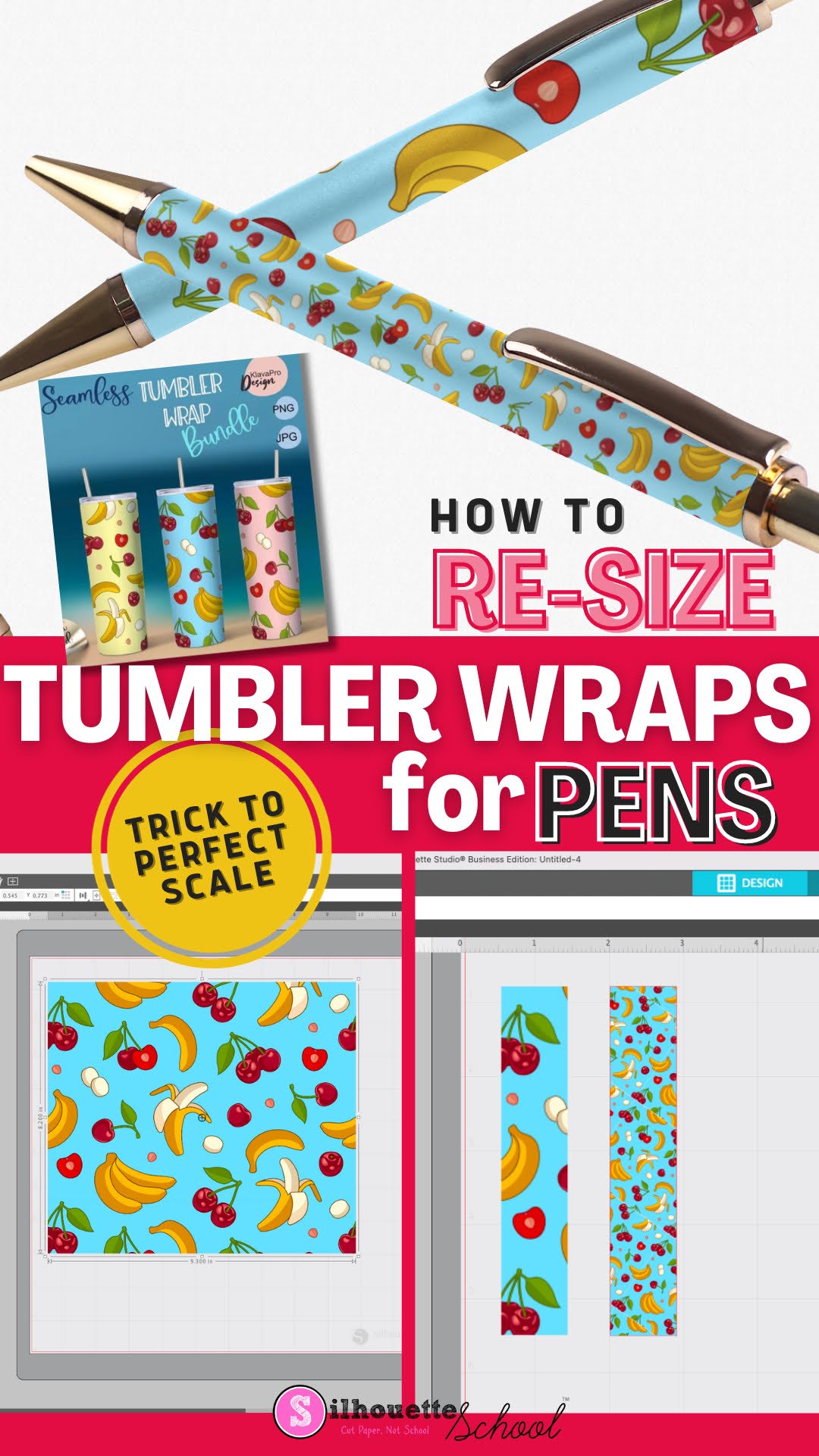
How to Re-Size Sublimation Tumbler Wraps for Sublimating Pens

Did you know you can use sublimation tumbler wraps for sublimating pens?! 

silhouette studio, sublimation, tumbler wraps, sublimation printing, digital patterns, patterns

The trick is all in how you resize them...and this can all be done in Silhouette Studio.  Read on for the step by step tutorial on resizing sublimation tumbler wraps so they're the perfect size and scale for sublimation pens!

How to Fill an SVG with a Photograph in Silhouette Studio

There's no better way to customize your projects than using your own photographs! 

silhouette 101, silhouette america blog, silhouette studio v4, digital patterns, designer edition, fill design

In this tutorial, we'll show you how to fill an SVG design with a photograph in Silhouette Studio.

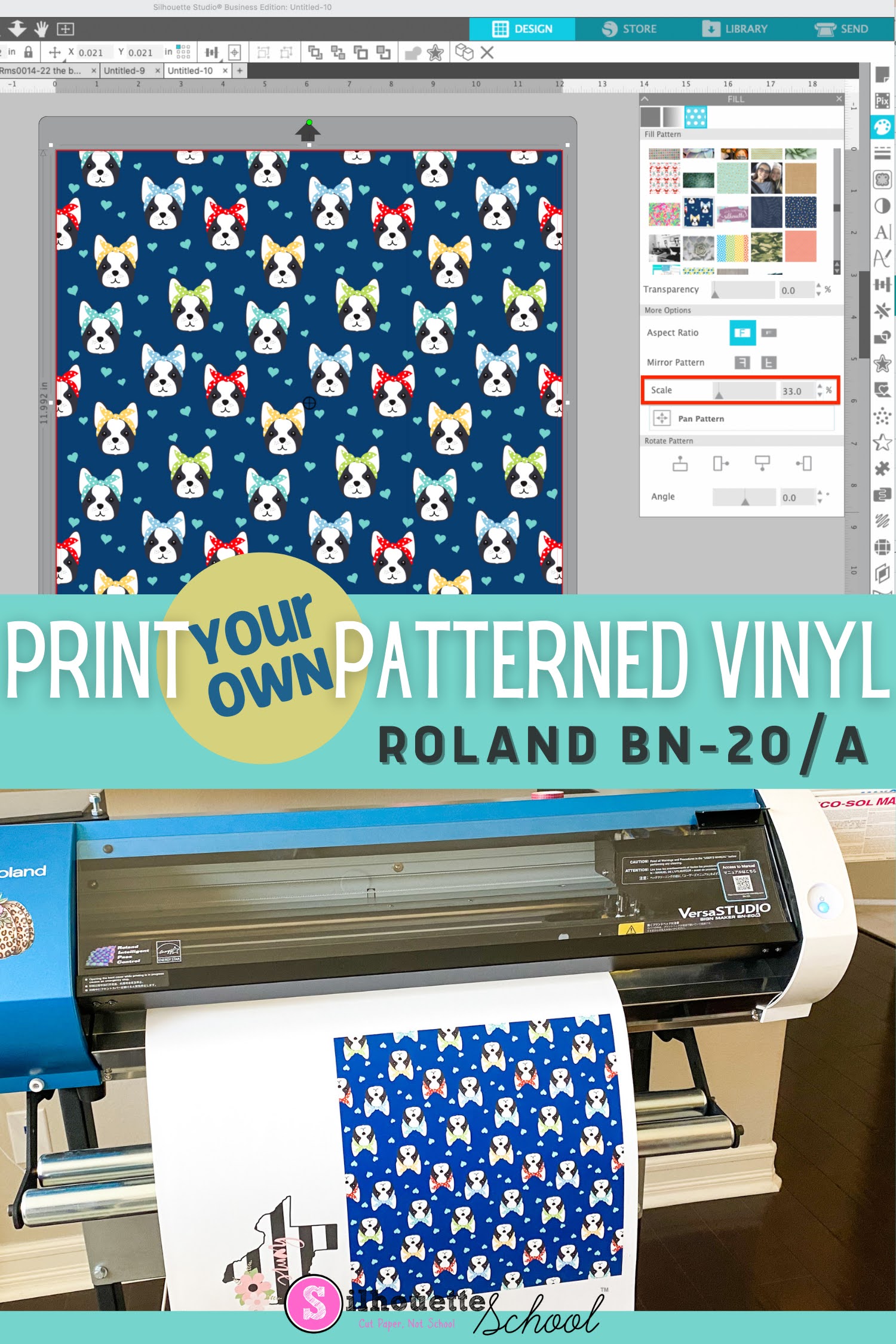
How to Print Patterned Vinyl at Home

There are various ways to print your own patterned vinyl.  

silhouette 101, silhouette america blog, roland, patterns, digital patterns

You can print patterned vinyl with an inkjet printer and inkjet printable vinyl as I shared previously, but you'll get the best results, the longest lasting, and the highest quality with an eco solvent printer and cal vinyl. In this tutorial I'll share the steps for how to print patterned vinyl or heat transfer vinyl with the Roland BN-20A or BN-20

How to Make DIY Paper Medallions with Silhouette CAMEO

Paper medallions are a fun paper craft that allow for a lot of creativity. 

silhouette 101, silhouette america blog, paper, digital patterns, paper medallions

In this tutorial, we'll share several ways you can customize paper medallions to make your paper projects super special using your Silhouette CAMEO.

How to Fill Designs with Custom Patterns in Silhouette Studio

Need some ideas on how to use digital patterns in Silhouette Studio? 
silhouette 101, silhouette america blog, print and cut, paper crafts, digital patterns

This tutorial will show you how to use custom patterns to fill designs for print and cuts! 

How to Print Full Sheets of Custom Patterned Paper with Silhouette

If you haven't yet been introduced to working with digital paper and digital patterns in Silhouette Studio, then say hello to a whole new world of paper crafting! 

silhouette 101, silhouette america blog, paper crafts, patterned paper, digital patterns

Digital patterns give you this amazing ability to customize and print your own patterned paper and allow you to be even more creative in your paper crafts. No need to be intimidated when it comes to digital paper and digital patterns because in this tutorial we'll show you how you can use digital patterns with Silhouette Studio for your paper crafting projects!

How to Import Photos to Silhouette Studio To Use as Fill Patterns (3 Easy Steps)

You can import photos into Silhouette Studio and use the photo to fill a shape in just a few easy steps. 

silhouette 101, silhouette america blog, silhouette studio v4, patterns, photos

Importing photos to Silhouette Studio through the Patterns folder allows you the greatest control including cropping photos in Silhouette Studio, filling other shapes with the image and printing and cutting photos. 

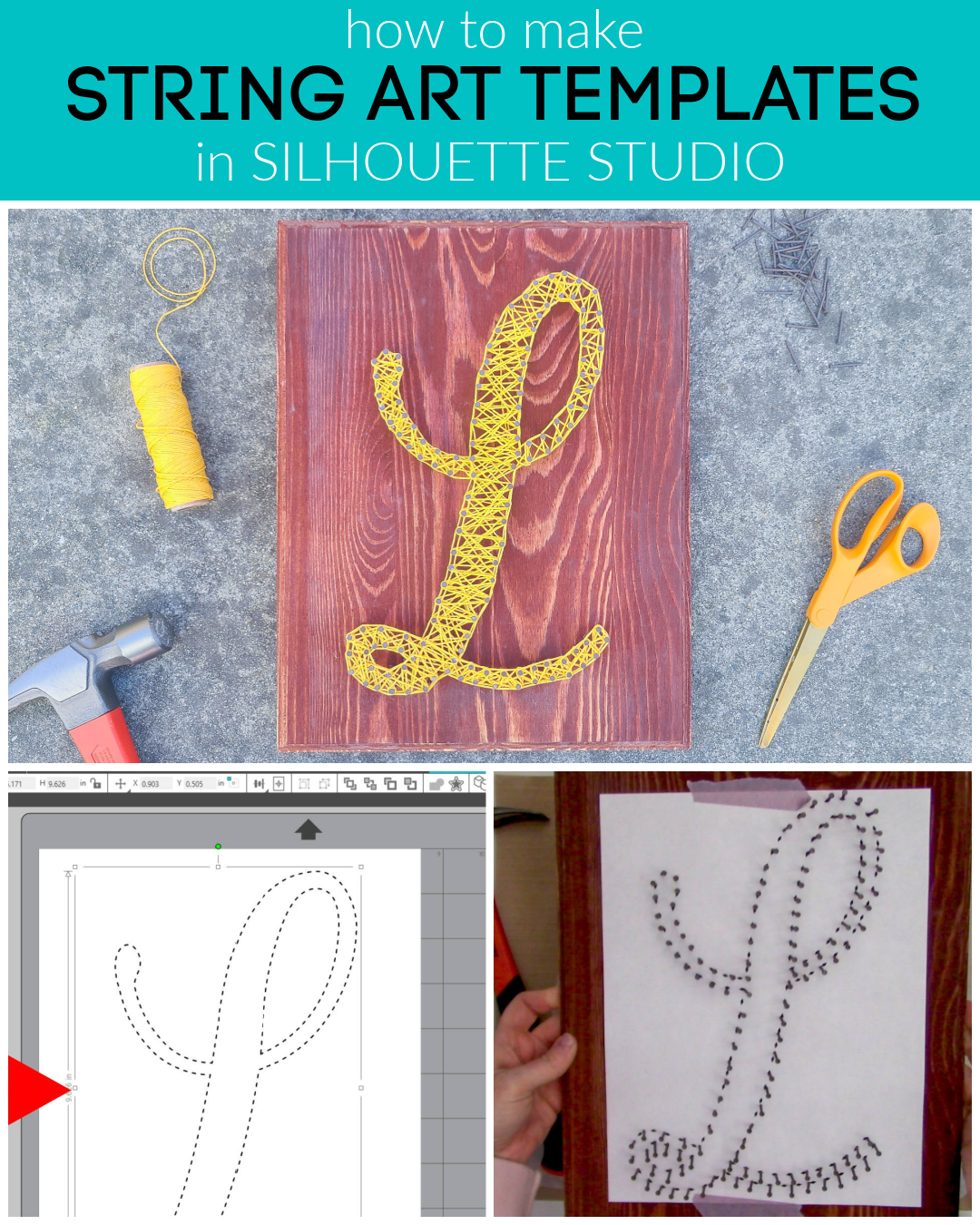
How to Make a String Art Pattern in Silhouette Studio Basic Edition

You can easily create a pattern for an impressive string art project right in Silhouette Studio. We've shown you how to do this before (check out that blog post here) if you had Silhouette Studio Designer Edition. 

string art, string art templates, free string art templates, string art tutorial

Now, here's how to create a pattern even if you haven't upgraded your software.